31
Skydio X2 Color/Thermal - Operator Manual © 2022 Skydio, Inc. All rights reserved.
* HDR is not supported in all video resolutions and framerates.
** Skydio X2 can record video in either AVC (H.264) or HEVC (H.265). Dierent mobile devices and personal computers have dierent compatibility with
these encoding standards. Be sure to choose the encoding standard that is best suited to your desired workflow.
*** When Photo Interval is enabled X2 will continuously capture photos at the specified time interval until the setting is disabled or the flight ends.
**** The fastest interval photo setting when capturing in raw DNG is two seconds. Capture a photo every one second when capturing in JPG mode.
***** DNG photos are not displayed in the Review tab and may be retrieved directly from the microSD card.
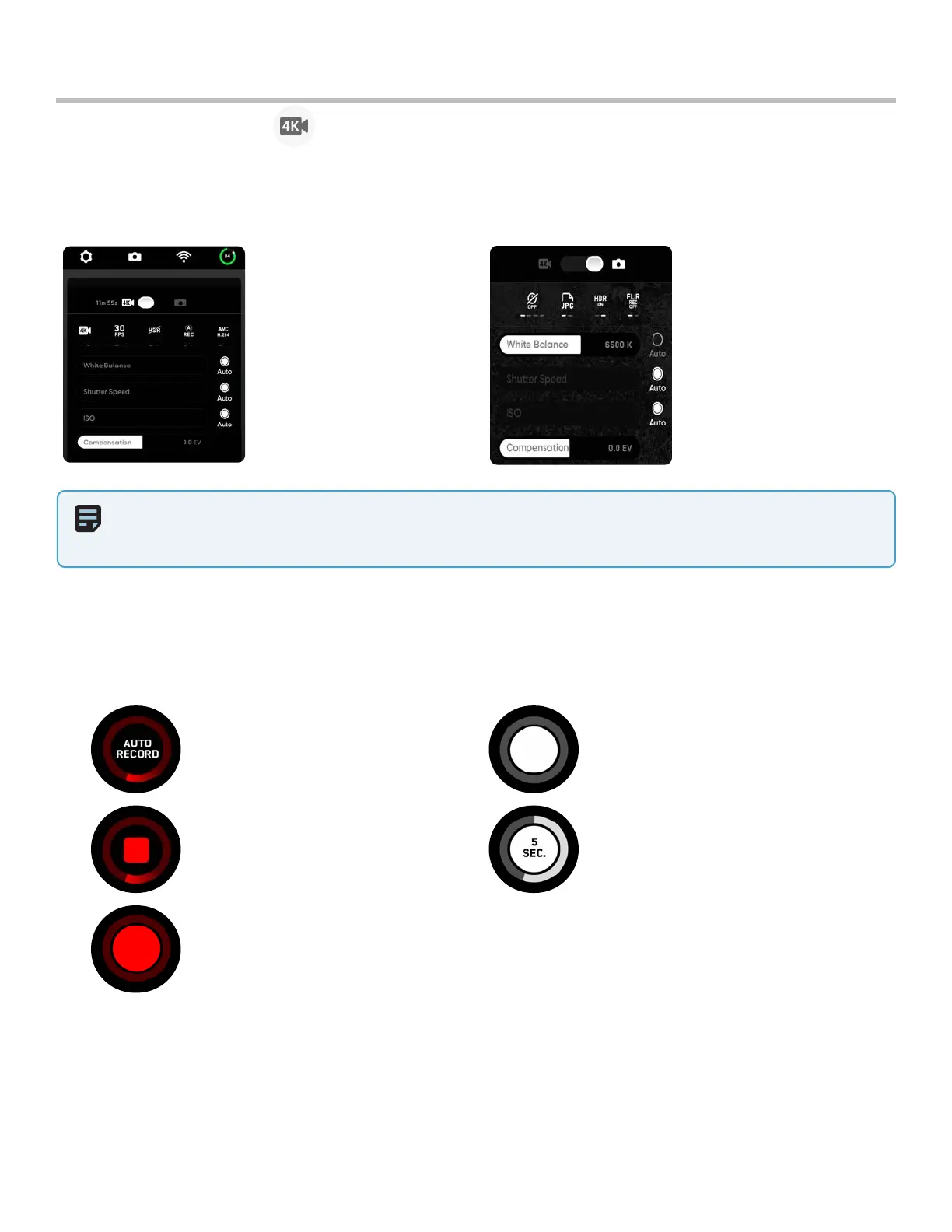
Camera settings
Flight
Recoding Video: Auto Photo Button
Recoding Video: Manual Interval Photos
Recording Paused: Manual
Recording indicators
NOTE: Changing the camera settings before launch may cause Skydio X2 to return to the preflight screen and
re-calibrate its vision system. Some video capture settings (such as video resolution and frame rate) cannot be
changed while the drone is actively zooming. Digital 16x zoom is not supported in all video resolutions and framerates.
Change between Video and Photo recording modes. Skydio X2 can capture photos or video but not both at the
same time, and your color and thermal (X2E Color/Thermal only) cameras will always be in the same recording mode.
Whenever X2 captures a photo or video, it will capture one file with the color camera and a second with the thermal
camera.
Photo Capture Settings
• Photo Interval***
• O / 1s or 2s**** / 5s / 10s
• HDR On/O
• JPG / JPG+DNG*****
• White Balance
• Shutter Speed
• Exposure
• FLIR on/o
Video Capture Settings
• Resolution
• Frame rate
• HDR On/O*
• Auto / Manual Recording
• Video Codec**
• White Balance
• Shutter Speed
• ISO
• Exposure



 To Next Page