216201ADA SJ643 TH & SJ843 TH
64
Section 5 – Operation DEUTZ Engine Data Display Module
The most recent error is automatically displayed
when the error list is called up.
2. If the list is longer than the screen section, you
can browse through the list using buttons 1
and 2.
ACTIVE FAULT
SHUT OFF REQUEST
SIGNAL LOSS
PRESS ANY KEY
Figure 36 Error Message
3. The error list cannot be exited until all alarms
have been acknowledged by pressing button 3.
The error list display can be viewed at any time
by pressing button 4.
5.11-7 Display Conguration
Conguration mode allows the user to set various
operating parameters and modes of the DEUTZ
Display. This includes setting the units (metric or
US customary), measuring range settings or engine
service intervals.
4. The conguration menu can be called up by
pressing and holding down button 5 for at least
3 seconds.
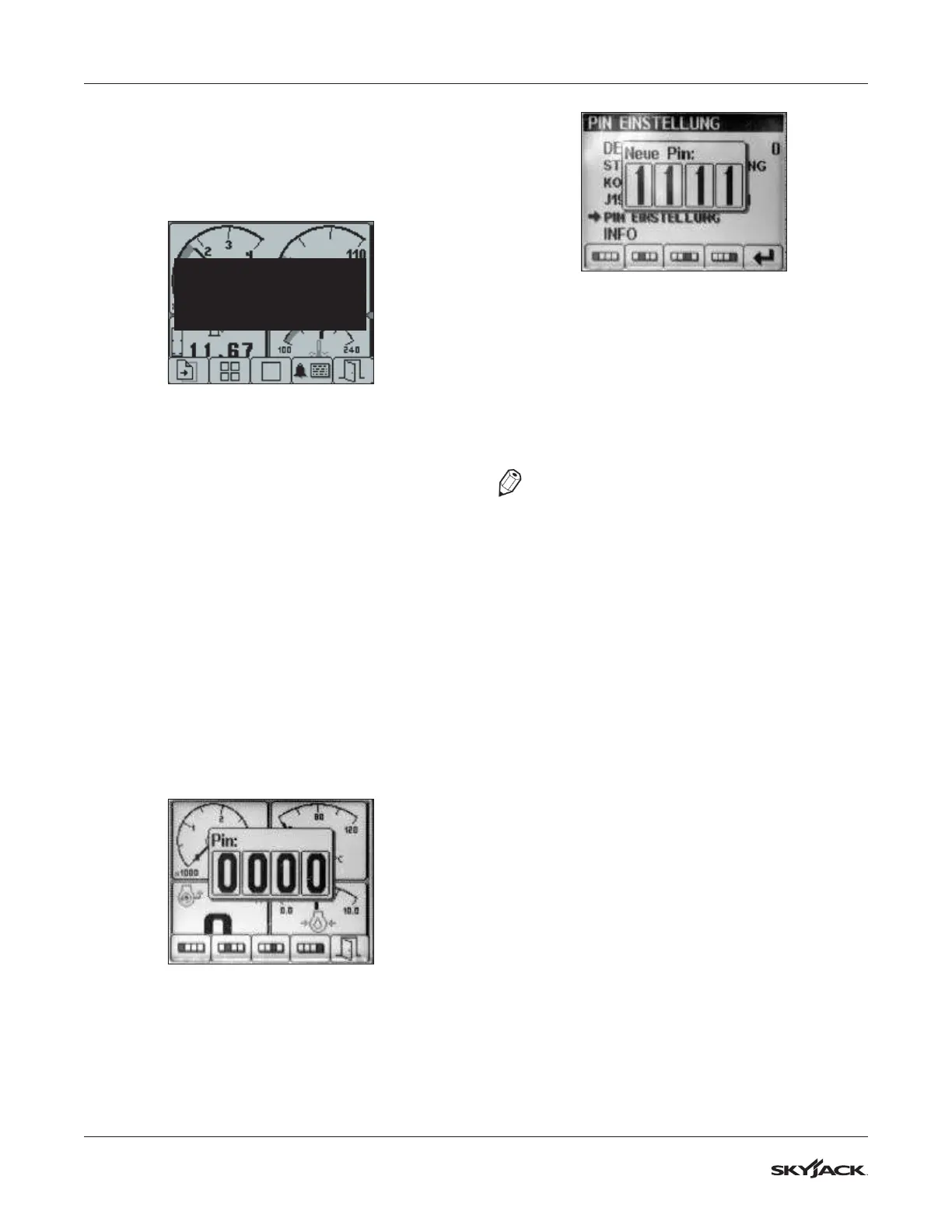
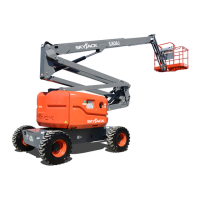
5. To secure the conguration display, the display
prompts you to enter a PIN number before
accessing the conguration menu. The default
PIN is 1111.
Figure 37 PIN Pop-up
6. Press buttons 1, 2, 3, 4, and nally press button
5 to conrm the information.
Figure 38 PIN Number Entry
7. The conguration menu is displayed once the
pin number has been entered.
8. Buttons 1 and 2 allow scrolling up and down the
menu, while button 4 calls up the highlighted
selection.
9. Use button 5 to exit conguration menu or
browse back a level.
NOTE
Refer to the service manual of this telehandler for
a list of error codes.


 To Next Page