EasyManua.ls Logo

SMC Networks EXW1-BMJA Series - User Manual

Default Icon
100 pages
Print Icon
To Next Page IconTo Next Page
Loading...
No.EX※※-OMZ0016
PRODUCT NAME
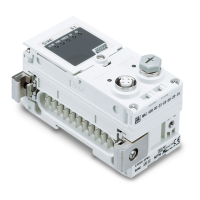
Compact Wireless Base
MODEL / Series / Product Number
EXW1-BMJA#
PRODUCT NAME
Compact Wireless Remote
MODEL / Series / Product Number
EXW1-RDXNE4##
EXW1-RDYNE4##
EXW1-RDM#E3##
EXW1-BMJA#
EXW1-RD#

Questions and Answers

  • T
    Terri ZimmermanAug 15, 2025
    Why is the W-SS LED flashing red, orange, or off on my SMC Networks EXW1-BMJA?
    • E
      Elizabeth MartinAug 15, 2025
      The W-SS LED on your SMC Networks I/O Systems might be flashing red, orange, or be off due to one of two reasons: * The remote power supply is off. To resolve this, ensure that you supply 24 VDC +/-10% to the US1 power source of the Remote. * The device is outside the wireless coverage area. Try reconsidering the operating environment, such as the installation conditions, of the Base and Remote to ensure they are within the wireless communication range.
  • V
    vincentreynoldsAug 18, 2025
    What to do if L ERR LED is RED on SMC Networks I/O Systems?
    • T
      Tracy SheltonAug 18, 2025
      If the L ERR LED is RED on your SMC Networks I/O Systems, it indicates an error in communication with the PLC. To resolve this: * Check the connector for looseness and broken lines. * Ensure that noise sources are kept away from the communication line. After checking these items, restart the system.
  • R
    Rachel ThomasAug 25, 2025
    What to do if NFC communication error with SMC Networks EXW1-BMJA I/O Systems?
    • N
      Nancy MyersAug 26, 2025
      If you are experiencing an NFC communication error with your SMC Networks I/O Systems, it means that NFC communication is not established. To resolve this: * Confirm that the settings of the NFC port and PaSoRi of the PC are correct. * Check that the specifications of the NFC reader / writer to be used are appropriate. * Confirm that the NFC reader / writer are connected correctly. * Ensure the communication distance is within the NFC range by placing the body (NFC antenna approach area) close to the NFC reader / writer.
  • S
    szunigaAug 28, 2025
    Why is the W-NS LED not turning on green on my SMC Networks EXW1-BMJA?
    • J
      jeremy72Aug 28, 2025
      The W-NS LED on your SMC Networks I/O Systems might not be turning on green because: 1. Some Remotes are not connected. To fix this, supply 24 VDC +/-10% to the US1 power source of the Remote. 2. Some registered Remotes have no wireless signal. To fix this, reconsider the operating environment, such as the installation conditions, of the Base and Remote.
  • K
    Kyle BishopAug 31, 2025
    What causes abnormal digital input device operation in SMC Networks EXW1-BMJA?
    • B
      benjaminharringtonSep 1, 2025
      Abnormal digital input device operation in SMC Networks I/O Systems can be caused by a mismatch in input type. If the polarities (PNP, NPN) of the Remote and digital input unit do not match, replace one of them to make the combination match.
  • R
    regina26Sep 4, 2025
    What to do if digital input equipment is broken on SMC Networks I/O Systems?
    • A
      Amanda ConradSep 4, 2025
      Replace the digital input equipment and check the operation. Or refer to Troubleshooting for the applicable digital input equipment.
  • T
    Troy TuckerSep 7, 2025
    Why are all the LEDs OFF on my SMC Networks EXW1-BMJA I/O Systems?
    • P
      Patrick ThompsonSep 7, 2025
      If all the LEDs are OFF on your SMC Networks I/O Systems, it is likely because the US1 power supply is OFF. To resolve this, supply 24 VDC +/-10% for the US1 power source.
  • R
    richardsashleySep 12, 2025
    Why is the PWR OFF on my SMC Networks I/O Systems?
    • H
      hpowellSep 12, 2025
      If the PWR is OFF on your SMC Networks I/O Systems, it is likely because the US1 power supply is OFF. To resolve this, supply 24 VDC +/-10% for the US1 power source.
  • K
    katelynhowellNov 20, 2025
    Why is the MS LED not turning on green on my SMC Networks I/O Systems?
    • K
      kimberly78Nov 20, 2025
      The MS LED on your SMC Networks I/O Systems might not be turning on green due to several reasons: 1. The US1 power supply voltage is abnormal. Ensure you supply 24 VDC +/-10%. 2. The number of system input/output points setting is in error. Reduce the number of inputs/outputs mapped to the wireless system below the number specified in the operation mode of the Base. You can also change the operation mode or the number of inputs/outputs mapped to the wireless system. 3. There is a network setting error. Specify the correct station number. 4. The number of registered Remotes is in error. Change the operation mode of the Base. Delete the registrations of the Remotes outside of the set range or change the wireless channels to valid channels. 5. There is a memory read/write error. Initial...

SMC Networks EXW1-BMJA Series Specifications

General IconGeneral
CategoryI/O Systems
ModelEXW1-BMJA Series
ManufacturerSMC Networks
Product TypeI/O Module
Input TypeDigital
Voltage Rating24V DC
Protection RatingIP20
Operating Temperature0°C to 55°C

Related product manuals