EasyManua.ls Logo

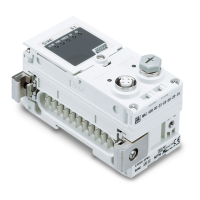
SMC Networks EX245-EA2 Series - User Manual

Default Icon
85 pages
Print Icon
To Next Page IconTo Next Page
Loading...
No.EX※※-OMW0011-B
PRODUCT NAME
Fieldbus system
PROFINET compatible SI Unit
MODEL / Series / Product Number
EX245-SPN1A / 2A / 3A (SI Unit)
EX245-DX1 (Digital Input Module)
EX245-DY1 (Digital Output Module)
EX245-LA1 / LB1 (IO-Link Module)
EX245-EA2-# (End Plate)

Questions and Answers

  • R
    rschmidtAug 8, 2025
    Why is the BF indicator ON, and the LINK and ACT indicators also ON on my SMC Networks EX245-EA2?
    • H
      hollywalkerAug 8, 2025
      If the BF, LINK, and ACT indicators are all ON on your SMC Networks I/O Systems, it could be due to several reasons. It might be a communication issue, so check the cable and ensure connection to the PROFINET communication. The IO Controller could be defective, so examine that as well. The device name might be incorrect, so verify the device names. Also, the GSD file might not be correct, so double-check the GSD file. Finally, the configuration data sent by the IO Controller might not match the actual layout; in this case, configure the SI unit according to the actual layout.
  • J
    James CookAug 14, 2025
    What to do if the SF indicator is ON on SMC Networks I/O Systems?
    • T
      Timothy BradshawAug 14, 2025
      If the SF indicator is ON, it could mean a few things. First, US1 might be below the permissible level (approximately 19.2 VDC), so you should check the power supply. Second, the valve coil or the connected module could have a short circuit, so check the solenoid valve and the module for short circuits, errors, and the layout. Finally, the connected module might have disconnected, so ensure that the module is properly connected.
  • G
    Gary MoranAug 22, 2025
    How to fix SF and BF indicators flashing simultaneously on SMC Networks EX245-EA2 I/O Systems?
    • L
      Laura ThomasAug 22, 2025
      If the SF and BF indicators are flashing simultaneously, this indicates that the firmware update has failed. To resolve this, update the firmware again.
  • H
    henry56Aug 30, 2025
    Why BF indicator is ON, but LINK and ACT indicators are OFF on SMC Networks I/O Systems?
    • E
      Eric EatonAug 30, 2025
      If the BF indicator is ON while the LINK and ACT indicators are OFF, the SI Unit is not connecting to any network. You should check the cable connection.

Summary

Product Summary

Features

Details the features and properties of the SI Unit, including IP65 protection and module support.

Structure

Illustrates the system structure and components of the EX245 modules.

General Specifications

Installation

Mounting

Details the procedure and required screws for mounting the manifold components.

Wiring

Provides instructions and diagrams for wiring the PROFINET cables and power cables.

Commissioning

Configuration

Explains how to configure the SI Unit using GSD files and head modules.

Parameterisation

Details module parameters for valves and specific EX245 modules.

Diagnosis

Diagnostics data on I;O mapping

Explains how to allocate diagnostics data as digital input data on I/O mapping.

Maintenance alarm for the Fibre-optic cables

Describes the maintenance alarm for fibre-optic cables and how to recover from it.

SI Unit

Parts and description

Illustrates and describes the parts of the EX245-SPN1A and EX245-SPN2A SI Units.

Specifications

Provides detailed specifications for EX245-SPN1A, EX245-SPN2A, and EX245-SPN3A.

Process data for valves

Explains the output data allocation for valves in the SI Unit.

LED indicators

Describes the LED indicators on the SI Unit for system status and communication.

Block diagram

Shows the block diagram of the EX245-SPN1A SI Unit.

Digital Input Module - EX245-DX1

Parts and description

Illustrates and describes the parts of the EX245-DX1 Digital Input Module.

Specifications

Lists the electrical and digital input specifications for the EX245-DX1 module.

Wiring

Details the pin allocation and wiring for the EX245-DX1 module's M12 connector.

Process data

Shows the digital input allocation and process data for the EX245-DX1 module.

LED indicators

Describes the status indicators (LEDs) on the EX245-DX1 module.

Block diagram

Presents the block diagram for the EX245-DX1 Digital Input Module.

Digital Output Module - EX245-DY1

Parts and description

Illustrates and describes the parts of the EX245-DY1 Digital Output Module.

Specifications

Lists the electrical and digital output specifications for the EX245-DY1 module.

Wiring

Details the pin allocation and wiring for the EX245-DY1 module's M12 connector.

Process data

Shows the digital output allocation and process data for the EX245-DY1 module.

LED indicators

Describes the status indicators (LEDs) on the EX245-DY1 module.

Block diagram

Presents the block diagram for the EX245-DY1 Digital Output Module.

IO-Link Module - EX245-LA1;LB1

Parts and description

Illustrates and describes the parts of the EX245-LA1/LB1 IO-Link Module.

Specifications

Lists the specifications for the EX245-LA1 and EX245-LB1 IO-Link Modules.

Wiring

Details pin allocation for EX245-LA1 (Class A) and EX245-LB1 (Class B) IO-Link modules.

Connector allocation and process data

Shows connector allocation and process data for IO-Link ports on EX245-LA1/LB1.

Slot structure

Explains the slot structure for EX245-LA1/LB1, including standard IO and submodule configurations.

Sub-modules

Lists and describes sub-modules for the IO-Link port configuration on EX245-LA1/LB1.

Diagnostics data on I;O mapping (PQI)

Details PQI diagnostics data as digital input on I/O mapping for EX245-LA1/LB1.

Parameterisation

Describes module parameters for EX245-LA1/LB1 in Standard IO, Digital Output, and IO-Link Device sub-modules.

Diagnosis

Explains the diagnostic functions for each port of the EX245-LA1/LB1.

LED indicators

Describes the status LEDs on EX245-LA1/LB1 based on function and port class.

Block diagram

Shows the block diagram of the EX245-LA1 IO-Link Module.

End Plate - EX245-EA2-1;2;3;4;5

Parts and description

Illustrates the parts and dimensions for EX245-EA2-1 and EX245-EA2-2 End Plates.

Specifications

Lists specifications for EX245-EA2-1 through EX245-EA2-5 End Plates.

Accessories

Markers

Details the model number and availability of markers for EX245 modules.

Y Connector

Describes Y connectors for EX245-DX1 and EX245-DY1, including model numbers and pin assignments.

Seal cap

Details the model number and use of seal caps for M12 socket connectors.

Joint pack

Describes the contents of the Joint pack, including joint and modular adaptor assemblies.

Dimensions

The Modules Manifold

Shows dimensions of the Modules manifold and provides formulas for calculating manifold length.

Troubleshooting

EX245-SPN1 A;SPN2 A;SPN3 A

Provides troubleshooting tables for bus communication and SF/BF/US1/US2/FO LED indicators.

EX245-DX1

Troubleshooting guide for EX245-DX1 module issues like signal reception and status indicator.

EX245-DY1

Troubleshooting guide for EX245-DY1 module issues like load operation and status indicator.

EX245-LA1; LB1

Troubleshooting for EX245-LA1/LB1 module issues like device operation and status indicators.

SMC Networks EX245-EA2 Series Specifications

General IconGeneral
BrandSMC Networks
ModelEX245-EA2 Series
CategoryI/O Systems
LanguageEnglish

Related product manuals