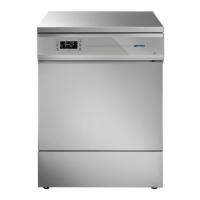
WD2145-WD1160-WD4060-WD4190
Water not heated within time
allowed.
For the user: follow the DEFAULT PROCEDURE described above.
If the alarm does not disappear, follow the RESET PROCEDURE.
The temperature difference
between the two probes, “TL1”
and “TC”, is more than 2°C (only
active on WD series)
For the user: follow the DEFAULT PROCEDURE described above.
If the alarm does not disappear, follow the RESET PROCEDURE.
Probe “TL1” (chamber
temperature) reads a higher
temperature than the effective
one.
For the user: follow the DEFAULT PROCEDURE described above.
If the alarm does not disappear, follow the RESET PROCEDURE.
Working temperature probe “TL1”
is generating an abnormal signal
(probe “open”).
For the user: follow the DEFAULT PROCEDURE described above.
If the alarm does not disappear, follow the RESET PROCEDURE.
Drying temperature probe TA1 is
generating an abnormal signal
(probe “open”).
For the user: follow the DEFAULT PROCEDURE described above.
If the alarm does not disappear, follow the RESET PROCEDURE.
Control temperature probe TLC is
generating an abnormal signal
(probe “open”).
(only active on WD series)
For the user: follow the DEFAULT PROCEDURE described above.
If the alarm does not disappear, follow the RESET PROCEDURE.
No cold water during filling.
Check the water supply:
1. Check that the intake tap is open.
2. Check the water supply pressure.
3. Check that the filler hoses are correctly positioned.
Follow the DEFAULT PROCEDURE described above. If the alarm
does not disappear, follow the RESET PROCEDURE.
Check the water and demi water supply:
1. Check that the intake tap is open.
2. If using water from a tank (with PAD accessory), check
that the tank is not empty or placed too low down.
3. Check the water supply pressure.
4. Check that the display settings actually correspond to
the water connections (demi water present or not).
Follow the DEFAULT PROCEDURE described above. If the alarm
does not disappear, follow the RESET PROCEDURE.
Cold water filling time not correct.
Checks and procedures as for AF:11
Demi filling time too long. The
appliance is taking too long to take
in demineralised water.
Checks and procedures as for AF:13
Not enough water. Chamber water
level too low.
Checks and procedures as for AF:11
Also check that there are no leaks from the appliance (no water
around it).
If there are leaks: turn off all water supply taps at once and
contact the After-Sales Service.
Water circuit malfunction.
Anomaly related to the circulating
pump “ML”. Circulating pump
pressure too low.
There may be foam in the chamber.
Check the type of detergent used.
For the user: follow the DEFAULT PROCEDURE described above.
If the alarm does not disappear, follow the RESET PROCEDURE.



 To Next Page