EasyManua.ls Logo

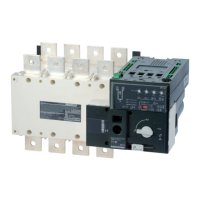
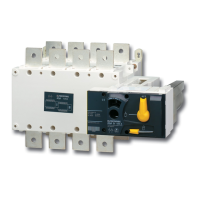
socomec ATyS t - User Manual

socomec ATyS t
70 pages
Print Icon
To Next Page IconTo Next Page
Loading...
Automatic Transfer Switching Equipment
ATySt
www.socomec.com/en/documentation-atys-t
INSTRUCTION MANUAL
EN

Table of Contents

Other manuals for socomec ATyS t

Questions and Answers

  • D
    Devin SharpAug 21, 2025
    Why is the fault LED on the socomec ATyS t Switch (Motorisation) illuminated?
    • A
      Anthony HenryAug 21, 2025
      The FAULT / MANUAL LED on the motorisation module is on when in manual mode (this is normal) and in AUT Mode when there is an internal fault in the ATyS t. To reset a fault condition, switch the ATyS t from AUT to Manu and back to AUT. If the fault LED remains on, you will need to localize and clear the fault prior to reset. The FAULT / Manual LED will also be on when contact 313 is closed with 317, force the ATyS to off position. The FAULT LED will also illuminate when the aux power supply is present but out of range.
  • J
    jenniferpeckAug 22, 2025
    How to fix a flashing ready light on a Socomec Switch?
    • M
      masoncarrieAug 23, 2025
      The Ready light flashes to indicate that the saved configuration is not identical to what is displayed on the ATS controller. To get a steady READY light either revert to the settings in the ATyS t or save the new settings. To save, put into manual mode and press the PROG OK button momentarily.
  • M
    Michael GrayAug 27, 2025
    What does it mean when the AUT light is flashing on a socomec ATyS t Switch?
    • M
      Mitchell StokesAug 27, 2025
      The AUT LED will be steady green when in AUTO Mode and will be flashing green when the ATyS t has timers running. This is usually a normal indication.
  • A
    Anthony PayneAug 28, 2025
    Why are the source availability LEDs and fault LED blinking on my socomec ATyS t?
    • S
      Sherri ColemanAug 28, 2025
      To resolve this, check the phase rotation consistency and neutral position consistency between both sources.
  • D
    dguzmanAug 29, 2025
    Why doesn't the electrical operation of my Socomec Switch correspond to external order I,O,II?
    • B
      bhillAug 29, 2025
      To address this, verify the selected control logic wiring (impulse or contactor) and the connector connections.
  • R
    Ryan WilliamsAug 31, 2025
    How to manually operate a Socomec Switch?
    • J
      Joseph SullivanAug 31, 2025
      To resolve this, verify that the front selector switch is in the Manual position, ensure that the product is not padlocked, verify the rotation direction of the handle, and apply a sufficient progressive action in the direction as indicated on the handle.
  • C
    Clinton MitchellSep 2, 2025
    What to do if the fault LED is on the Socomec Switch (ATS Controller)?
    • X
      xknappSep 2, 2025
      Switch the ATyS t from AUT to Manual and back to AUT. Should the fault condition remain contact SOCOMEC.
  • M
    michaelphillipsSep 4, 2025
    Why is it impossible to padlock my socomec ATyS t Switch?
    • M
      Max SmithSep 4, 2025
      To resolve this, verify that the front selector switch is in the manual position, ensure that the emergency handle for manual operation is not inserted into the ATyS manual slot, and verify that the ATyS is in the 0 position. Padlocking is only possible in the 0 position for standard products.
  • B
    Brittany GloverSep 5, 2025
    What to do if the fault LED is ON (Motorisation) on socomec ATyS t?
    • A
      Andrew DaySep 5, 2025
      If the fault LED is on for motorization on the Socomec ATyS t Switch, try switching the switch from AUT to Manu and back to AUT. If the fault LED remains on, you may need to identify and clear the fault before attempting to reset it. Note that the FAULT/Manual LED will also be on when contact 313 is closed with 317, which is a normal condition. The FAULT LED will also illuminate when the aux power supply is present but out of range. If the Fault LED remains on abnormally, contact SOCOMEC.
  • S
    Stephanie FrenchSep 9, 2025
    Why is it not possible to manually operate the socomec ATyS t Switch?
    • A
      Ashley MartinezSep 9, 2025
      If you cannot manually operate the Socomec switch, please check the following: * Ensure that the front selector switch is in the Manual position. * Confirm that the product is not padlocked. * Verify the rotation direction of the handle. * Apply a sufficient progressive action in the direction indicated on the handle.

Summary

1. GENERAL SAFETY INSTRUCTIONS

4. QUICK START

4.1. QUICK START ATYS T FRAME B3 TO B5 (125 A TO 630 A)

Initial installation and connection steps for ATyS t frames B3 to B5.

6. INSTALLATION

7. CONNECTIONS

7.1. POWER CIRCUITS

Explains cable/bar connections and terminal specifications for power circuits.

7.3. CONTROL CIRCUITS

Covers typical wiring for control circuits and input/output contacts.

8. ATYS T OPERATING MODES AND SEQUENCES

9. PROGRAMMING

9.3.1. STEP 1: ATYS T DIP SWITCHES SETTING OPTIONS

Instructions for setting the ATyS t DIP switches.

10. CHARACTERISTICS

11. PREVENTIVE MAINTENANCE

12. TROUBLE SHOOTING GUIDE

14. SPARE PARTS

14.2. MOTORISATION MODULE

socomec ATyS t Specifications

General IconGeneral
Rated insulation voltage Ui690 VAC
Rated frequency50/60 Hz
Utilization categoryAC-33i
Storage temperature range-40°C to +85°C
Rated current [A]125
Ith [A]125
AC-33iYes
StandardsIEC 60947-3, IEC 60947-6-1
TypeAutomatic Transfer Switch (ATS)
Operating temperature range-25°C to +60°C

Related product manuals