1
ENGLISH
IOMMASIPXX09-GB 04
45
10-40 kVA
MASTERYS IP+
COMMUNICATION
9
• Telephone number: insert the number to be called.
• Modem initialisation: initial string to be sent to the modem (for special con gurations or certain types of mo-
dem).
• Connection period: set the number of days between two calls even if no faults occur.
• Force an outgoing call: by selecting EXECUTE a test connection is immediately carried out.
1 Activating one con guration excludes the other; therefore if an E-service/T-service contract is subscribed, calls in output cannot be con gured.
2 In the event that the E-service/T-service contains the control code provided by after-sales personnel.
9.2.2.10 Software updating.
This html page is used to update automatically the monitoring software, which could be useful to add new languages
or the SNMP function.
Once the le has been acquired (by requesting it from the support service) select it with the browse button.
Click on the “start update” button; once the update has been completed, reload the html page.
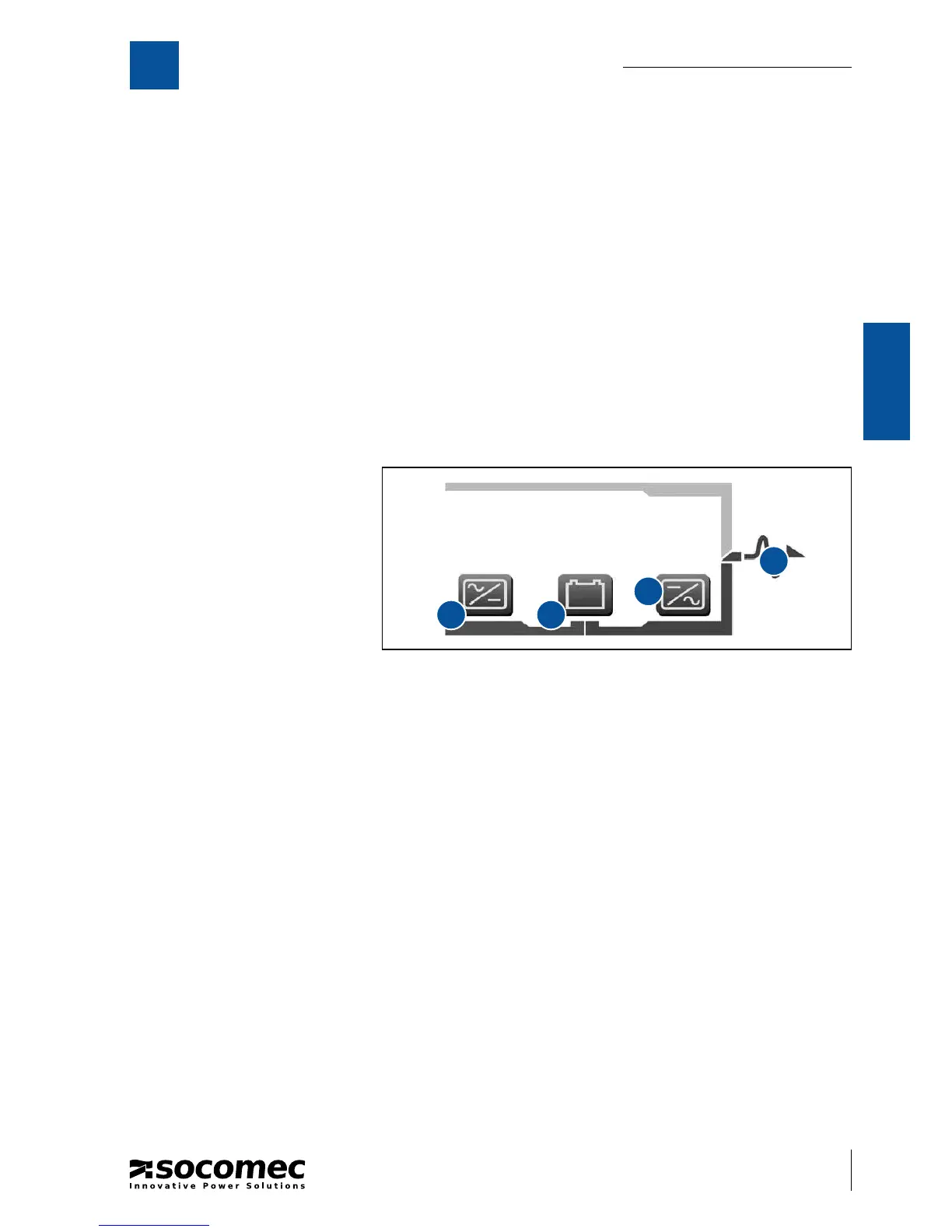
9.2.2.11 System Information Area.
This area of the screen page shows
the measurements and the UPS op-
erating mode.
• Click on icon A to display the input
measurements.
• Click on icon B to display the bat-
tery measurements.
• Click on icon C or D to display the
output measurements.
9.2.2.12 How to con gure max-connections-per-server for FIREFOX.
In order to increase the LAN performances:
1. Type about:con g in the address bar and accept dialog box (if necessary).
2. Type server in the lter eld box and press return.
3. Set the network.http.max-connections-per-server value to 2 (double click on the item and set 2 in the dialog
box).
A
C
B
D





 To Next Page