MedDream VideoStation v4.00 User Manual 17
3. Search for patients and studies
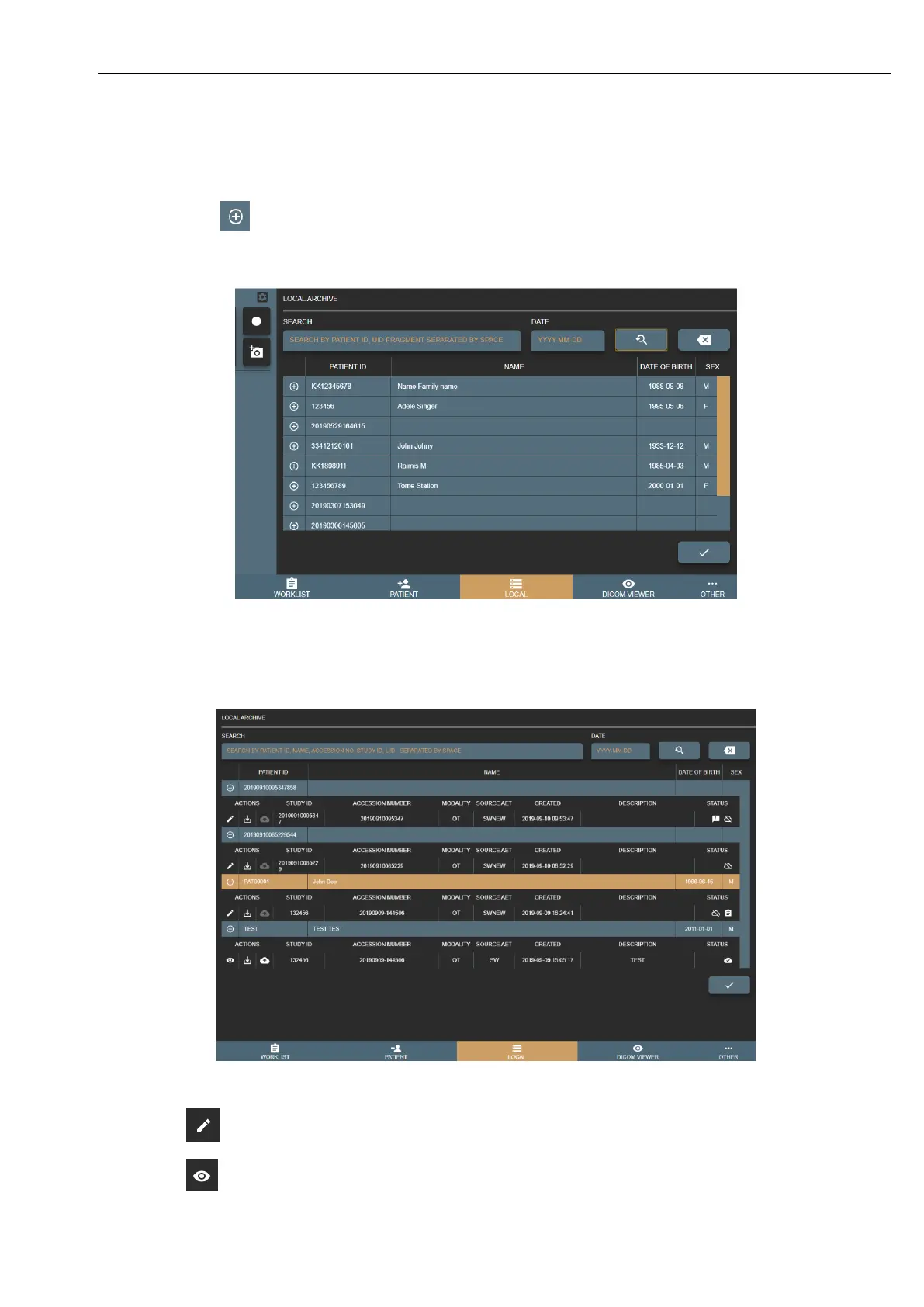
Open search by pressing LOCAL button in main menu. Search result will be patients list with studies (expand patient record
by pressing button and see studies). To get exact patient or study in search result, you can fill search field with patient
ID, name, accession number, study description, study id and study UID. DATE field will allow search patients studies with
desired study date. Search can be made by exact, partial word fragment or by several criteria’s separated by space.
Picture 28. Searching patient in Local storages.
Indication icons on select patient and his studies
There are multiple icons indicating the status of the study and other processes:
Picture 29. Patient study list.
Button to open not saved (not converted to DICOM format) study in CURRENT
STUDY window for more changes.



 To Next Page