MedDream VideoStation v4.00 User Manual 7
Installation
Standard installation setup described in MedDream VideoStation Service Manual document and can be found in
documentation section on https://www.softneta.com/products/meddream-medical-video-recording-station/ .
Functional description
1. Selecting patient
The user can select the patient from:
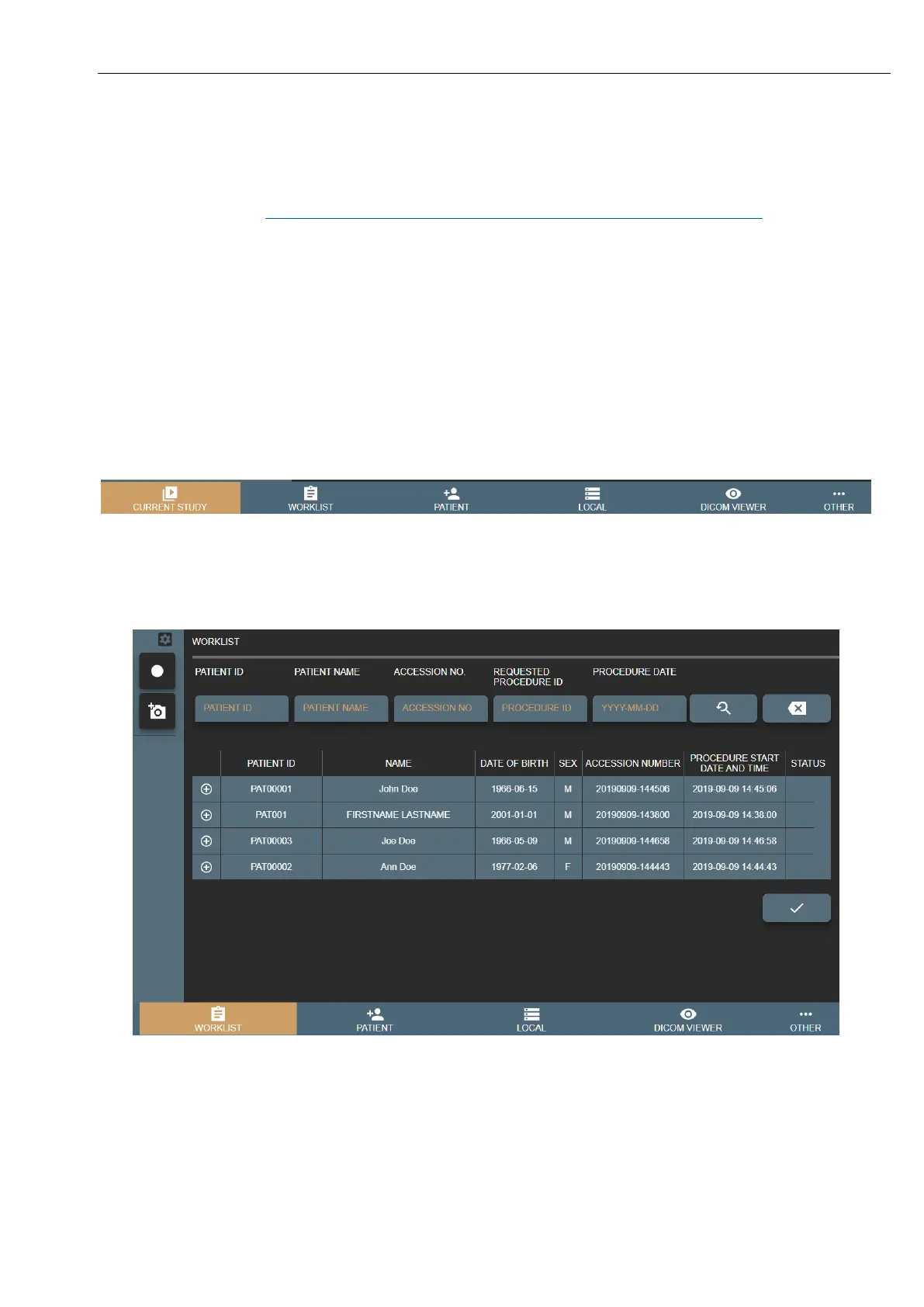
• WORKLIST – select scheduled modality worklist from DICOM worklist server (to setup worklist server - see
7.1.2 Network settings).
• PATIENT – manually fill/update patient information.
• LOCAL – select from VS existing patients.
Picture 3. Select patient for recording video.
1.1 Selecting patient from DICOM modality worklist
Select WORKLIST window in main menu:
Picture 4. Patient from Worklist.
The search can be performed by:
• Patient ID
• Patient Name
• Accession Nr.
• Procedure ID – modality worklist scheduled procedure id.
• Procedure Date – modality worklist scheduled procedure start date.



 To Next Page