MedDream VideoStation v4.00 User Manual 9
1.2 Create new patient
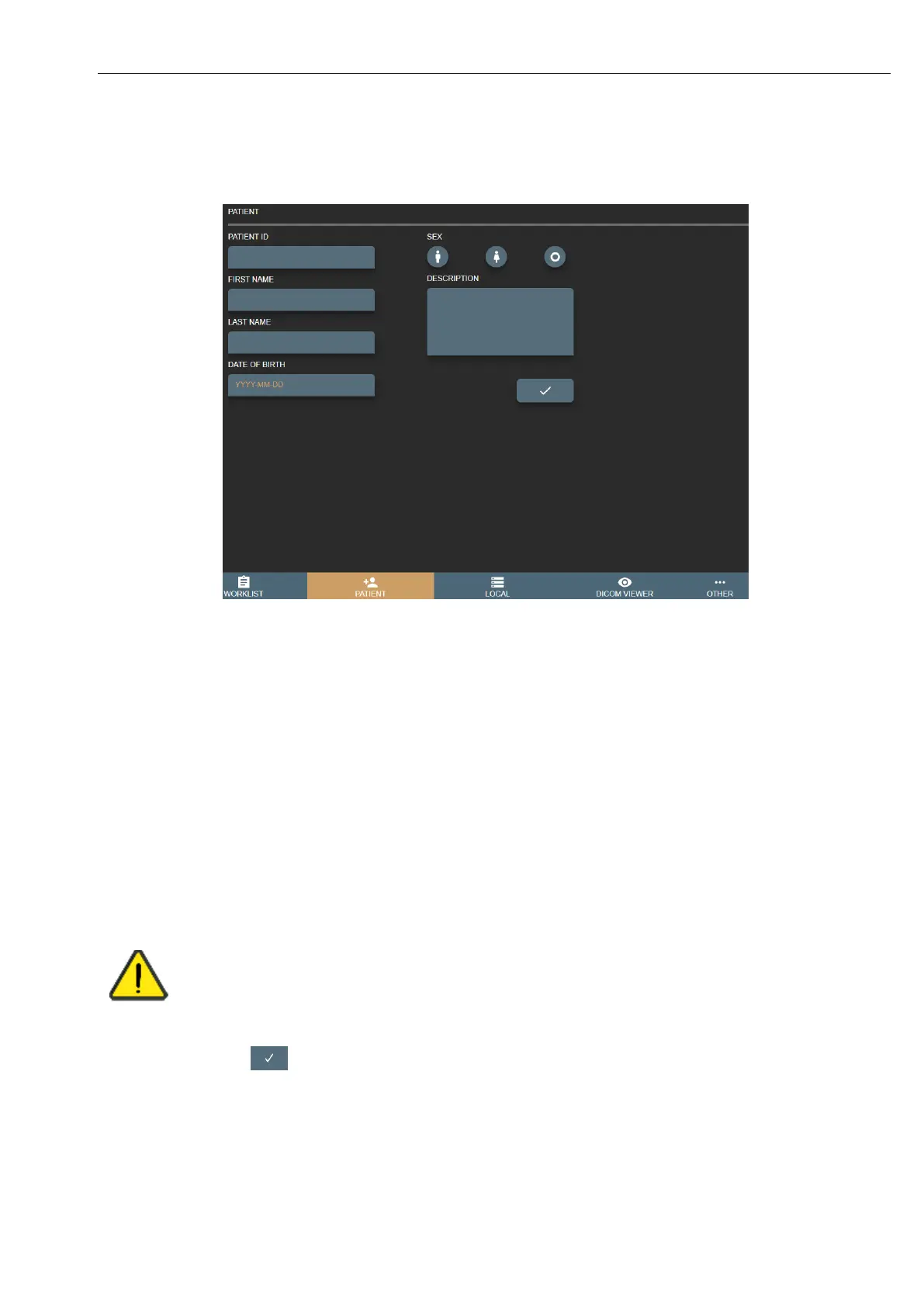
Create patient by pressing PATIENT button in main menu:
Picture 8. Selecting patient from Worklist.
It is recommended to look for existing patient in LOCAL archive, see 1.3 Select patient from local storage.
Fill form fields:
1. Patient ID - max 64 characters, if left empty – will generate automatically from current date and time;
2. First Name – max 64 characters, patient first name;
3. Last Name - max 64 characters, last patient name;
4. Sex – patient sex options of male/female/other.
5. Date of Birth - patient birth date in format YYYY-MM-DD (e.g. 1985-01-10).
6. Description - max 64 characters for short study description.
Please fill all fields correctly to identify patient and avoid editing patient with already existing studies.
In the end, press button to create new study with patient.
If patient ID already exist but other data is different – VS will open conformation window to select one of the options:
• Update existing patient with data? – will update patients data and create new study,
• Select existing patient? – will create new study with existing patient,



 To Next Page