MedDream VideoStation settings
MedDream VideoStation v4.00 User Manual 25
MODALITY – set DICOM modality attribute for studies without modality worklist. By default, after installation, recorded
files modality will be set to OT. Can be changed according study type and we recommend choosing one of these modalities:
http://www.dicomlibrary.com/dicom/modality/.
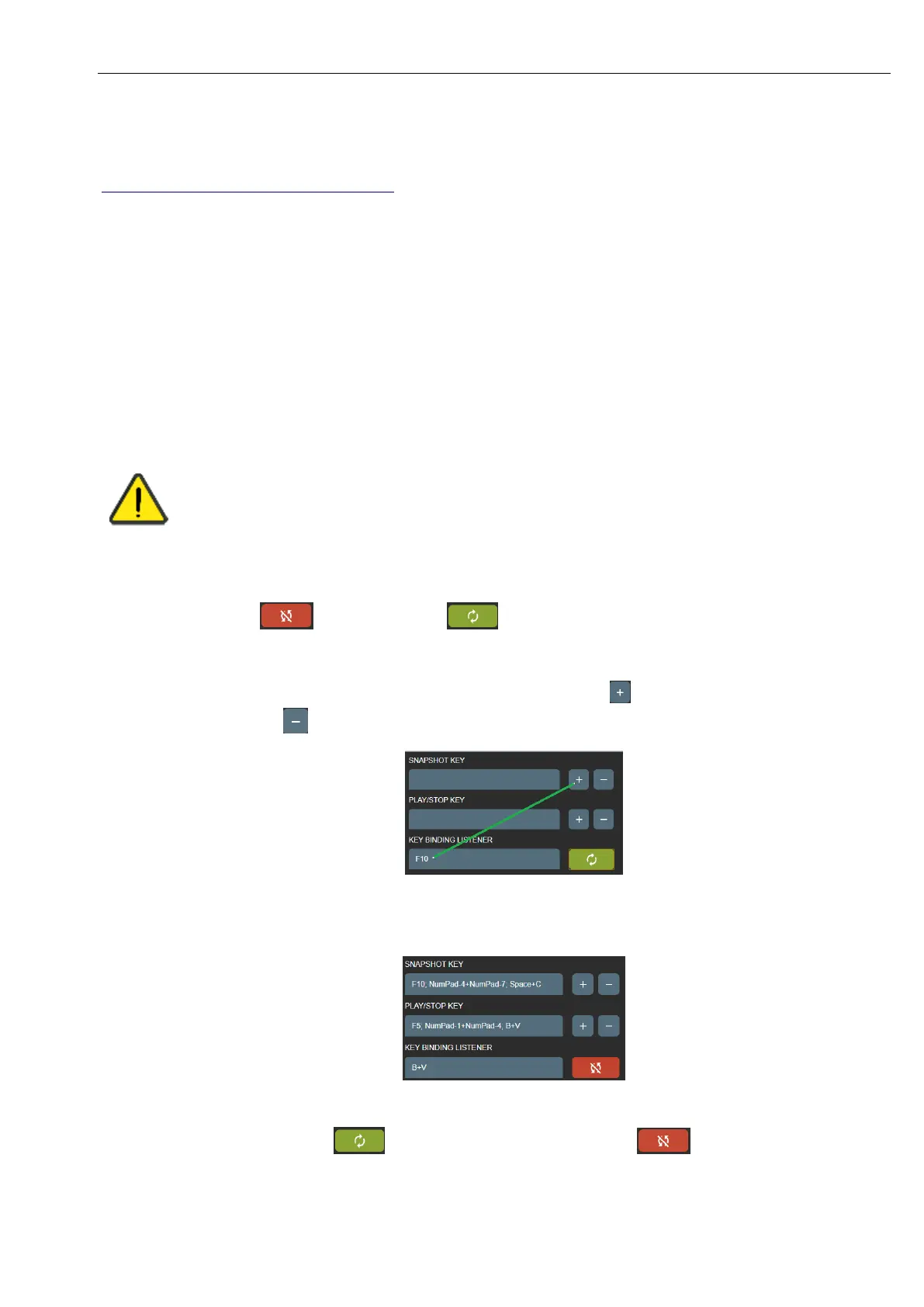
SNAPSHOT KEY – pedal signal keys combinations to make image.
PLAY/STOP KEY – pedal signal keys combinations to start or stop video recording.
Default, SNAPSHOT KEY and PLAY/STOP KEY are set, but it is recommended to review and update key combinations
for every pedal. Can add multiple key combinations (all pedals) for snapshot or video recording as long as they do not conflict
with pressing habits.
Some pedals producing different signal key combination on longer press. It is recommended to consult with
active personal about pedal pressing habits (how long and how they press on snapshot or video recording
buttons).
When connecting pedal and keyboard, review SNAPSHOT or PLAY/STOP KEY settings and try to
avoid pressing configured keys.
How to change or update key combinations:
• Press the button, and it will change to indicating, that started listening key press.
• Press the pedal button and will see KEY BINDING LISTENER will display key combination.
• Add key combination to SNAPSHOT or PLAY/STOP KEY by pressing button. To remove previous key
combination - press .
Picture 41. Shortcuts for recording and image making.
• User can add several possible keyboard combinations.
Picture 42. Shortcuts for recording and image making.
• After complete press button to turn off key listener – will change to .



 To Next Page