EasyManua.ls Logo

Solartron 1287 - Page 28

Default Icon
134 pages
Print Icon
To Next Page IconTo Next Page
To Previous Page IconTo Previous Page
Loading...
Wl I Cl
p
to I c.
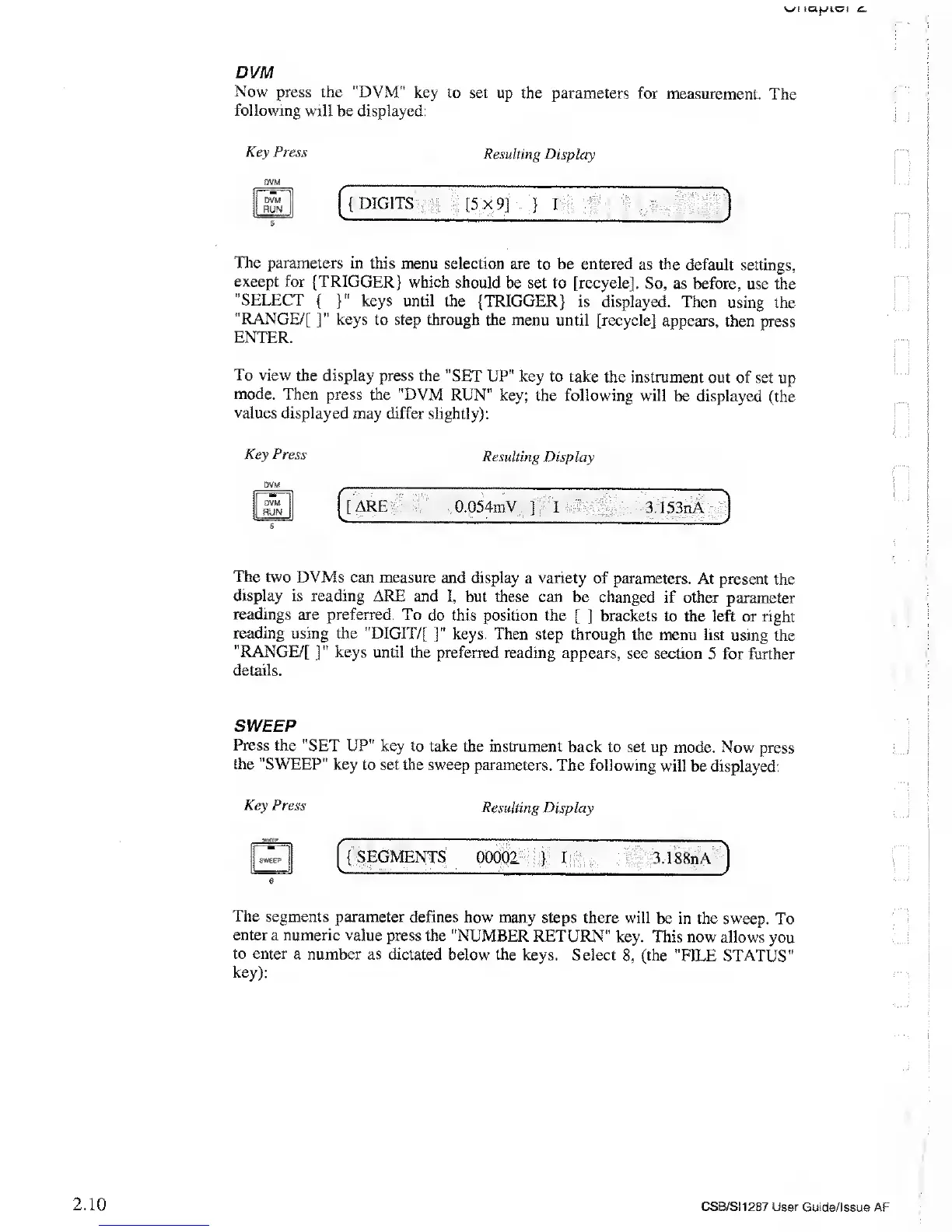
DVM
Now press
the "DVM"
key to set
up
the
parameters for
measurement.
The
following
will be displayed:
Key
Press
Resulting Display
DVM
DVM
RUN
{DIGITS [5x9]
}
I
The parameters
in this menu
selection are
to be entered as the
default
settings,
except for {TRIGGER}
which should
be set to [recycle].
So, as before,
use the
"SELECT
{
}"
keys until
the {TRIGGER}
is displayed.
Then using
the
"RANGE/[
]"
keys
to step through the menu
until [recycle]
appears,
then press
ENTER.
To view the display
press the
"SET UP" key to take the
instrument
out of set
up
mode.
Then press the "DVM
RUN" key;
the following will
be displayed
(the
values displayed
may differ slightly):
Key Press
DVM
DVM
RUN
5
Resulting
Display
ARE
0.054mV
]
I
3.153nA
The two DVMs can
measure and
display a
variety
of parameters.
At present the
display
is
reading
ARE and
I, but these can be
changed
if other parameter
readings
are preferred.
To do this position the
[ ]
brackets to
the left
or right
reading
using
the
"DIGIT/[
]"
keys. Then step
through the menu
list using the
"RANGE/[
]"
keys until
the preferred
reading appears,
see section
5 for further
details.
SWEEP
Press
the "SET UP"
key to take
the instrument back to
set up mode. Now
press
the "SWEEP"
key
to set
the
sweep parameters.
The
following
will
be displayed:
Key Press
Resulting
Display
SWEEP
6
{SEGMENTS
00001
}
I
3.1S8nA
The
segments parameter
defines how many
steps there
will be in the
sweep. To
enter a numeric value
press the "NUMBER
RETURN"
key. This now
allows
you
to enter
a number as dictated
below the keys.
Select
8,
(the
"FILE STATUS"
key):
2.10
CSB/SI1287 User
Guide/Issue AF