SonicWall SonicWave Deployment Guide
Connecting Cables
46
Connecting Cables for the SonicWave 432e
and SonicWave 432i
The SonicWave 432e and 432i are powered through Power over Ethernet (PoE), and should be cabled with
CAT5e Ethernet cabling.
When using PoE, a SonicWall 802.3at compliant midspan PoE line injector (sold separately), or an 802.3at
compliant switch is required to power each SonicWave 432e or 432i.
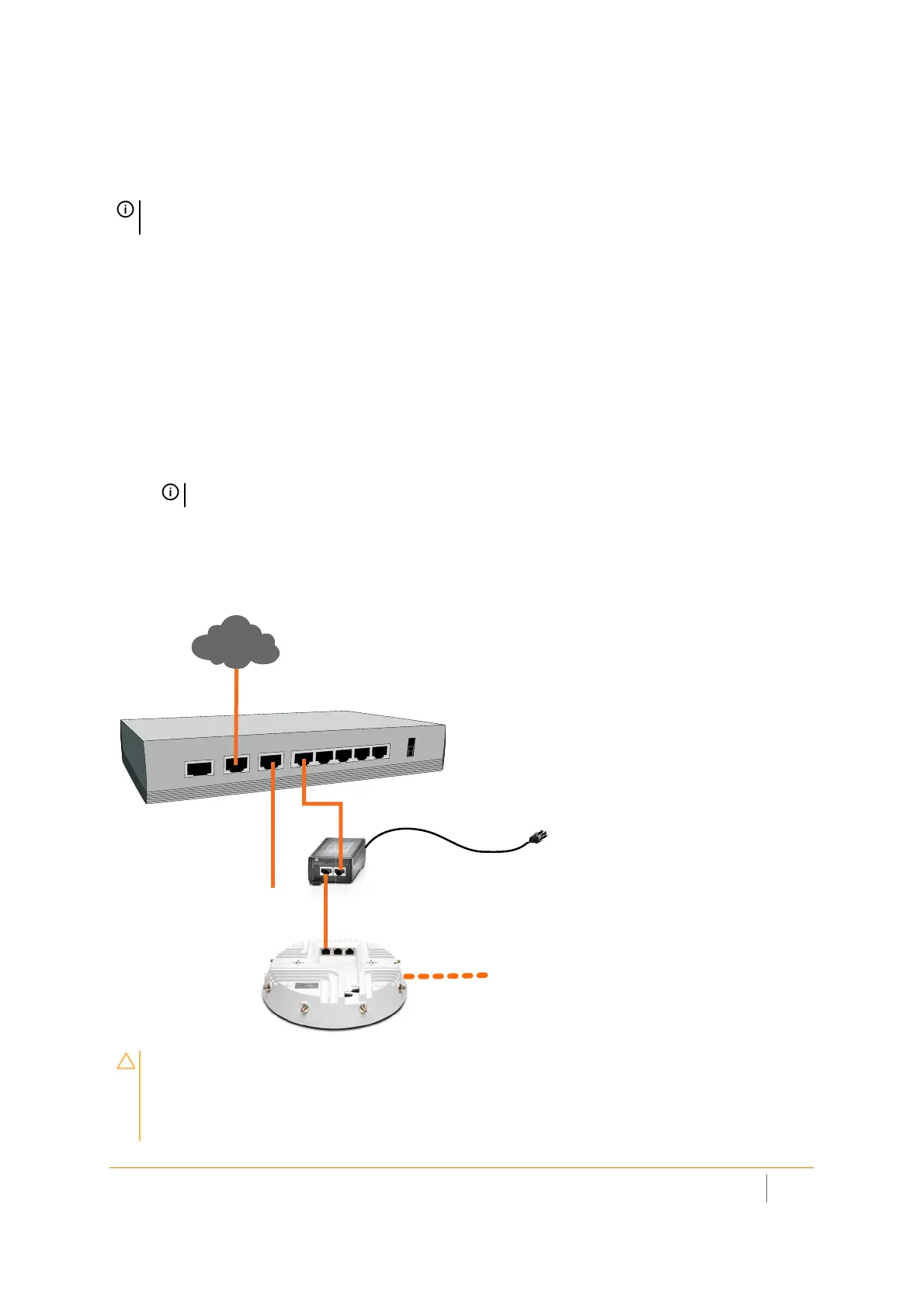
To connect PoE to a SonicWave 432e or 432i
1 Using an Ethernet cable, connect the Data in port on the SonicWall PoE Injector to an existing WLAN
zone interface on the firewall or to an unused interface to be configured later in SonicOS.
2 Using a second Ethernet cable, connect the Data and Power out port on the SonicWall PoE injector to
the LAN1/PoE port on your SonicWave 432e or 432i.
3 Plug the power cord of the SonicWall PoE injector into an appropriate power outlet.
4 Wait for the LAN1 LED on the SonicWave 432e or 432i to illuminate. This indicates an active connection.
Connecting the SonicWall 432i or 432e
NOTE: Complete installation and mounting instructions for this product are available in translation in the
Safety and Regulatory Reference Guide for this product. See Product Safety and Regulatory Information.
IMPORTANT: Be sure cables are connected correctly.
CAUTION: A multi-gigabit 802.3at compliant PoE injector or PoE-capable switch is required
to provide power to each SonicWave 432e or SonicWave 432i.
To maintain power to the SonicWave 432e or 432i, the maximum length of CAT5e cable
from the 802.3at PoE injector to the SonicWave 432e or 432i is 100 meters (333 feet).
Local Network (LAN)
X1 WAN
X0 LAN
Internet
X2 WLAN
PoE Injector
or PoE Switch
Wireless Clients



 To Next Page