SonicWall SonicWave <Version> Deployment Guide
Mounting Wireless Access Points
52
Mounting the SonicWave 231c
The SonicWave 231c comes with a mounting bracket so it can be mounted on the ceiling or other flat surface.
This section describes how to attach the mounting bracket to the ceiling or an indoor wall.
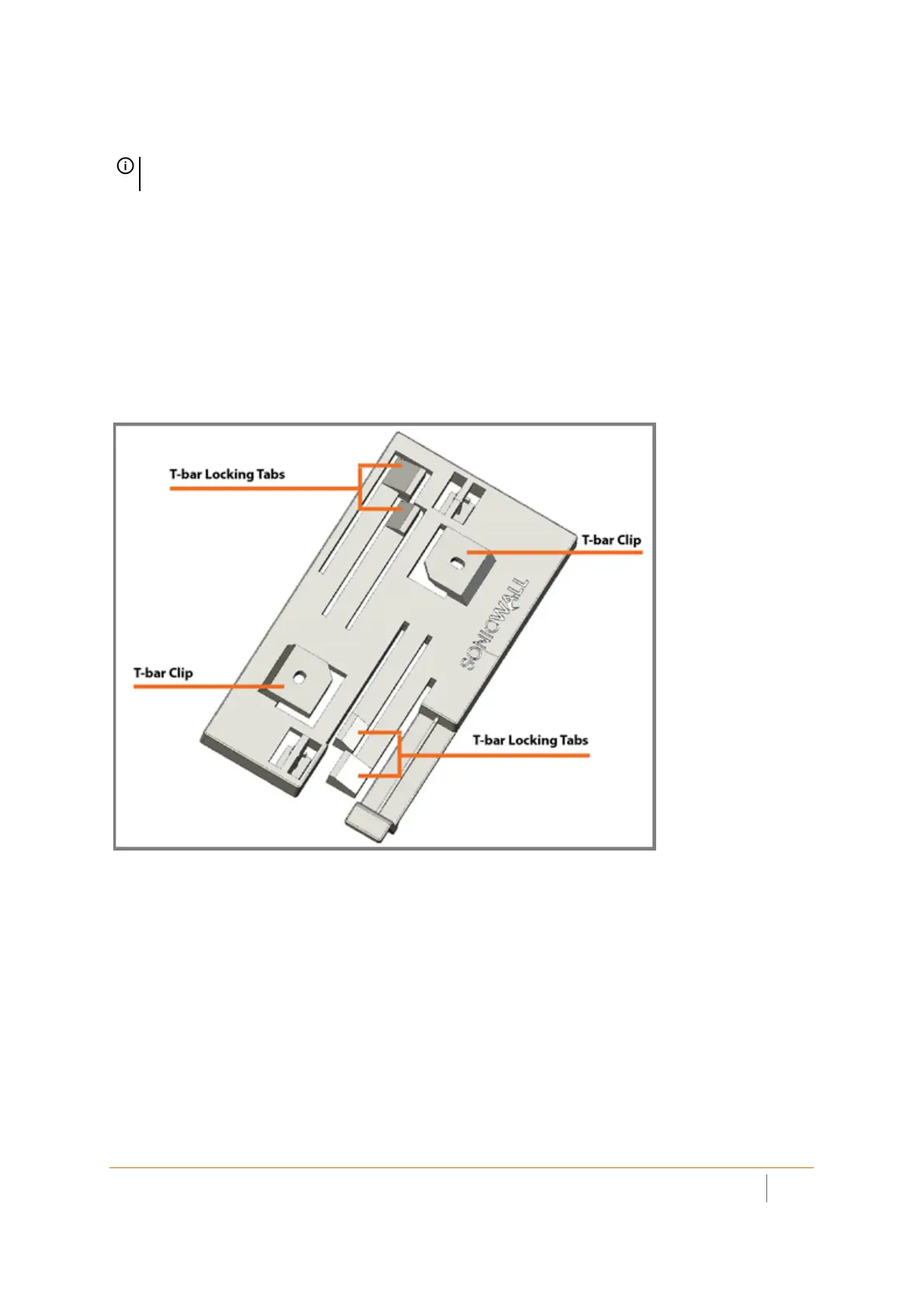
The mounting bracket provides two pairs of T-bar locking tabs that support two ceiling T-bar widths: 15/16 inch
and 9/16 inch.
For mounting on a flat surface, holes in the T-bar clips on the bracket provide insertion points for screws. Use #6
(3.5mm) zinc plated pan head machine screws (sheet metal screws) of length 1.25 inches (31.75 mm). When
mounting on drywall, anchors should be used. Anchors must accommodate the screws and be rated to hold at
least 10 lbs (4.5 kg).
SonicWave 231o Mounting Bracket Top
NOTE: Complete installation and mounting instructions for this product are available in translation in the
Safety and Regulatory Reference Guide for this product. See Product Safety and Regulatory Information.



 To Next Page