SonicWall SonicWave Deployment Guide
Hardware Overview
8
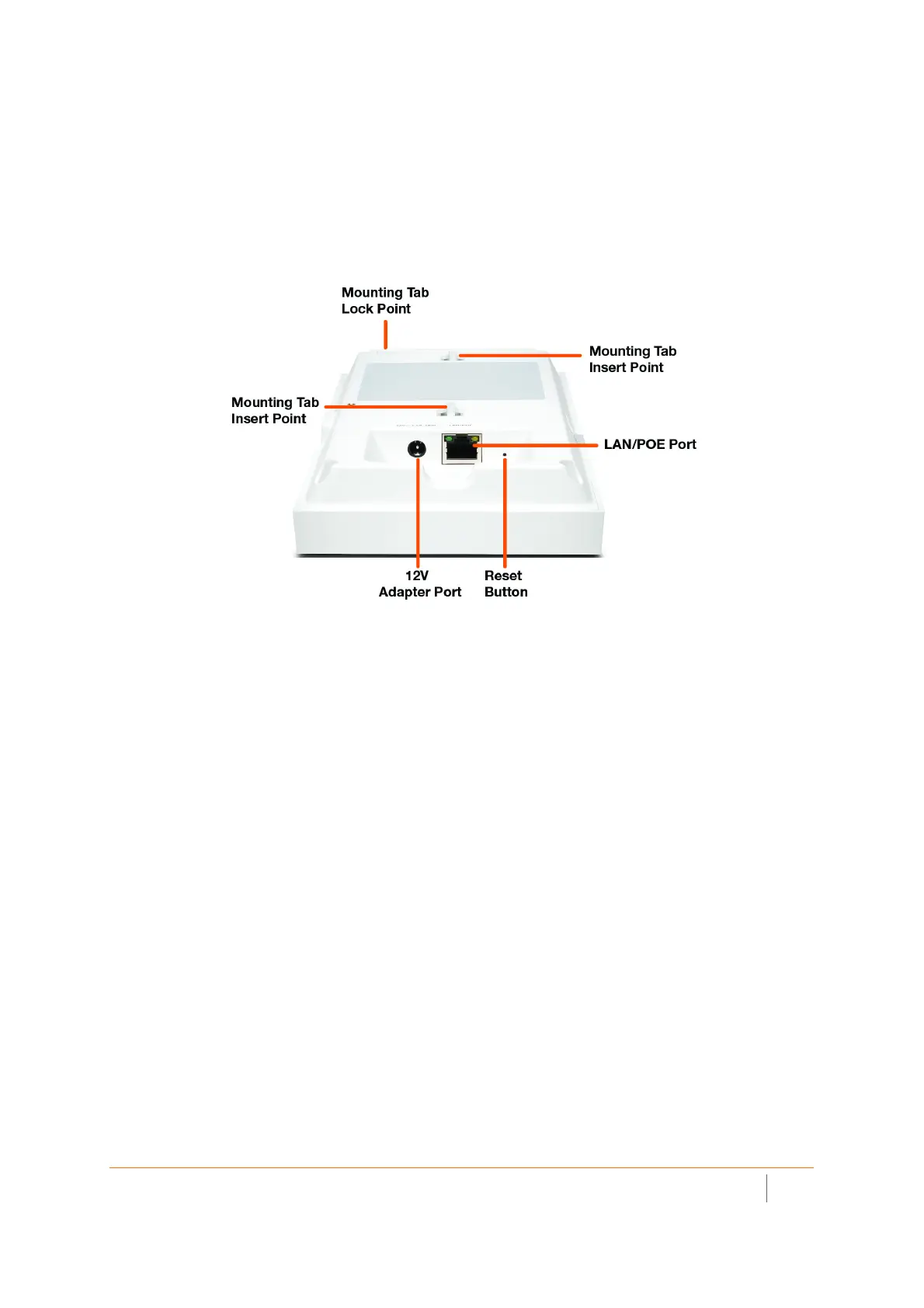
SonicWave 231c Ports and LEDs
The back of SonicWave 231c provides a LAN/POE port where the PoE Ethernet cable connects the access point
with the PoE injector or PoE-enabled switch, which connects to your SonicWall network security appliance.
A 12V power connection is also provided on the back of the unit, where you can plug in a 12V adapter (sold
separately) to power the device.
SonicWave 231c Back
When the access point is installed, the back panel is attached to the ceiling or to a wall or other flat surface.



 To Next Page