SonicWall SonicWave Deployment Guide
Hardware Overview
9
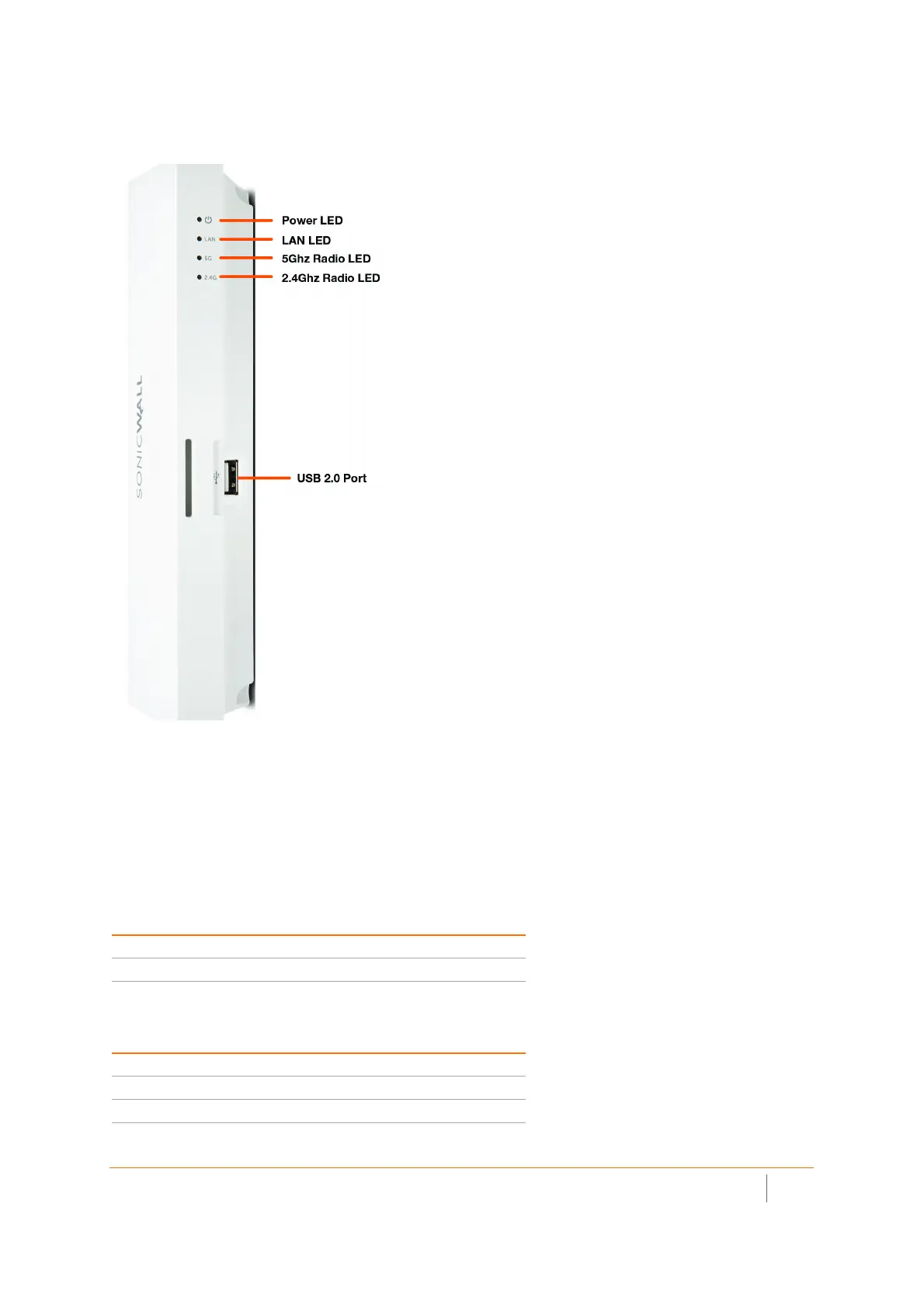
The side panel of the SonicWave 231c has the LED indicators and the USB port.
SonicWave 231c LEDs
You can insert a 3G/4G USB modem into the USB port to create a mobile wireless (MiFi) hotspot. See the
SonicOS 6.5 Connectivity administration documentation for information about the MiFi Extender feature. You
can also use the USB port with a USB security clamp.
SonicWave 231c LED Activity
The SonicWave 231c LEDs provide essential status information about the access point.
Power LED
LED Color Description
Off No power
Blue Power is on
LAN LED
LED Color Description
Off No link
Solid Yellow Link established at 1 Gbps
Blinking Yellow Active traffic at 1 Gbps



 To Next Page