SonicWall SonicWave <Version> Deployment Guide
Mounting Wireless Access Points
57
Mounting the SonicWave 231o
The SonicWave 231o mounting kit includes hardware for mounting the unit outside on a pole or post, or on a
wall or other flat surface. The SonicWave 231o and mounting bracket are designed so that you can first attach
the mounting bracket to the pole or wall and then slide the SonicWave onto the bracket.
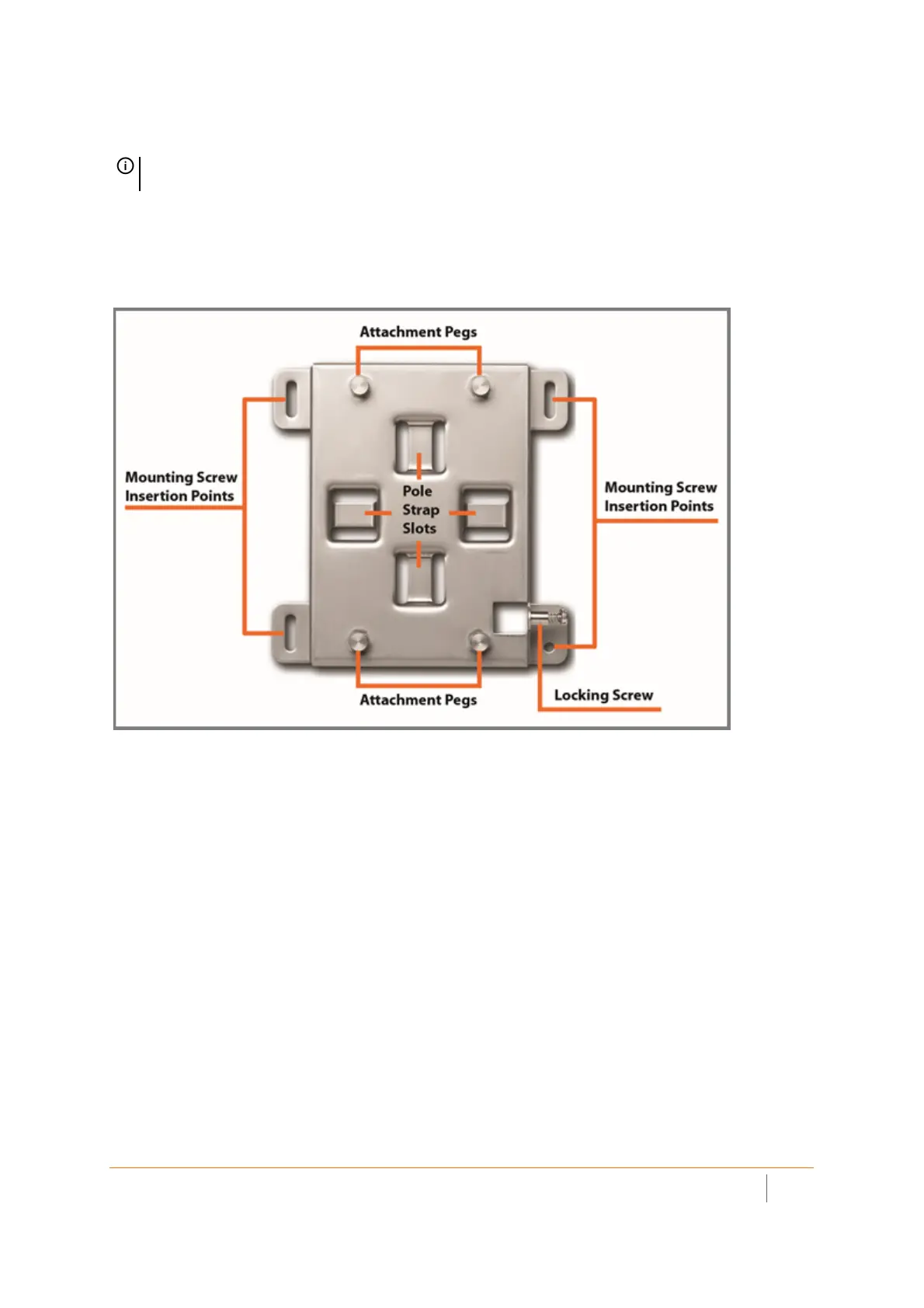
Mounting Bracket
To attach the mounting bracket to a pole or post:
1 Using a screwdriver, loosen and free the ends of the two adjustable pole straps.
2 Insert each pole strap through an appropriate slot on the back side of the bracket.
3 Loop the straps around the pole or post.
4Insert the strap ends into their respective fittings until snug around the pole.
5 Use the screwdriver to tighten each strap and securely attach the mounting bracket to the pole or post.
To attach the mounting bracket to a wall or flat surface:
1 Place the back side of the mounting bracket against the wall or surface and mark the locations for four
screws positioned at the mounting screw insertion points.
2 Drill starter holes at the marked locations. For a wood wall, use a drill bit that fits the provided screws.
For drywall, use a drill bit that fits the anchors. Use the screws or anchors that work best in your location.
3 For drywall, insert or screw in the anchors.
4Place the mounting bracket against the wall with the mounting screw insertion points lined up on the
marks or anchors.
5 Using the provided screws and a screwdriver, securely attach the mounting bracket to the wall or surface.
NOTE: Complete installation and mounting instructions for this product are available in translation in the
Safety and Regulatory Reference Guide for this product. See Product Safety and Regulatory Information.



 To Next Page