SonicWall SonicWave <Version> Deployment Guide
Mounting Wireless Access Points
58
Mounting the SonicWave 432e and 432i
You can mount your SonicWave 432i to a wall or ceiling, or you can simply set it on a flat surface.
The mounting kit includes one of two large ceiling brackets depending on the configuration of the SonicWave
you have purchased.
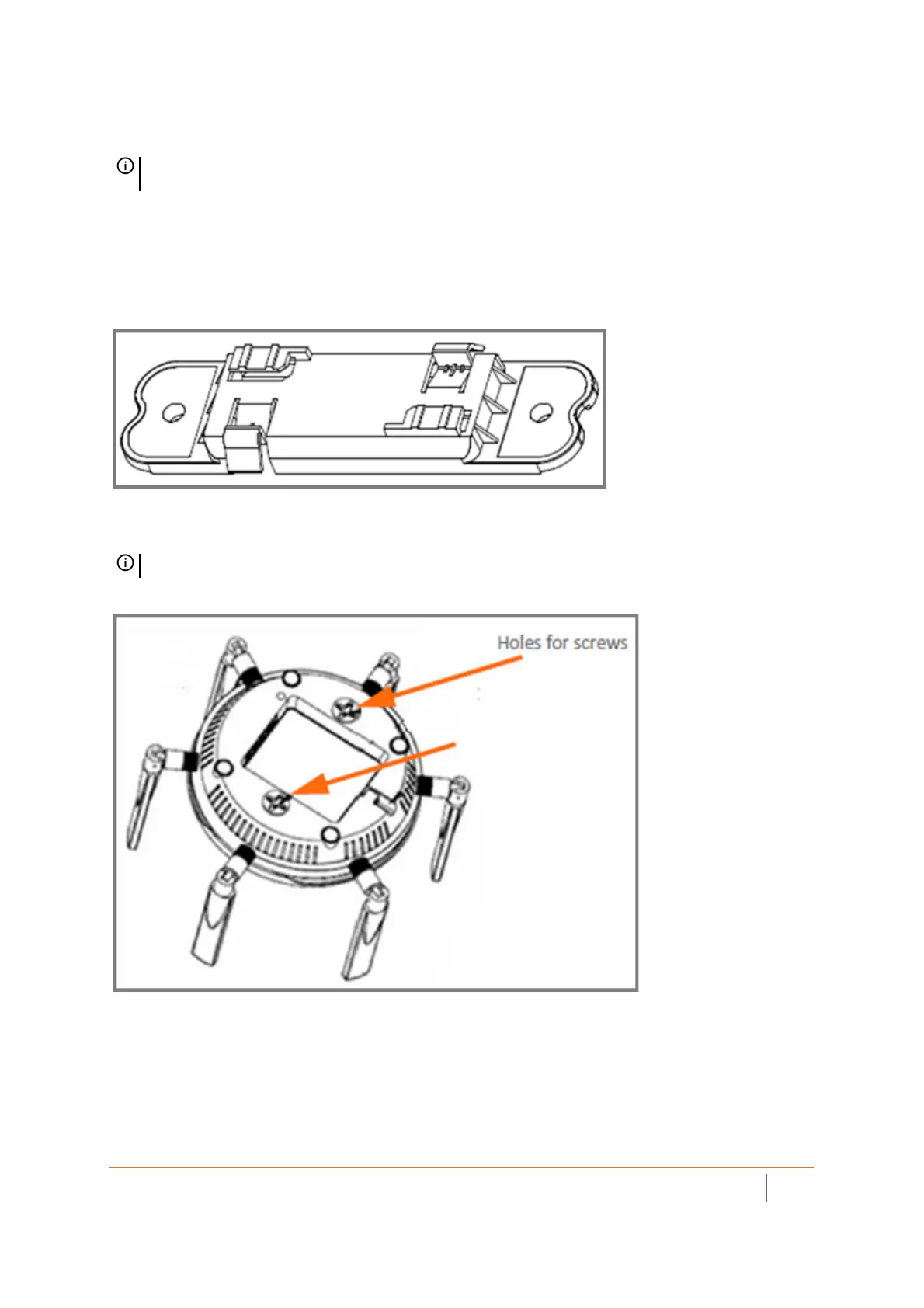
Large Ceiling Bracket (Original Configuration)
The underside of the orginal SonicWave 432i has two insertion points where you can insert the provided screws
to help secure the bracket. You can use these insertion points to attach the large bracket to the SonicWave 432i.
NOTE: Complete installation and mounting instructions for this product are available in translation in the
Safety and Regulatory Reference Guide for this product. See Product Safety and Regulatory Information.
NOTE: Your actual bracket may vary from what is shown here.



 To Next Page