Creating sequences – Step recording
65
Tied-notes (long sounds) can be input with the MEGA SYNTHESIS.
Enabling tied-note (long sound) input
1
Press + .
The button will light red, and tied-note input will be enabled.
Inputting tied-notes (long sounds)
1
When stopped, press
(lights red) to start step recording.
2
Press
〜
at the step where you want to start note input.
3
Press and hold a key on the keyboard.
4
Press
〜
at the step where you want to stop the note.
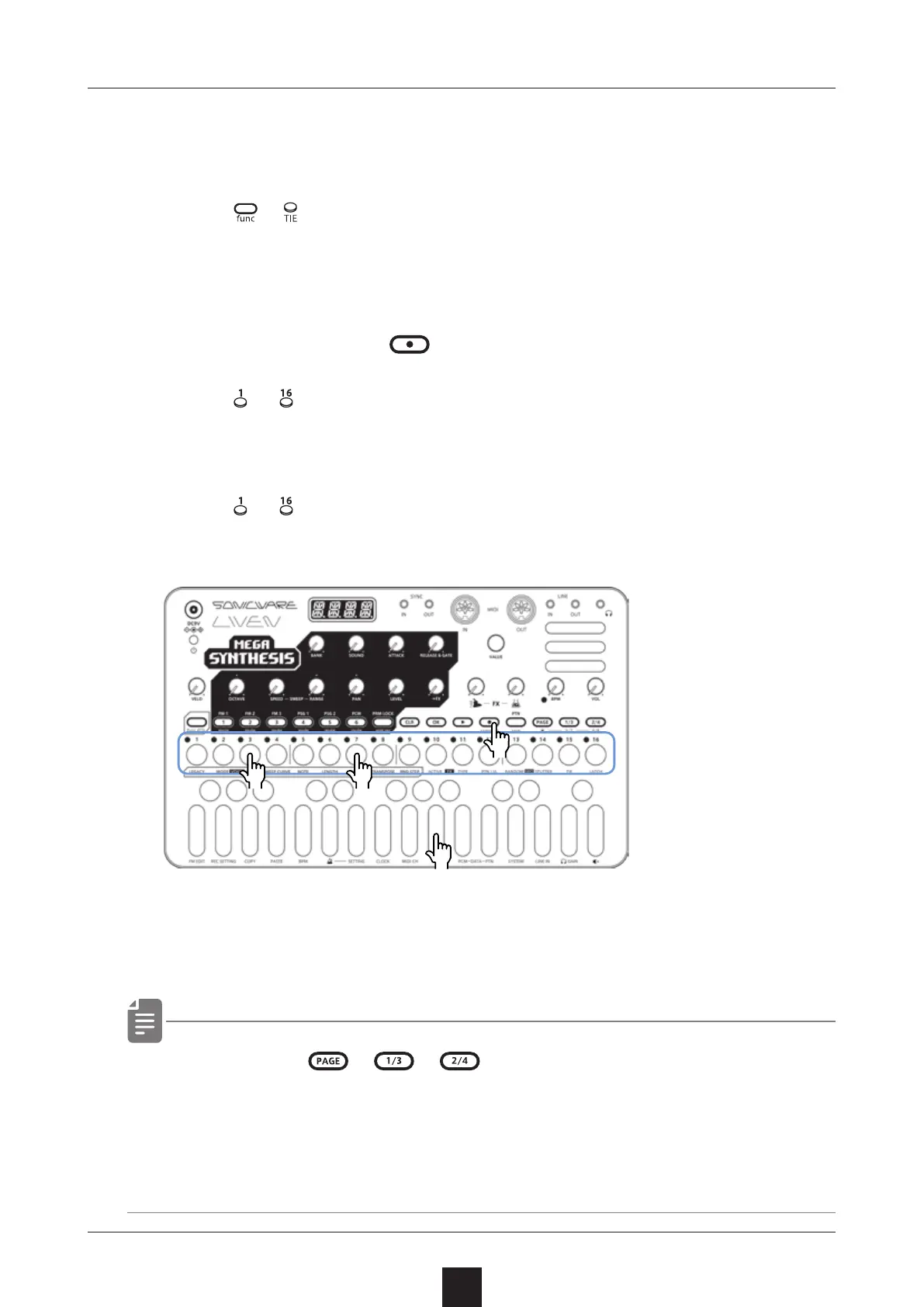
This inputs a tied-note from the starting step to the stopping
step.
In the example above, a note (A) is input that starts on step 3 and
ends on step 7.
・ B y p r e s s i n g 、 、 during procedure 4, tied-notes
that span pages can be input.
・ It cannot enter tied notes that span from the end of a sequence
to the beginning.
●❷ ●❹
●❸
●❶



 To Next Page