Creating sequences – Direct recording
69
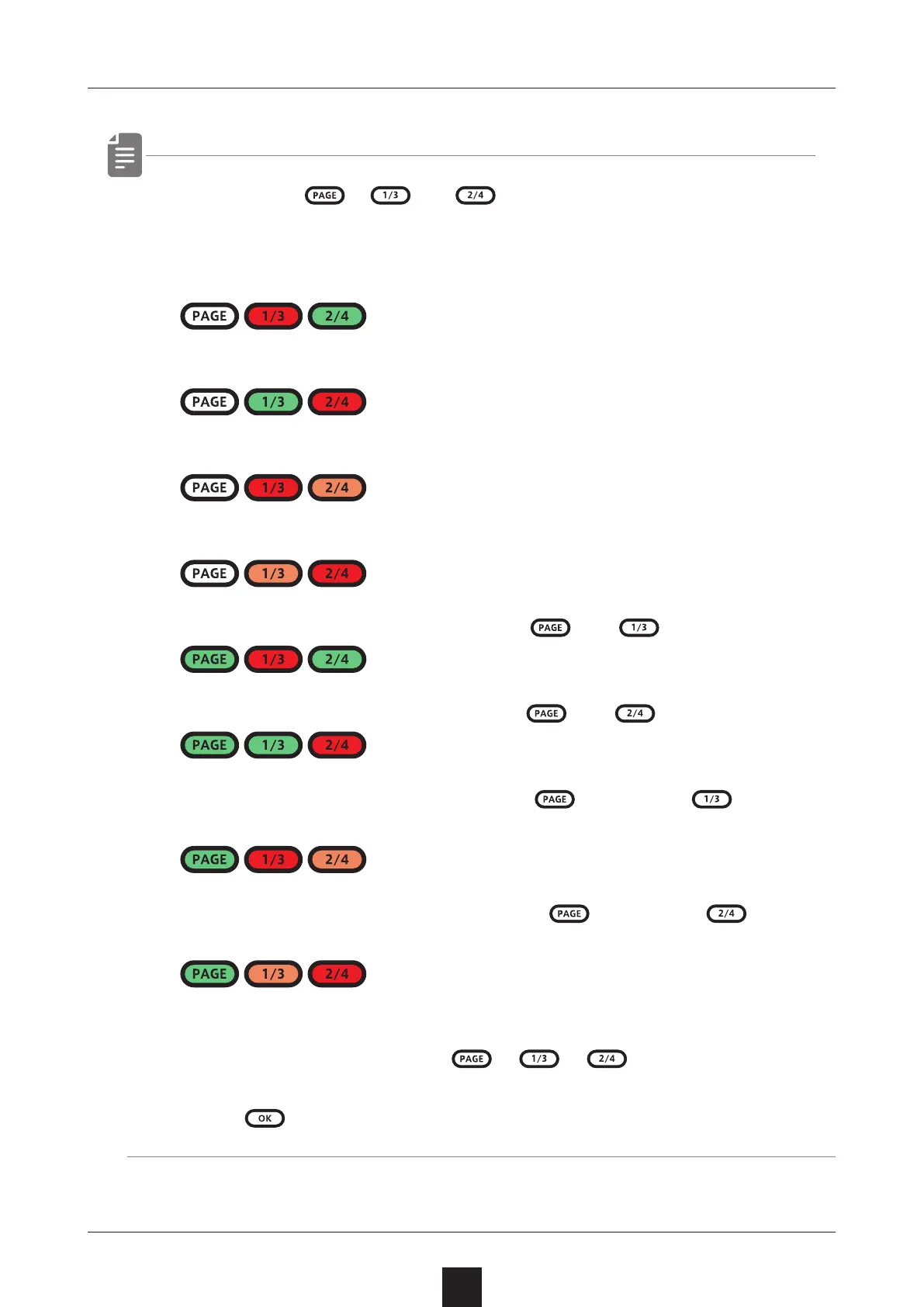
・ By pressing 、 and before procedure 1, pages with
steps 17 and higher can be selected.
To select steps 1–16, press the 1/3 button.
To select steps 17–32, press the 2/4 button.
To select steps 33–48, press the 1/3 button twice.
To select steps 49–64, press the 2/4 button twice.
To select steps 65–96, press the and button.
To select steps 81–96, press the and button.
To select steps 97–112, press the ,and press button
twice.
To select steps 113–128, press the ,and press button
twice.
・ During playback, pressing , or will lock the page
shown.
Press to unlock the page.



 To Next Page