6 Screen layout
Screen layout
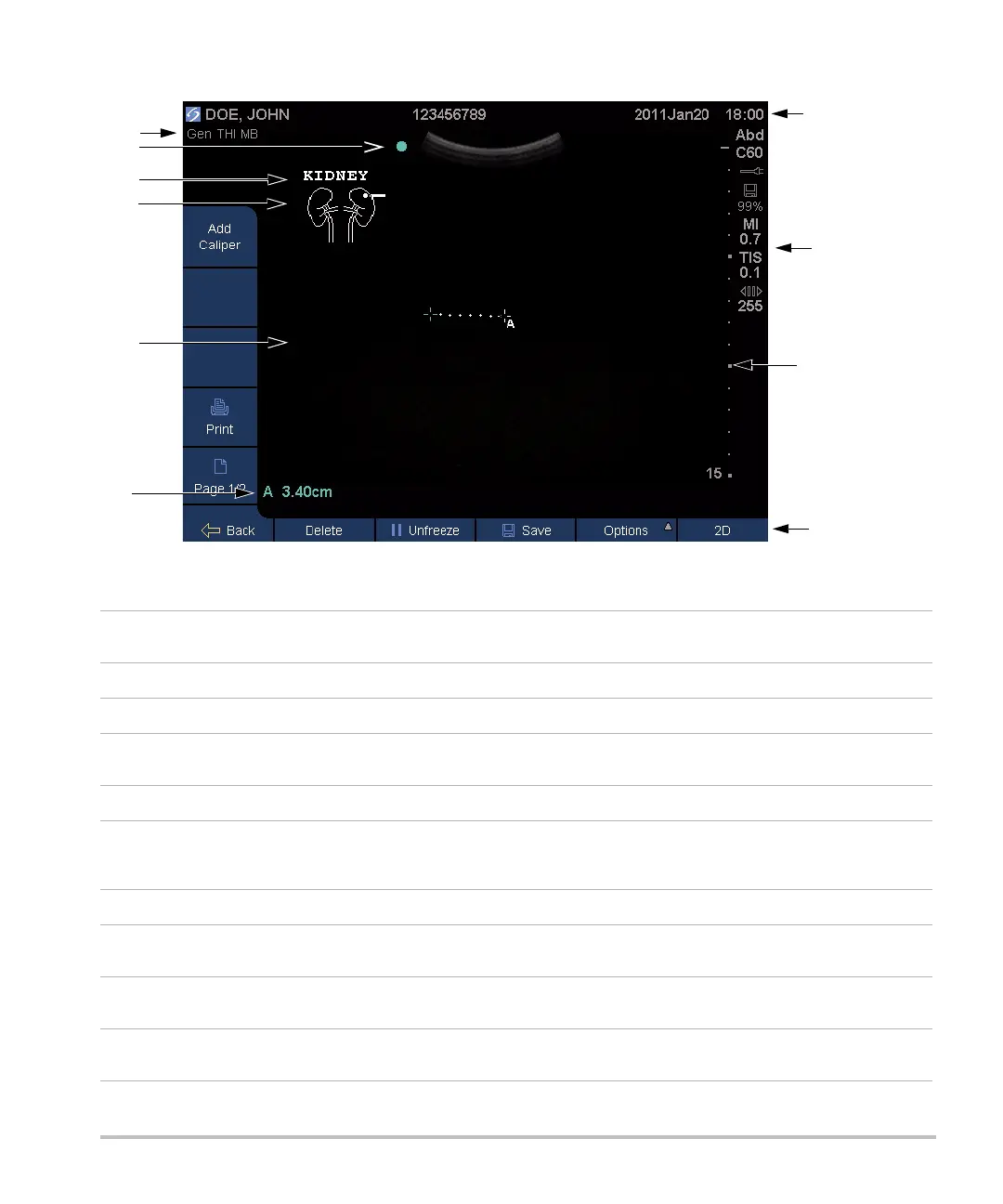
Figure 4 Screen Layout
1 Mode data area Current imaging mode information and settings (for example, Gen, THI, MB). For
definitions, see “Glossary.”
2 Orientation marker Provides indication for image orientation.
3 Text Text entered using keyboard.
4 Picto Pictograph to indicate anatomy and transducer position. You can select anatomy and
screen location.
5Image Ultrasound image.
6Measurement and
calculations data
area
Current data on measurements and calculations.
7 Patient header Includes current patient name, patient ID number, institution, user, and date/time.
8 System status Information on system status (for example, exam type, transducer, AC connected,
battery charging, and USB).
9 Depth marker Marks in .5 cm, 1 cm, and 5 cm increments depending on depth. To specify style, see
“Presets setup” on page 16.
10 Controls Names of controls available in the current context. (See also “Control keys and knobs”
on page 7.)



 To Next Page