Chapter 3: Imaging 21
Imaging
•PressModeand selectColor.ForCPD,
pressCPDontheleft.
AROIboxappearsinthecenterofthe2D
image.
Thecurrentselection(ColororCPD)appears
inthemodedataarea.
InColorimaging,theColorindicatorbaron
theupperleft‐handscreendisplaysvelocityin
cm/s.
2 Usingthetouchpad,positionorresizetheROI
boxasneeded.
Pressing Position andSizeorclicking
togglesbetweenpositionandsize.Whileyou
positionorresizethe ROIbox,agreenoutline
showsthechange.Forresizing,theoutlineis
adashedline.
3 Adjustcontrolsasdesired.See“CPDand
Colorcontrols.”
CPD and Color controls
PW and CW Doppler imaging
Pulsedwave(PW)Doppler and continuouswave
(CW)Dopplerimagingmodesareoptional
features.
PWDopplerisaDopplerrecordingofbloodflow
velocitiesinarangespecificareaalongthelength
ofthebeam.CWDopplerisaDopplerrecording
ofbloodflowvelocitiesalongthelengthofthe
beam.
You
canusePW/CWDopplerandCPD/Color
simultaneously.IfCPD/Colorimagingison,the
colorROIboxistiedtothe D‐line.Clicking cycles
amongcolorROIboxposition;colorROIbox
size;theD‐lineandgatelocation;and(inPW
Doppler)anglecorrection.Theactiveselectionis
green.
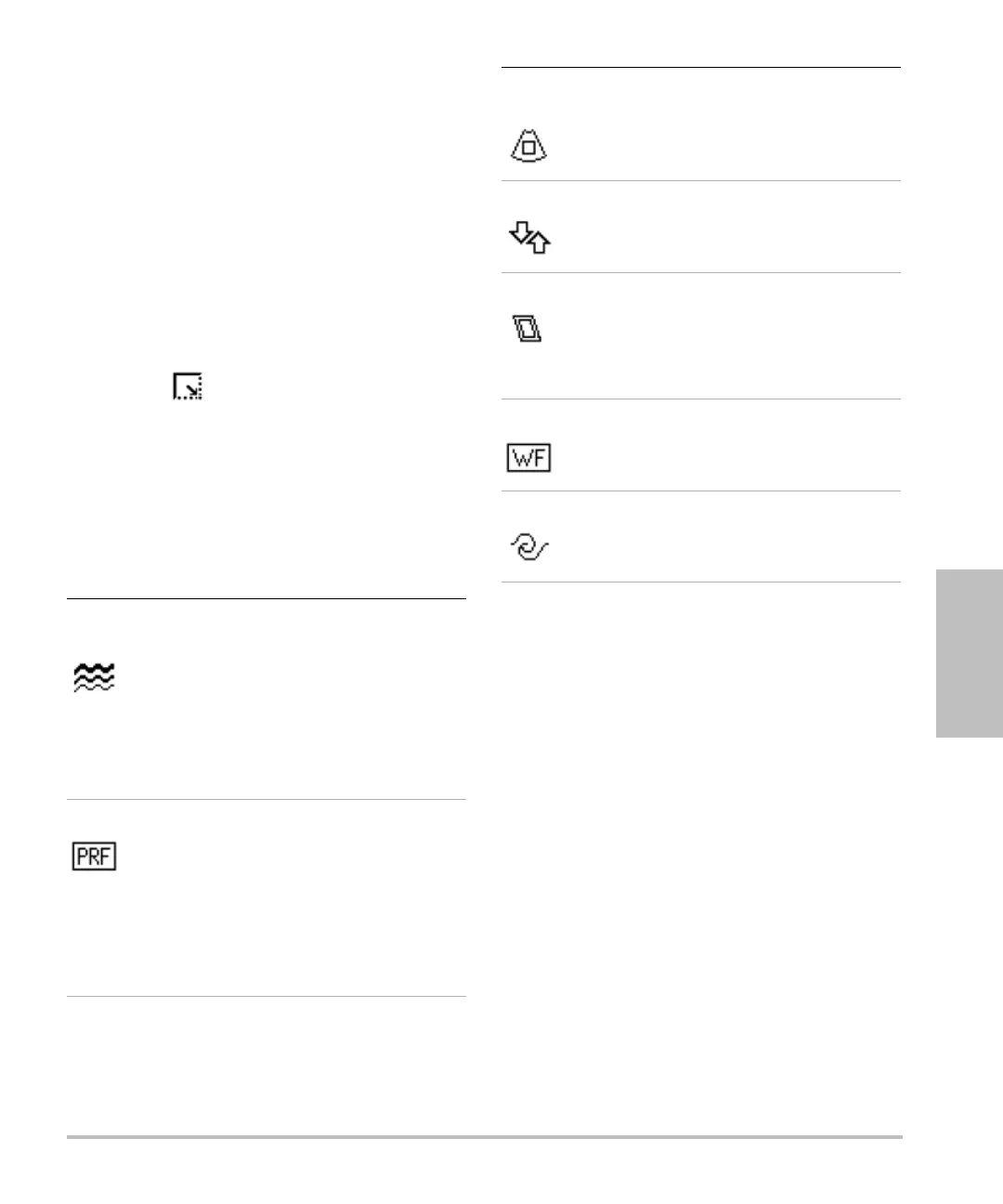
Flow
Sensitivity
The current setting appears below
the icon:
• Low optimizes the system for low
flow states.
• Med optimizes the system for
medium flow states.
• High optimizes the system for
high flow states.
PRF Scale Select the desired PRF (pulse
repetition frequency) Scale setting
by pressing the key (if present) and
then turning the knob.
The available PRF Scale settings
depend on the Flow Sensitivity
setting.
Available on select transducers.
Color
Suppress
Shows or hides color information.
You can select Show or Hide while
in live or frozen imaging.
Invert Switches the displayed direction of
flow.
Available in Color imaging.
Steering Select the steering angle setting of
the color ROI box (-15, 0, or +15). If
adding PW Doppler, see “PW
Doppler controls” on page 22.
Available on select transducers.
Wall Filter The current setting appears below
the icon: Low, Med, or High.
Available on select transducers.
Variance (Cardiac exam only) Turns variance
on and off.



 To Next Page