Chapter 3: Imaging 29
Imaging
theestablishedduedate.InaGynexam,enter
thedateofthelastmenstrualperiod.TheLMP
datemustprecedethecurrentsystemdate.
•Reading Dr.
• Referring Dr.
• Institution
Images and clips
Saving images and clips
Whenyousaveanimageorclip,itsavesto
internalstorage.Thesystembeepsafterwardif
BeepAlertison,andthepercentageiconflashes.
(See“A ud io , Ba tterysetup”onpage 14.)
Thepercentageiconshowsthepercentageof
spaceusedininternalstorage.Toreceivealerts
whenstorageisnear
capacity,see“To receive
storagealerts”onpage 15 .
Toaccesssavedimagesandclips,openthe
patientlist.See“Reviewingpatientexams.”
To save an image
Press Save.
Bydefault,theSavecontrolkeysavesonlythe
image.Asashortcutduringcalculations,the
Savecontrolkeycansaveboththeimageto
internalstorageandthecalculationtothe
patientreport.See“Presetssetu p”onpage 16.
To save a clip
Press Clip.
Tospecifycliplength,see“Presetssetup”on
page 16.
Reviewing patient exams
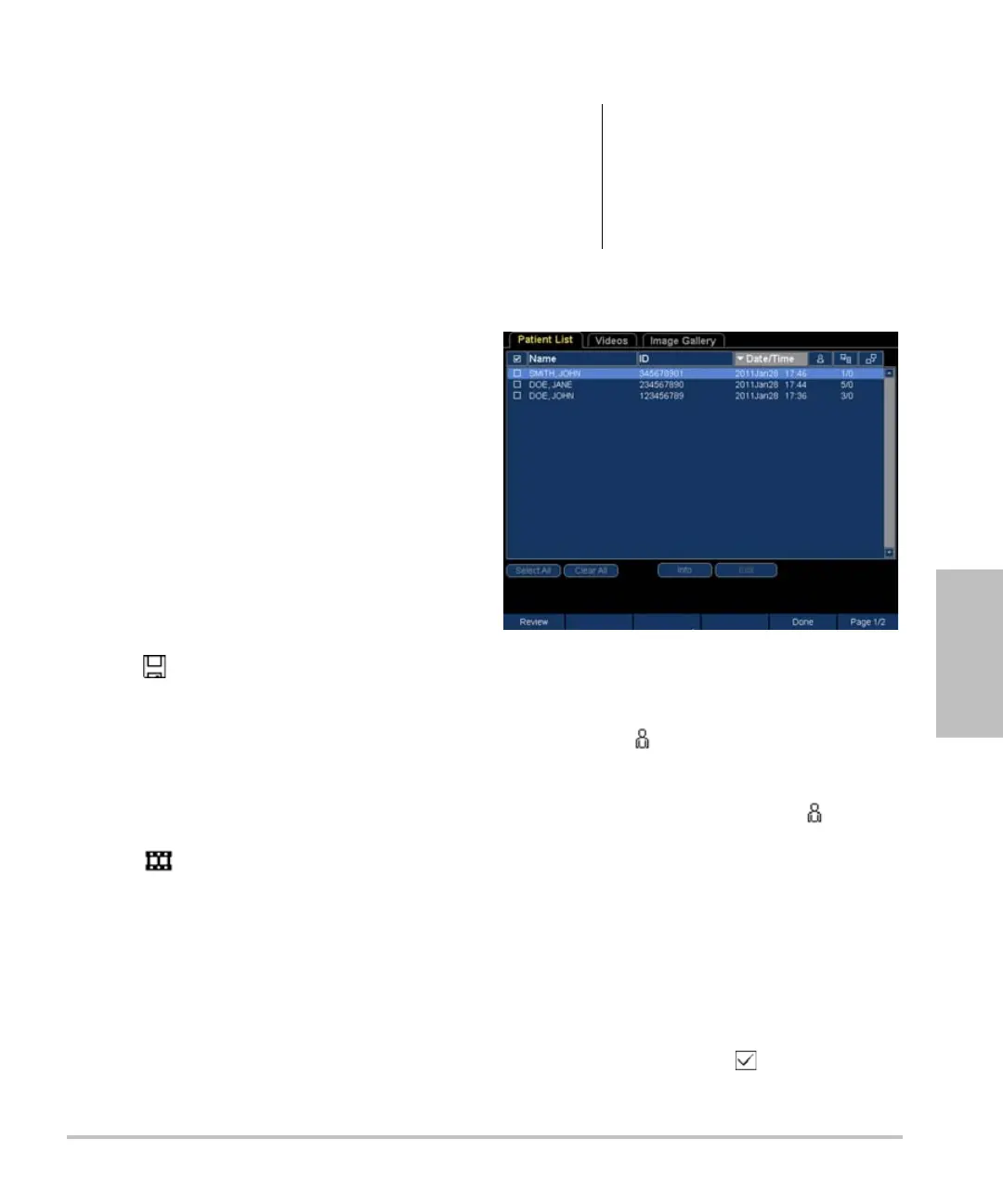
Thepatientlistletsyouorganizesavedimages
andclipsfromacentrallocation.
Figure 1 Patient List
To display the patient list
1 In2D,press Patient.
2 PressReview.
3 Ifthereisacurrentpatient,press List.
To sort the patient list
Afterthesystemstarts,thepatientlistisarranged
bydateandtime,withthemost recentpatient
examfirst.Youcanre‐sortthepatientlistas
needed.
Clickthecolumnheadingthatyouwantto
sortby.Clickitagainifsorti n ginreverse
order.
Note: Theselectioncolumnissortable.
Caution:
If the internal storage icon does not
appear in the system status area,
internal storage may be defective.
Contact SonoSite Technical
Support. (See “SonoSite Technical
Support” on page vii.)



 To Next Page