Chapter 3: Imaging 23
Imaging
Spectral trace controls
Adjusting depth and gain
To adjust depth
Youcanadjustthedepthinallimagingmodes
butthetracemodes.Theverticaldepthscaleis
markedin0.5 cm,1cm,and5cmincrements,
dependingonthedepth.Tochangethestyleof
depthmarkers,see“Presetssetup”onpage 16.
Pressthe Depth button(ifpresent),and
thenturntheDepthknob:
•Clockwiseincreasesthedisplayeddepth.
• Counter‐clockwisedecreasesthe
displayeddepth.
To adjust gain manually
Toadjustgainautomaticallyin2D,see“2D
controls”onpage 19.
1 Presstheleft‐handknobtoselectasetting:
• Near adjuststhegainappliedtothe
nearfieldofthe2Dimage.
• Far adjuststhegainappliedtothefar
fieldofthe2Dimage.
• Gain adjuststheoverall
gainapplied
totheentireimage.InCPDorColor
imaging,theGainsettingaffectsthecolor
gainappliedtotheregionof interest(ROI)
box.
2 Turntheknob:
•Clockwiseincreasesthegain.
• Counter‐clockwisedecreasesthegain.
To revert to the default gain setting
Press Reset.
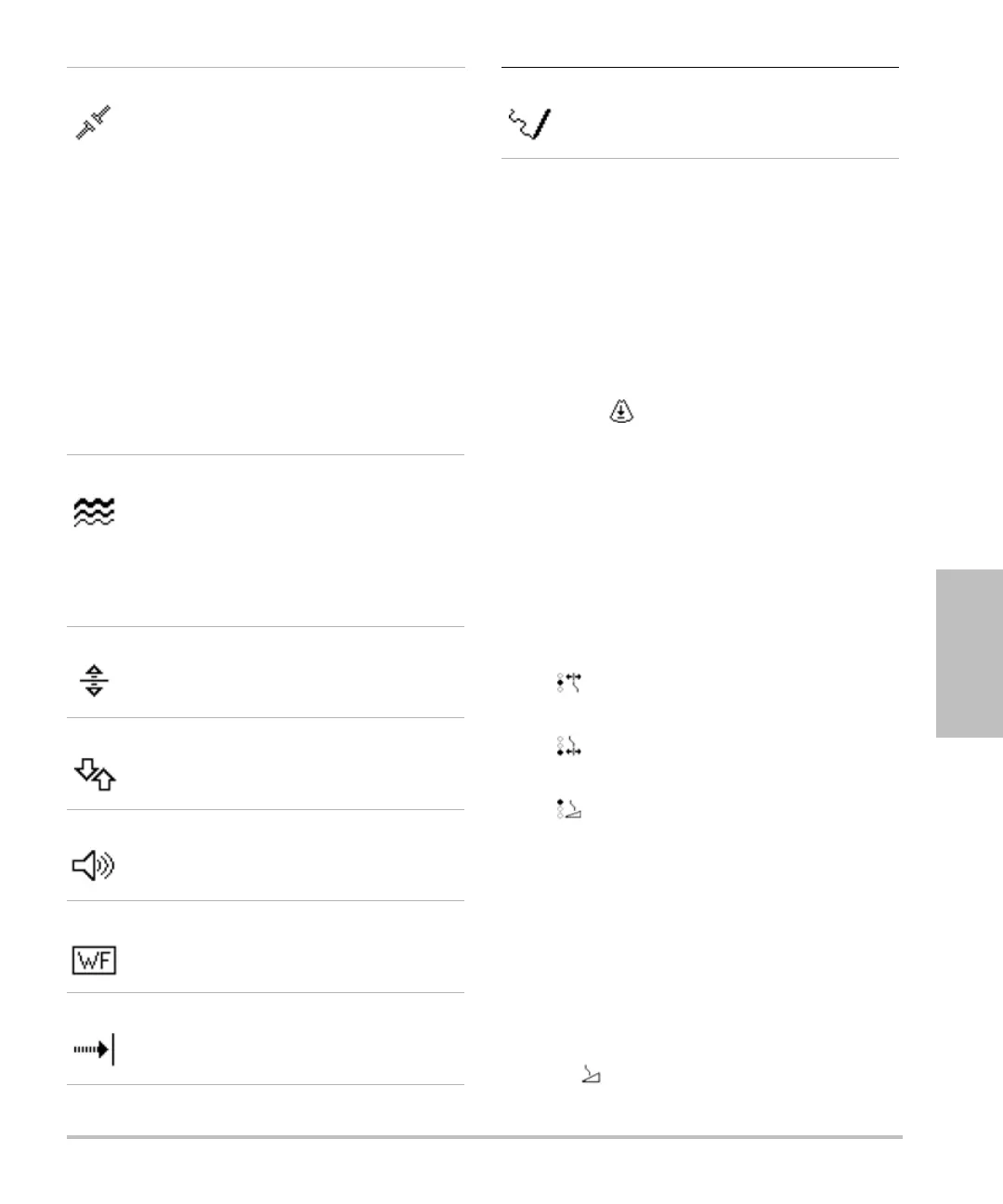
Steering Press to select the desired steering
angle setting. Settings available
depend on the transducer. The PW
Doppler angle automatically
corrects to the optimum setting.
• -15 and -20 have an angle
correction of -60°.
• 0 has an angle correction of 0°.
• +15 and +20 have an angle
correction of +60°.
You can manually correct the angle
after selecting a steering angle
setting.
Available on select transducers.
Scale Select the desired PRF (pulse
repetition frequency) Scale setting
by pressing the key (if present) and
then turning the knob.
(To change the Doppler scale to
cm/s or kHz, see “Presets setup” on
page 16.)
Baseline Sets the baseline position.
(On a frozen trace, you can set the
baseline if Live Trace is off.)
Invert Vertically flips the spectral trace.
(On a frozen trace, Invert is
available if Live Trace is off.)
Volume Increases or decreases Doppler
speaker volume (0-10).
Wall Filter Settings include Low, Med, High.
Sweep Speed Settings include Slow, Med, Fast.
Live Trace Displays a live trace of the peak or
mean. (See “Presets setup” on
page 16 to specify peak or mean.)



 To Next Page