Manual Integrator Supercal 531 06-06-2011 48
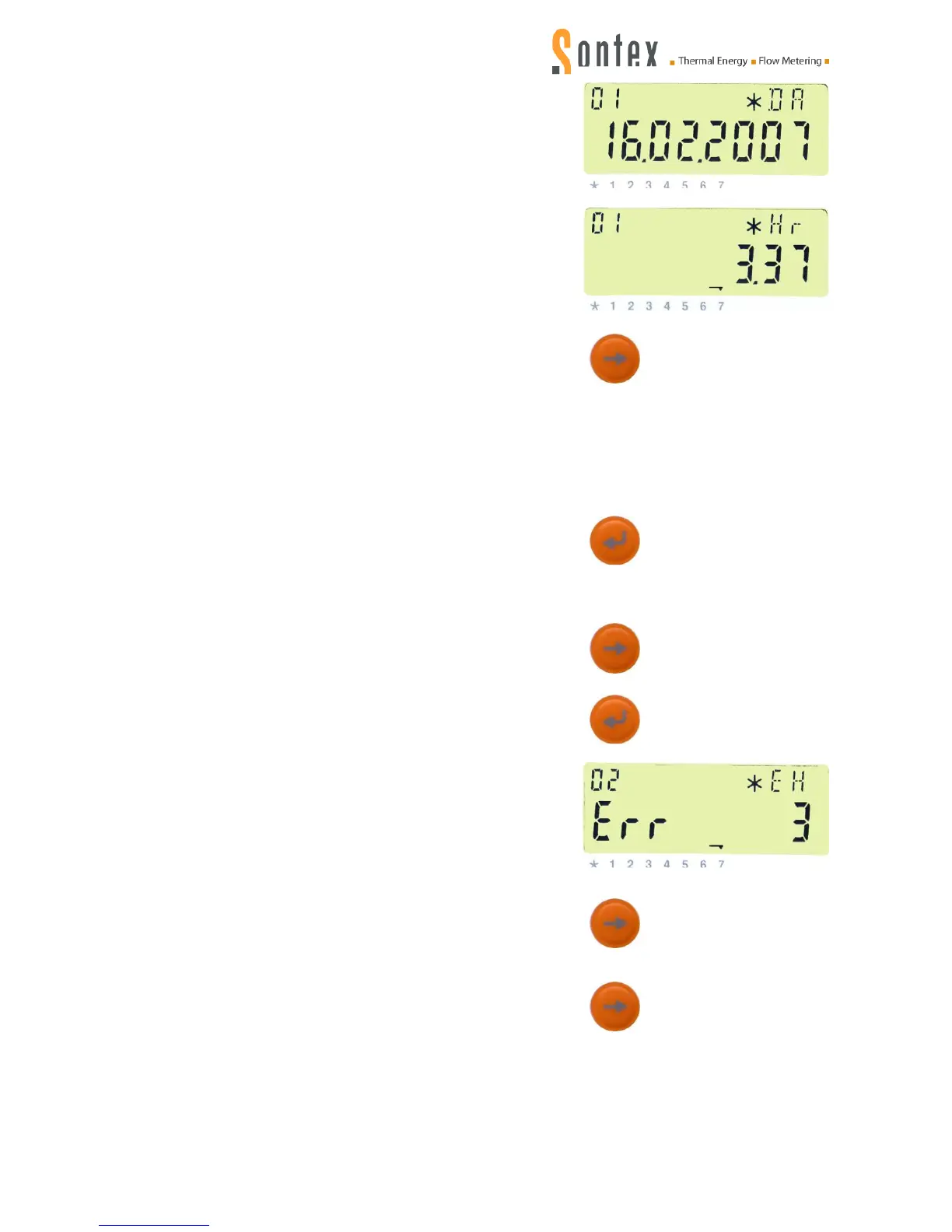
Date (DA)beginning of error
Time (Hr) beginning of error
again, the display goes back to
the identification number / customer number (index Cn)
mentioned above.
To access the data of the recorded errors 02 to 10, repeat the procedure until reaching the error
with index „01“.
Then press the enter key:
The index „01“ flashes.
Now select the error of which you want the error data to be
displayed by pressing the control key (e.g. „02“ for the error
before last).
Then press the enter key:
The error number of the error before last 02 is displayed.
By repeatedly pressing the
the display sequence
for error 02 is called:
Duration of error in minutes (min), date (DA) and time (Hr)
when the error began.
Now press the
again. Then the display returns to
the identification number / customer number (index Cn)
mentioned above.


 To Next Page