Manual Integrator Supercal 531 06-06-2011 35
7.3 Menu set day values
Two set days are possible: set day 1 = S1, set day 2 = S2.
Values recorded on set day: energy, volume, tariff values and additional pulse
inputs.
The first display of the display sequence indicates the date of the set day, if occurred.
Display and presentation of the cumulated set day values are identical with those of the main
menu.
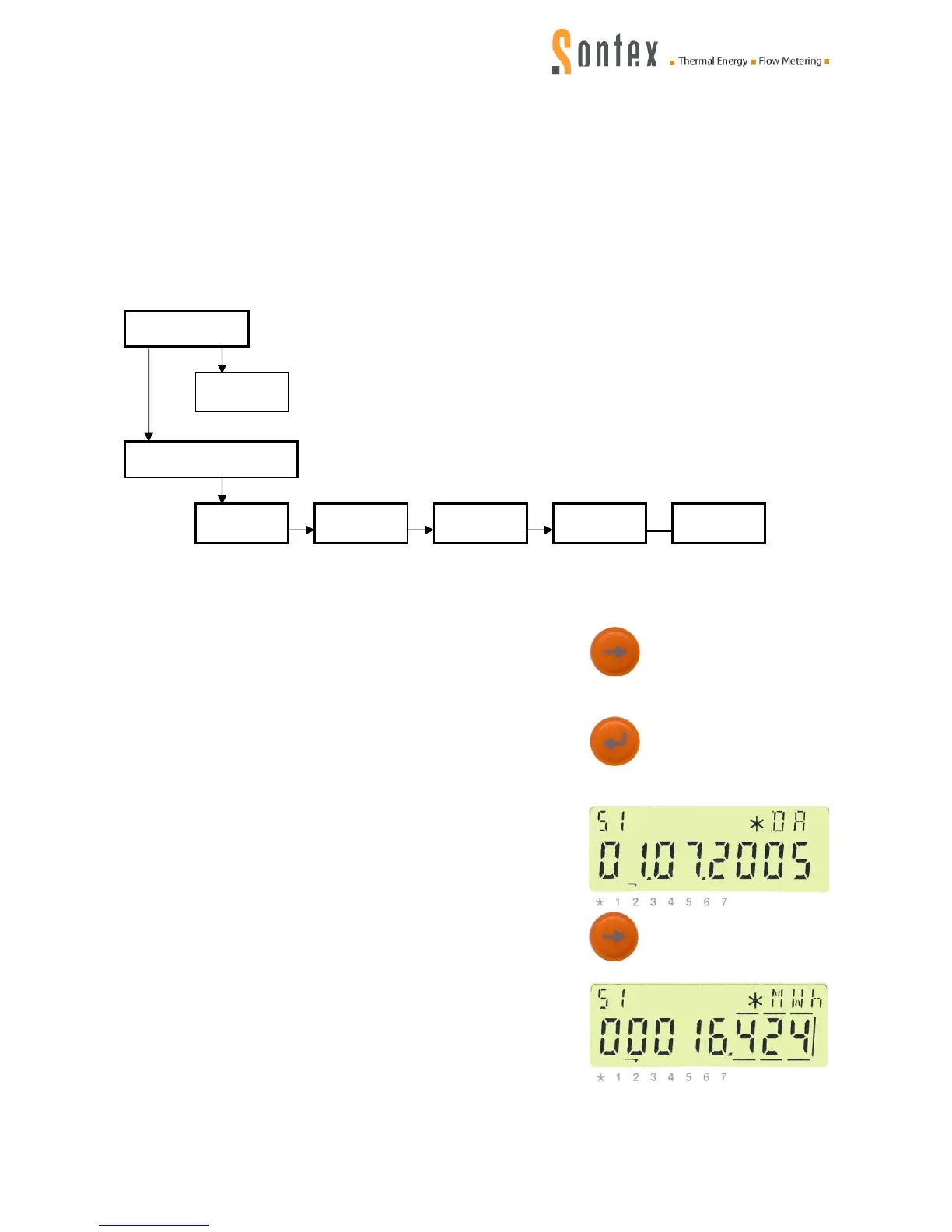
Path:
Please proceed as described in 7.1.
Then, press the control key:
The index for the menu navigation goes to „2“.
Confirm the menu 2 = menu set day values by pressing the
enter key:
The index for the menu navigation which now is above „2“
flashes and the date of the first set day 01 is displayed.
Now, the display sequence of set day 01 can be accessed and
display after display can be read by repeatedly pressing the
control key:



 To Next Page