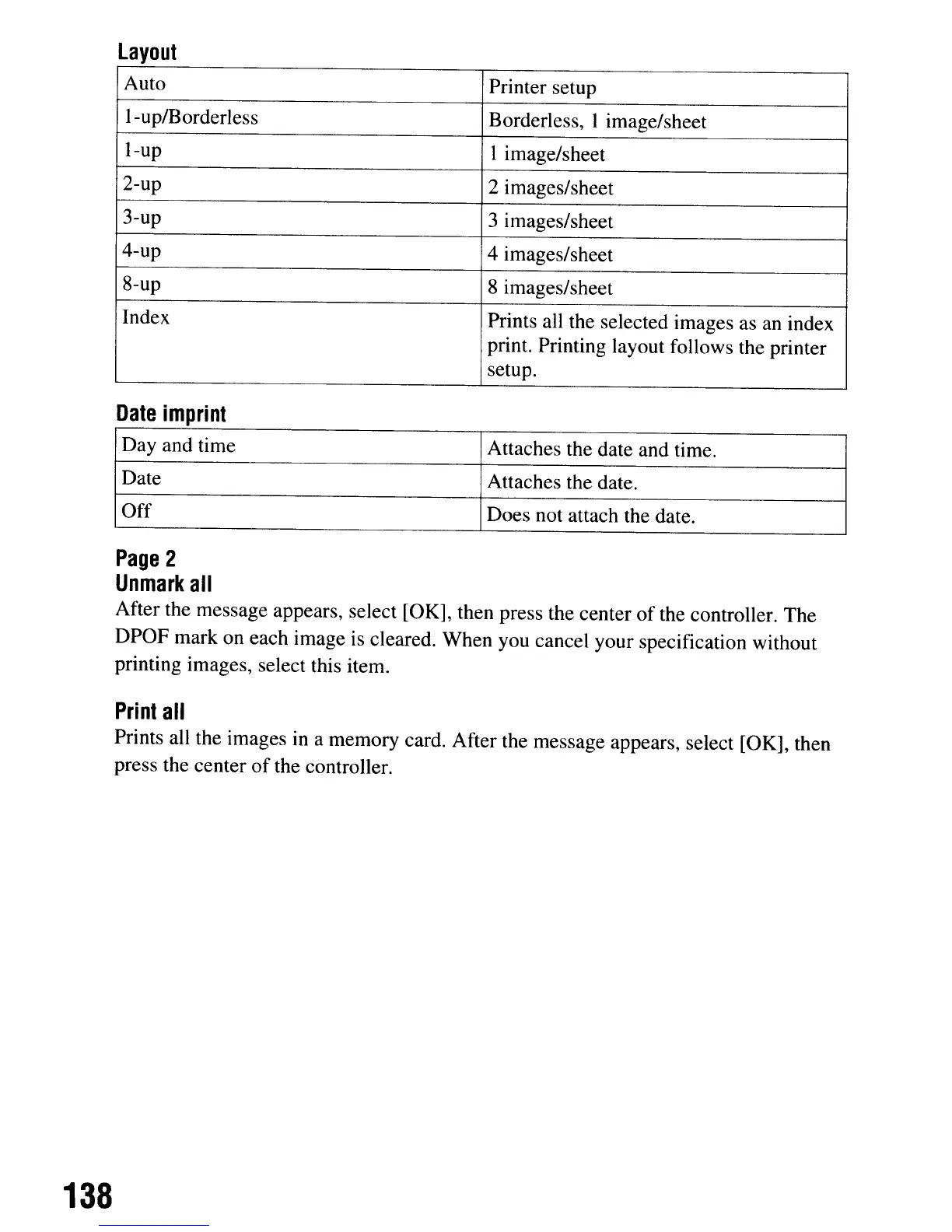
layout
Auto Printer setup
l-up/Borderless
Borderless, I image/sheet
I-up
I image/sheet
2-up
2 images/sheet
3-up
3 images/sheet
4-up
4 images/sheet
8-up 8 images/sheet
Index Prints all the selected images as an index
print. Printing layout follows the printer
setup.
Date
imprint
Day and time Attaches the date and time.
Date
Attaches the date.
Off
Does not attach the date.
Page
2
Unmark
all
After the message appears, select [OK], then press the center
of
the controller. The
DPOF mark on each image is cleared. When you cancel your specification without
printing images, select this item.
Print
all
Prints all the images
in
a memory card. After the message appears, select [OK], then
press the center
of
the controller.
138
layout
Auto Printer setup
l-up/Borderless
Borderless, I image/sheet
I-up
I image/sheet
2-up
2 images/sheet
3-up
3 images/sheet
4-up
4 images/sheet
8-up 8 images/sheet
Index Prints all the selected images as an index
print. Printing layout follows the printer
setup.
Date
imprint
Day and time Attaches the date and time.
Date
Attaches the date.
Off
Does not attach the date.
Page
2
Unmark
all
After the message appears, select [OK], then press the center
of
the controller. The
DPOF mark on each image is cleared. When you cancel your specification without
printing images, select this item.
Print
all
Prints all the images
in
a memory card. After the message appears, select [OK], then
press the center
of
the controller.
138













 To Next Page