To
cancel
the
print
During printing, pressing the center
of
the controller cancels the print.
Remove the USB cable or
tum
off the camera. When you want to print
again, follow the procedure (Stages 1 to 3) above.
Page
1
Print
Prints the selected images. For details, see "Stage
3:
Printing."
Set
print
q'ty
You can specify the number
of
prints, up to 20. The same number
of
prints is specified
on all the selected images.
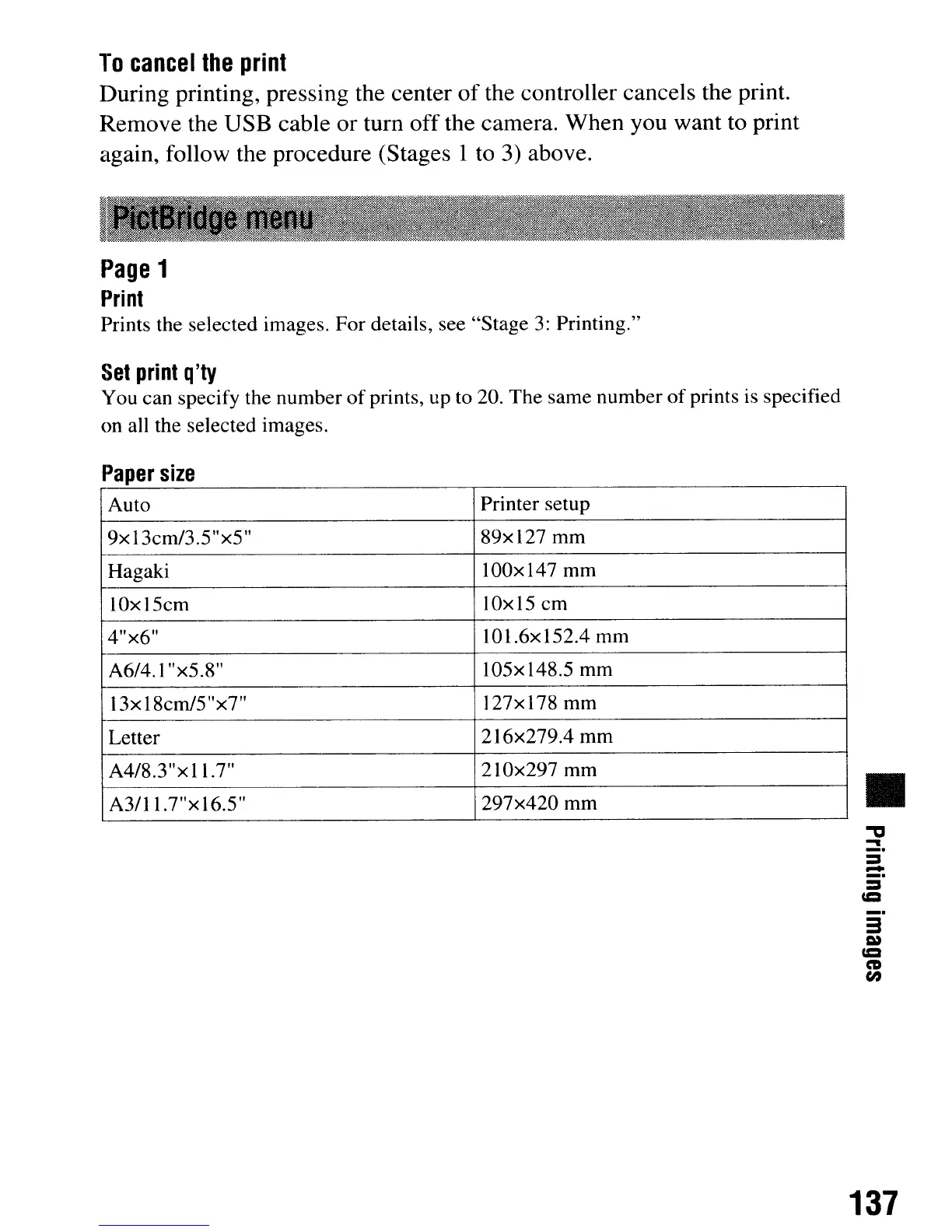
Paper
size
Auto
Printer setup
9xI3cm/3.5"x5"
89xl27
mm
Hagaki
100x147 mm
IOxl5cm IOxl5 cm
4"x6" 101.6x152.4 mm
A6/4.1 "x5.8" 105x148.5 mm
13x18cm/5"x7" 127x178 mm
Letter
216x279.4 mm
A4/8.3"xl1.7" 210x297 mm
A3/11.7"x16.5"
297x420 mm
•
."
-
_.
::s
-
::s
=
137
To
cancel
the
print
During printing, pressing the center
of
the controller cancels the print.
Remove the USB cable or
tum
off the camera. When you want to print
again, follow the procedure (Stages 1 to 3) above.
Page
1
Print
Prints the selected images. For details, see "Stage
3:
Printing."
Set
print
q'ty
You can specify the number
of
prints, up to 20. The same number
of
prints is specified
on all the selected images.
Paper
size
Auto
Printer setup
9xI3cm/3.5"x5"
89xl27
mm
Hagaki
100x147 mm
IOxl5cm IOxl5 cm
4"x6" 101.6x152.4 mm
A6/4.1 "x5.8" 105x148.5 mm
13x18cm/5"x7" 127x178 mm
Letter
216x279.4 mm
A4/8.3"xl1.7" 210x297 mm
A3/11.7"x16.5"
297x420 mm
•
."
-
_.
::s
-
::s
=
137













 To Next Page