5
Detach
the
lens
(page
20).
6
Use
the
blower
to
clean
the
image
sensor
surface
and
the
surrounding
area.
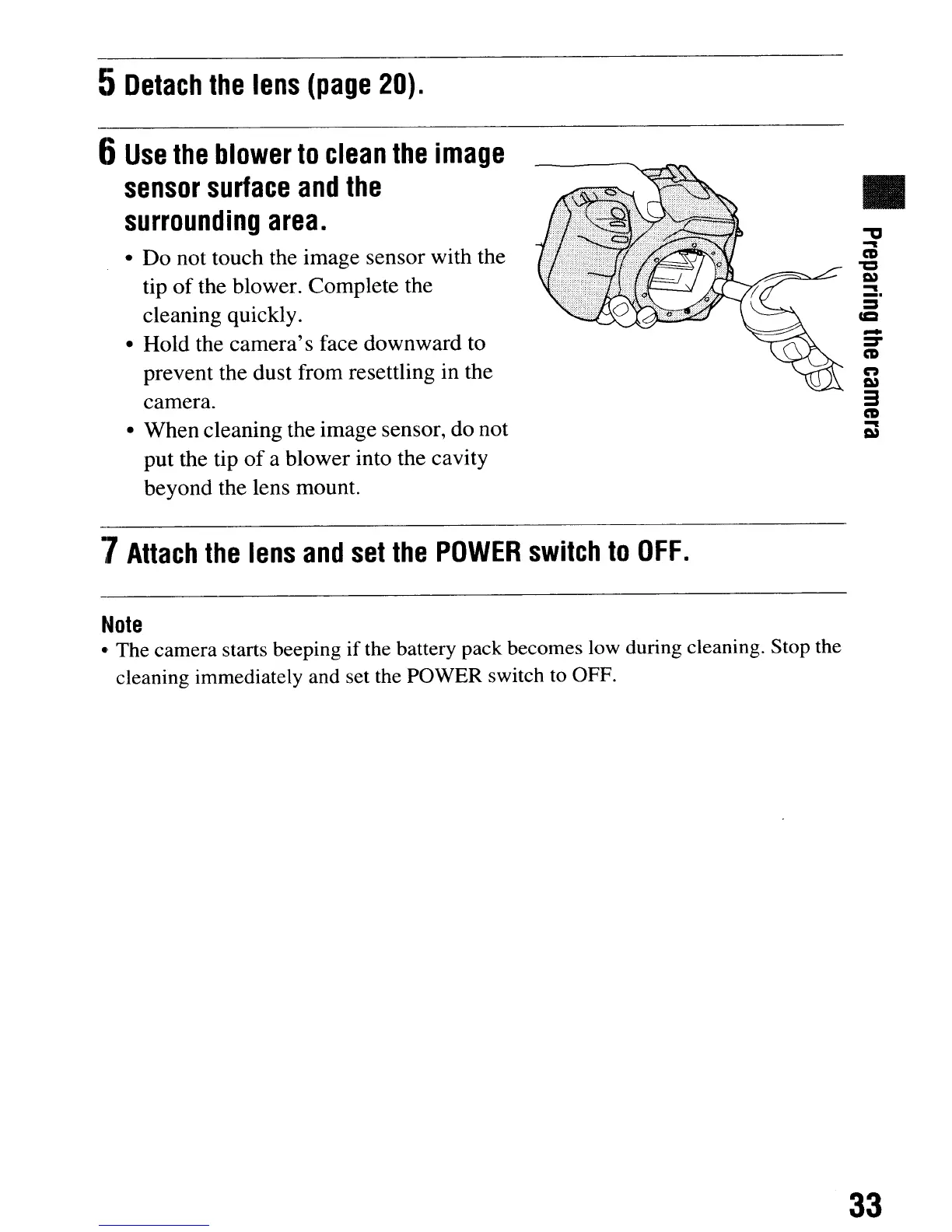
• Do not touch the image sensor with the
tip
of
the blower. Complete the
cleaning quickly.
• Hold the camera's face downward to
prevent the dust from resettling in the
camera.
• When cleaning the image sensor, do not
put the tip
of
a blower into the cavity
beyond the lens mount.
•
-a
-
CD
"C
I»
-
_.
-
:::r
CD
n
I»
3
CD
-
I»
7
Attach
the
lens
and
set
the
POWER
switch
to
OFF.
Note
.'
The camera starts beeping
if
the battery pack becomes low during cleaning. Stop the
cleaning immediately and set the POWER switch to OFF.
33
5
Detach
the
lens
(page
20).
6
Use
the
blower
to
clean
the
image
sensor
surface
and
the
surrounding
area.
• Do not touch the image sensor with the
tip
of
the blower. Complete the
cleaning quickly.
• Hold the camera's face downward to
prevent the dust from resettling in the
camera.
• When cleaning the image sensor, do not
put the tip
of
a blower into the cavity
beyond the lens mount.
•
-a
-
CD
"C
I»
-
_.
-
:::r
CD
n
I»
3
CD
-
I»
7
Attach
the
lens
and
set
the
POWER
switch
to
OFF.
Note
.'
The camera starts beeping
if
the battery pack becomes low during cleaning. Stop the
cleaning immediately and set the POWER switch to OFF.
33













 To Next Page