25-GB
Preparation for Network Operation
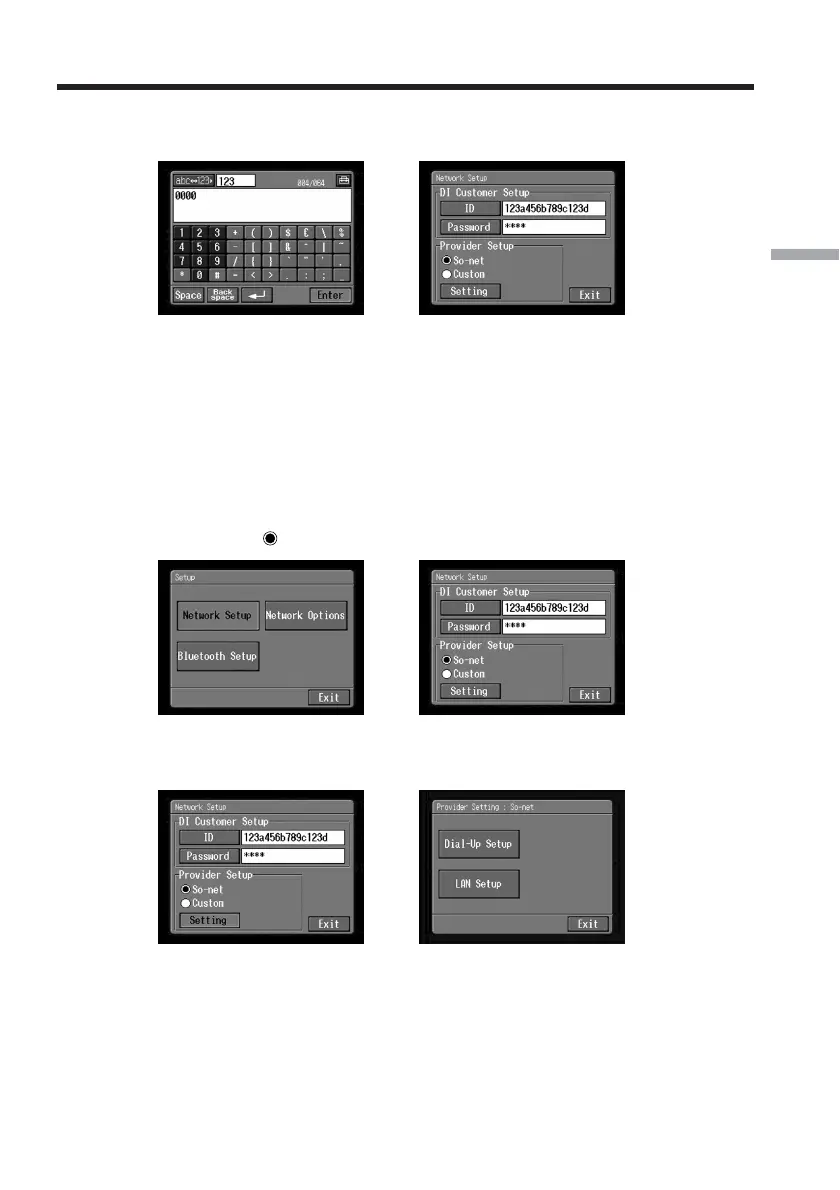
(9) Tap [Enter].
The Network Setup screen appears again.
,
Tip
While inputting password characters, they are indicated as they are. However,
after they have been entered, each character is indicated as “∗” (asterisk). If
you want to enter your password again, delete all asterisks first.
2 “So-net” settings
(1) Confirm that [So-net] is checked.
If [So-net] is not checked, tap [So-net] to check it.
a changes to
.
,
(2) Tap [Setting].
The Provider Setting : So-net screen appears.
,
If you use a dial-up connection, go to 3 on page 26.
If you use a LAN connection, go to 4 on page 27.
Setting the network preferences














 To Next Page