26-GB
3 Setting your dial-up connection
If you use a dial-up connection, enter the telephone number of your access point. For
details of the telephone numbers of access points (p. 140), refer to the supplied leaflet
“Start Here!”.
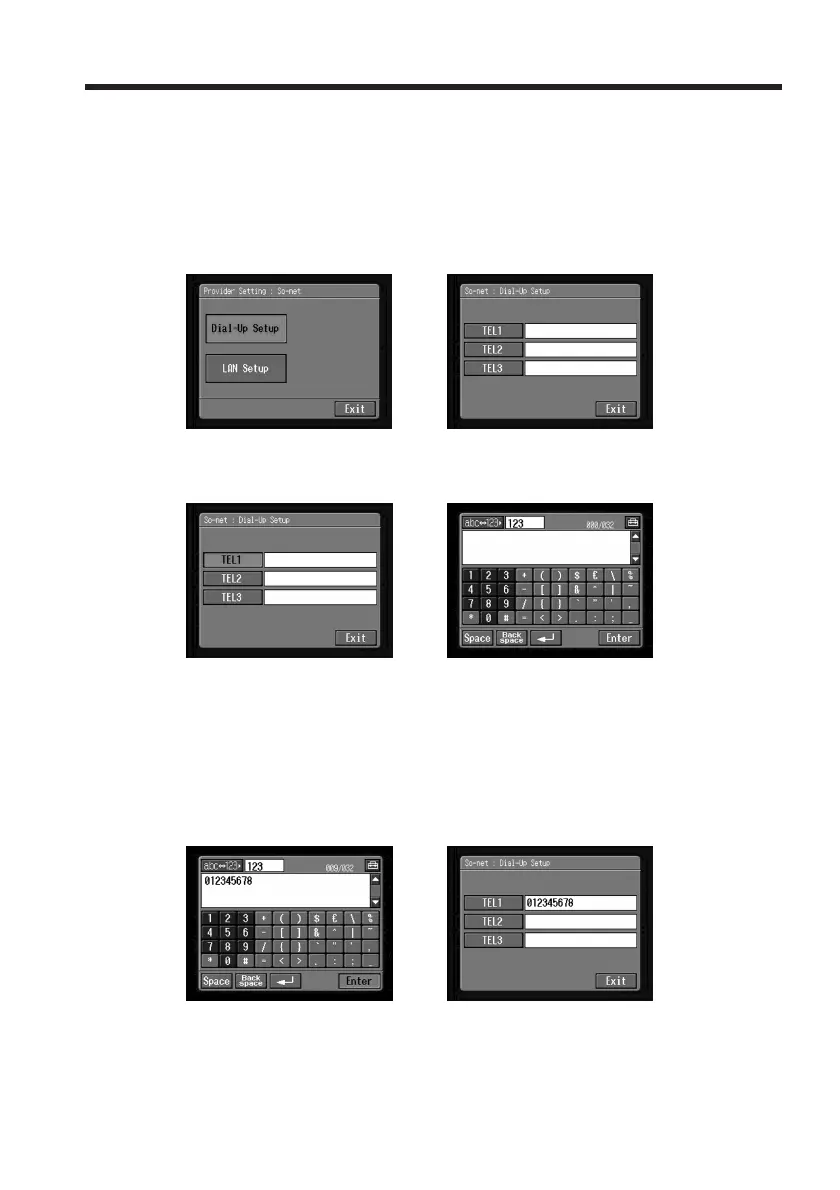
(1) Tap [Dial-Up Setup].
The So-net : Dial-Up Setup screen appears.
,
(2) Tap [TEL1].
The character input screen appears.
,
(3) Enter the telephone number of the access point.
For details of how to input characters, see “How to input characters” (p. 9).
Note
Do not insert hyphens or spaces in the telephone number. (e.g. 012345678)
(4) Tap [Enter].
The So-net : Dial-Up Setup screen appears again.
,
Tip
You can also register the telephone numbers of other access points, if
necessary, by entering them into [TEL2] and [TEL3].
Setting the network preferences














 To Next Page