63-GB
Network Operation
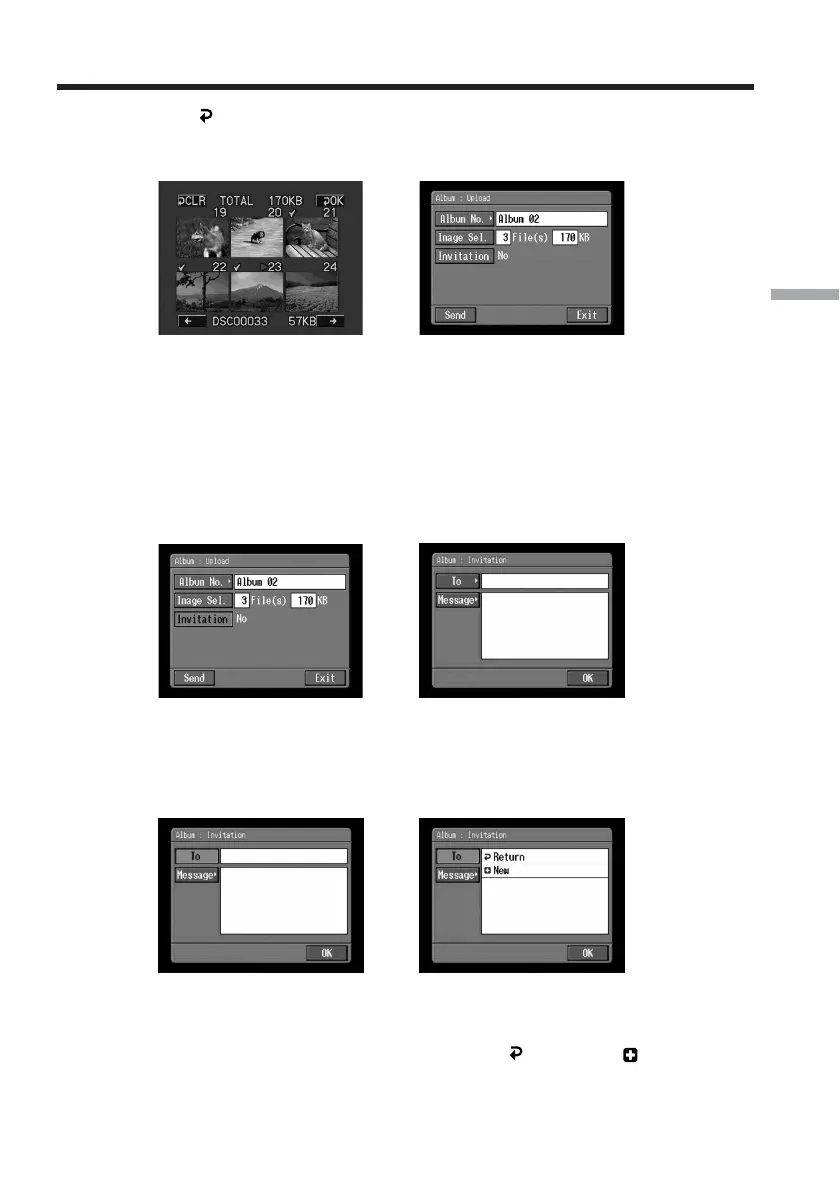
(4) Tap [ OK].
The Album : Upload screen appears again. The total number of selected still
images and/or moving pictures and the total file size are indicated.
,
If you only want to upload still images and/or moving pictures, go to
“
5
Uploading still images and/or moving pictures” (p. 66).
3 Sending an invitation card (email)
Select the addressee to send the invitation card (email) to.
(1) Tap [Invitation].
The Album : Invitation screen appears.
,
(2) Tap [To].
The address list appears. The list shows the destination addresses that are
registered in the address book. For details of the address book, see “Using the
address book” (p. 85).
,
If you want to select an address listed in the address book, go to step 6.
Tips
•The most recently used address is listed under [ Return] and [ New].
•Addresses are listed in historical order.
Making your Album on the Web














 To Next Page