70-GB
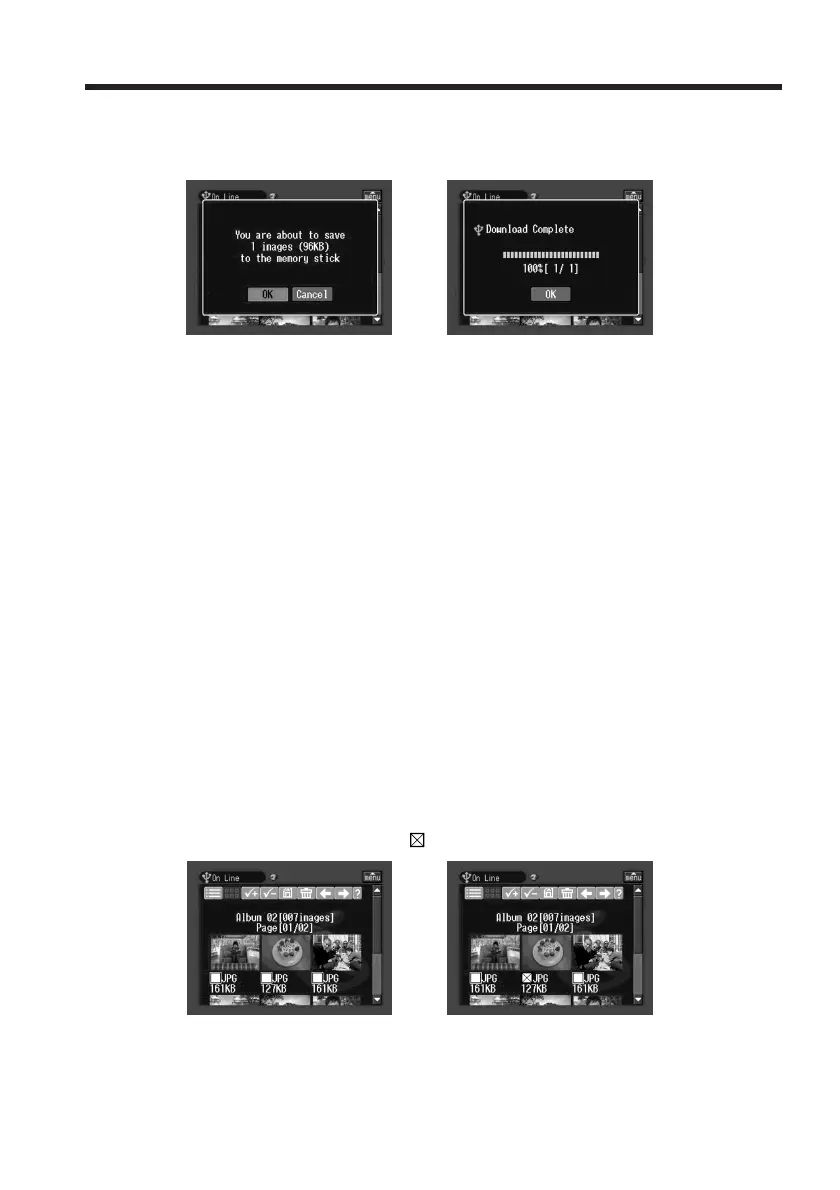
(3) Tap [OK].
The message “Downloading” appears. When downloading is complete, the
message “Download Complete” appears.
,
(4) Tap [OK].
The index page or single-image page appears.
To cancel downloading
While downloading, tap [Cancel].
To view a downloaded still image or moving picture
Exit the network function, then view the still image or moving picture following the
same procedure as that for viewing a still image or moving picture recorded on a
“Memory Stick.”
Notes
•Do not eject the “Memory Stick” during the downloading procedure.
•When the index page appears in step 4, the selected still images and/or moving
pictures remain checked.
•You can download only JPEG and MPEG files.
•If you download still images and/or moving pictures modified with a computer or
recorded with other devices, your camcorder may not be able to play back the still
images and/or moving pictures properly.
To select still images and/or moving pictures from the index page
(1) Tap the check box of the desired still images and/or moving pictures.
The check box under the selected still images and/or moving pictures is
indicated by the check mark (
).
,
(2) To select more still images and/or moving pictures, repeat step 1.
Making your Album on the Web














 To Next Page