89-GB
Network Operation
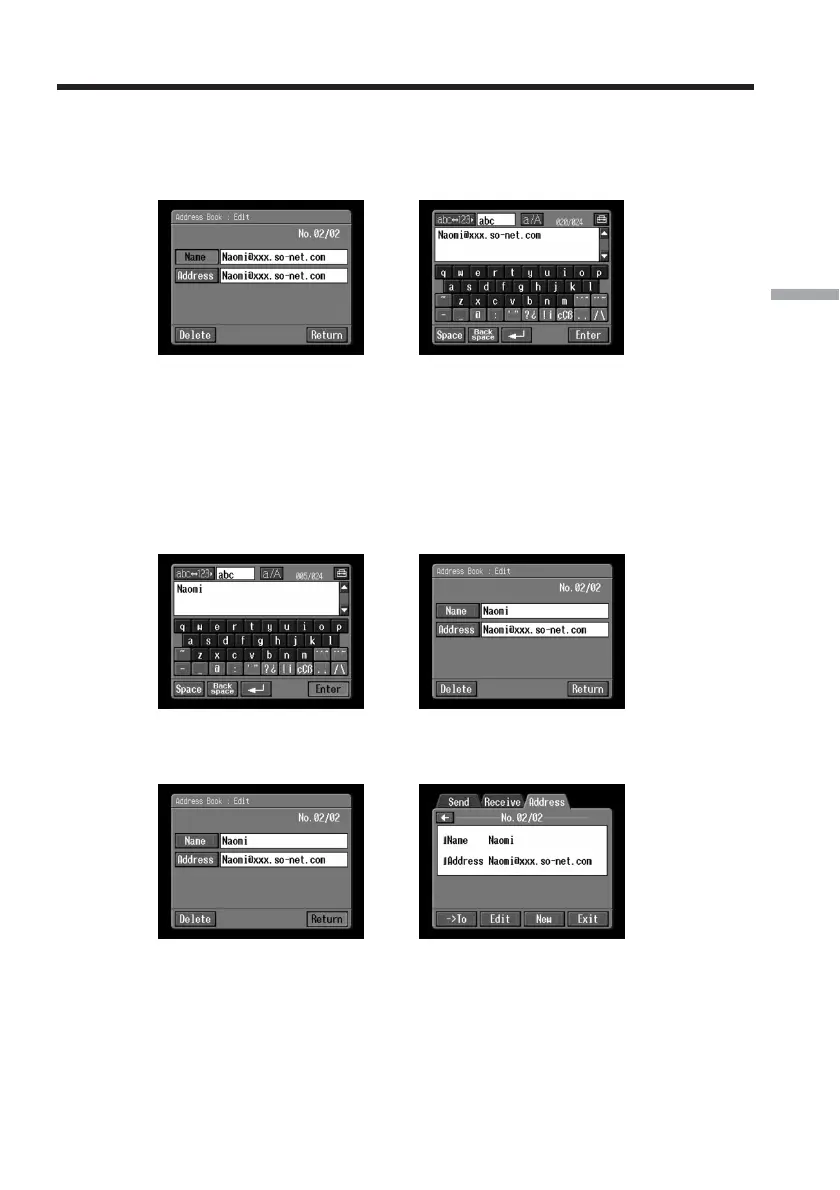
(4) Tap [Name] or [Address].
To edit the registered name, tap [Name], and to edit the registered address, tap
[Address].
The character input screen appears.
,
If you want to delete an address, tap [Delete]. When the verification screen
appears, tap [OK]. To stop deleting, tap [Cancel].
(5) Edit the name or address.
For details of how to input characters, see “How to input characters” (p. 9).
(6) Tap [Enter].
The Address Book : Edit screen appears again.
,
(7) Tap [Return].
The Address screen appears again.
,
(8) Check the name and address.
(9) Tap [Exit].
The Network Menu appears again.
Using email














 To Next Page