102
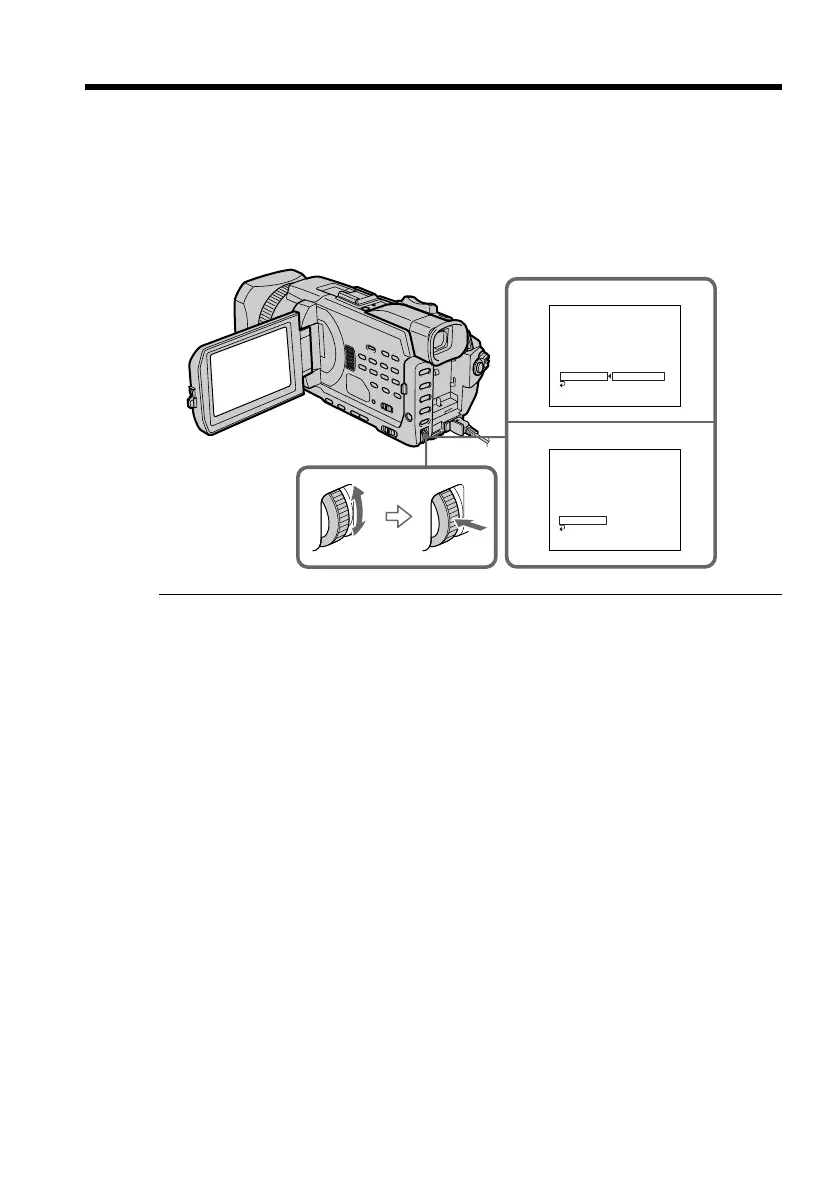
(4) Confirming VCR operation
1 Insert a recordable tape into the VCR, then set to recording pause.
2 Turn the SEL/PUSH EXEC dial to select IR TEST, then press the dial.
3 Turn the SEL/PUSH EXEC dial to select EXECUTE, then press the dial.
If the VCR starts recording, the setting is correct.
When recording is finished, the indicator changes to COMPLETE.
When the VCR does not operate correctly
•After checking the code in “About IR SETUP codes”, set the IR SETUP or the
PAUSEMODE again.
•Place your camcorder at least 30 cm (12 in.) away from the VCR.
•Refer to the operating instructions of your VCR.
Dubbing only desired scenes – Digital program editing (on tapes)
2
3
VIDEO EDIT
EDIT SET
CONTROL
ADJ TEST
”CUT–IN”
”CUT–OUT”
IR SETUP
PAUSEMODE
IR TEST
RETURN
ENGAGE
REC PAUSE
RETURN
EXECUTE
0:08:55:06
[
MENU
]
:
END
VIDEO EDIT
EDIT SET
CONTROL
ADJ TEST
”CUT–IN”
”CUT–OUT”
IR SETUP
PAUSEMODE
IR TEST
RETURN
COMPLETE
0:08:55:06
[
MENU
]
:
END














 To Next Page