176
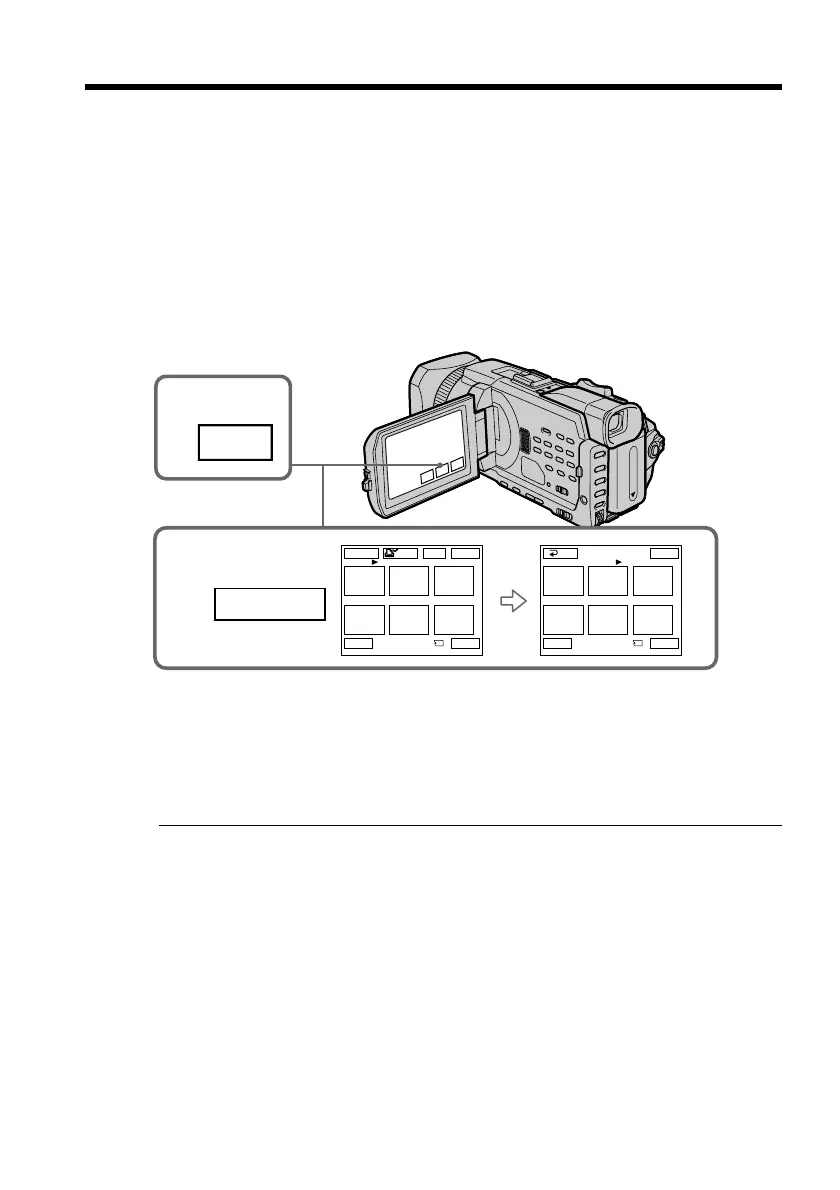
You can protect selected images to prevent accidental erasure of important images.
Before operation
Insert a “Memory Stick” into your camcorder.
(1) Set the POWER switch to MEMORY/NETWORK (DCR-TRV950 only) or VCR.
Make sure that the LOCK switch is set to the further side (unlock position).
(2) Press INDEX on your camcorder to display the index.
(3) Press - MARK. The screen to protect the image appears.
(4) Press the image you want to protect. A “-” appears on the protected image.
To return to FN
Press EXIT.
To cancel image protection
Press the image you want to cancel image protection in step 4 again. The “-”
disappears.
Note
Formatting erases all information on the “Memory Stick,” including the protected
image data. Before formatting a “Memory Stick,” check its contents.
If the write-protect switch on the “Memory Stick” is set to LOCK
You cannot protect images.
Preventing accidental erasure
– Image protection
2
INDEX
3,4
123
456
EXIT
RET.
-
MARK
1 / 40
123
456
EXITDEL
MARK
-
MARK
T t
-
2 / 40
Tt
-
MARK














 To Next Page