184
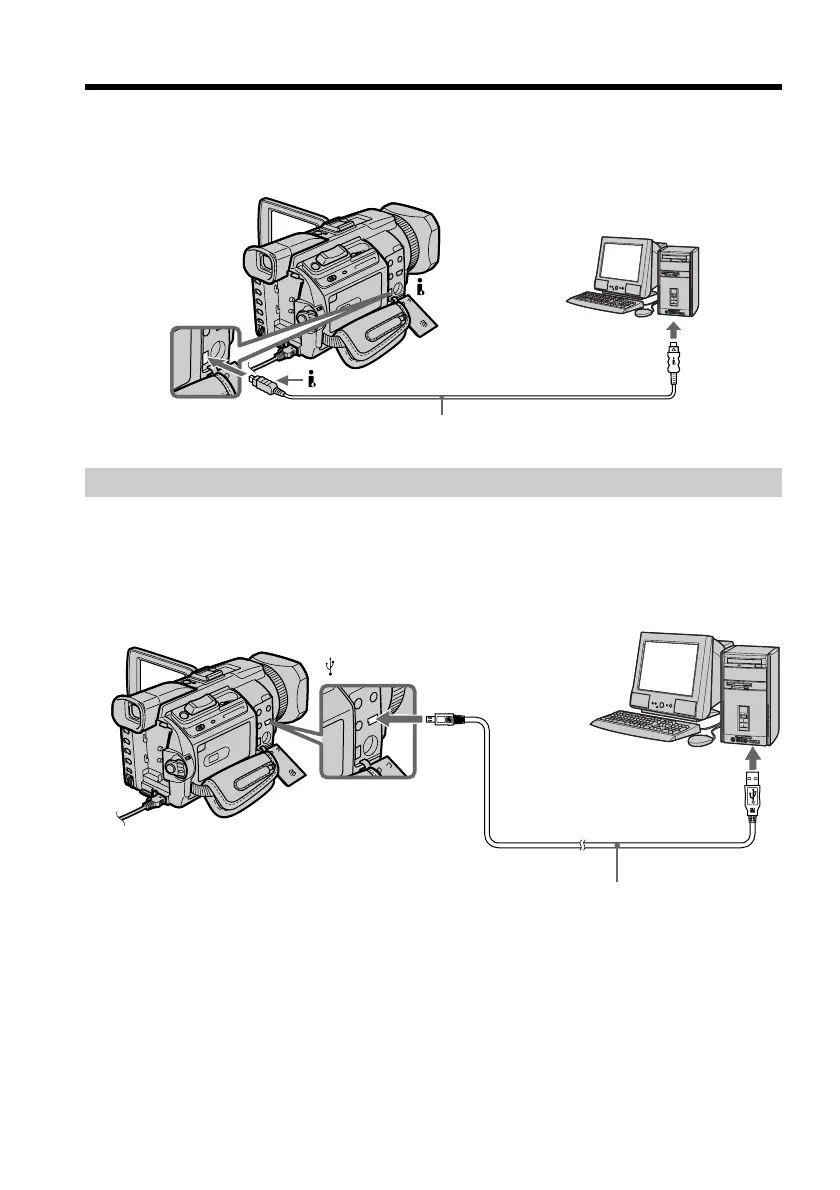
When connecting to a computer using the i.LINK (DV interface)
Your computer must have a DV connector and editing software installed that can read
video signals.
Viewing images recorded on a “Memory Stick”
When connecting to a computer using the USB jack
There are two methods of USB connection, NORMAL and PTP. The default setting is
NORMAL. Here we explain how to use the camcorder with a standard USB connection
(NORMAL).
See page 186 when using Windows and page 201 when using Macintosh.
You can also use a Memory Stick Reader/Writer (optional).
When connecting to a computer without a USB jack
Use an optional floppy disk adaptor for a Memory Stick or a PC card adaptor for a
Memory Stick.
When purchasing an accessory, check its catalog beforehand for the recommended
operating environment.
Viewing images on your computer – Introduction
USB cable (supplied)
(USB) jack
USB connector
DV connector
i.LINK cable (optional)
DV
is marked on this side














 To Next Page