121
Editing
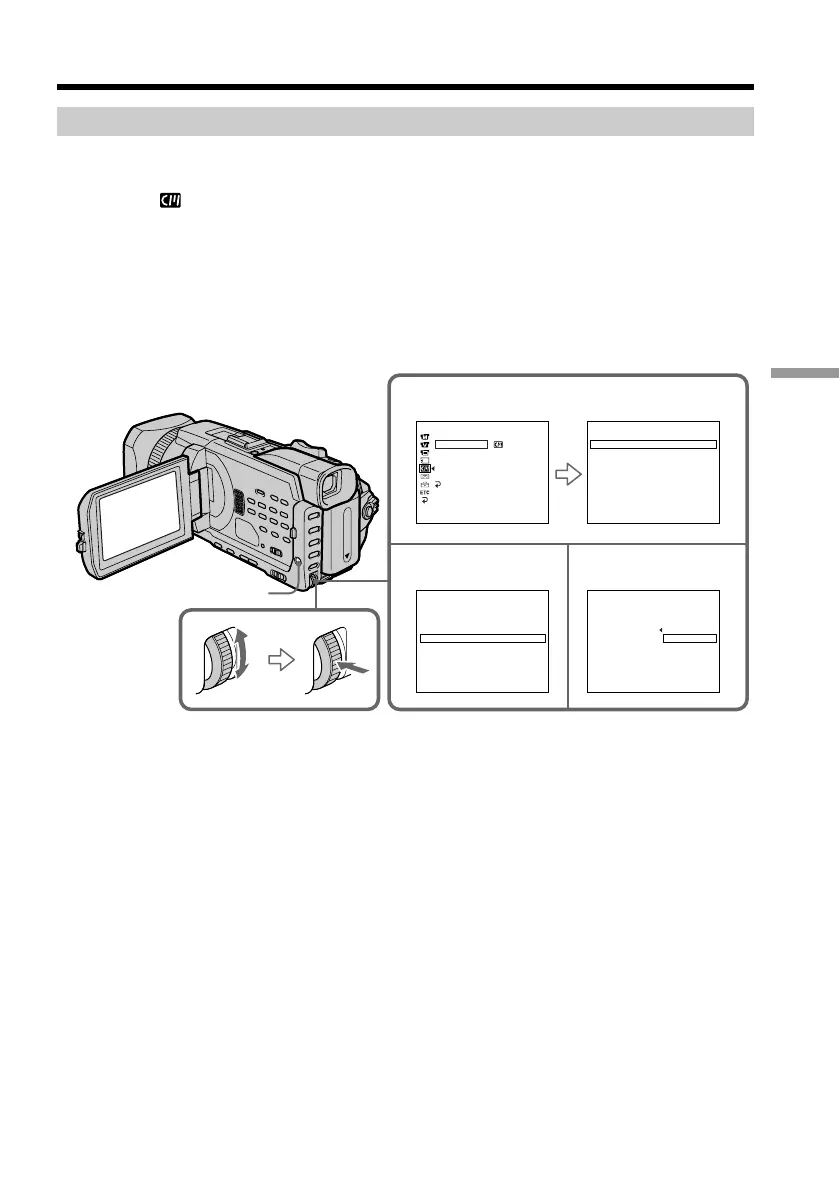
Erasing a title
(1) Set the POWER switch to CAMERA or VCR.
(2) Press MENU, then turn the SEL/PUSH EXEC dial to select TITLEERASE in
, then press the dial (p. 213).
(3) Turn the SEL/PUSH EXEC dial to select the title you want to erase, then press
the dial. ERASE OK ? indicator appears.
(4) Make sure that the title is the one you want to erase, and turn the SEL/PUSH
EXEC dial to select OK, then press the dial. OK changes to EXECUTE.
(5) Turn the SEL/PUSH EXEC dial to select EXECUTE, then press the dial.
The ERASING flashes on the screen. When the title is erased, the COMPLETE
is displayed.
To cancel erasing a title
Select RETURN in step 4 or 5.
Superimposing a title
MENU
2
34
CM SET
TITLE
TITLEERASE
TITLE DSPL
CM SEARCH
TAPE TITLE
ERASE ALL
RETURN
[
MENU
]
:
END
TITLE ERASE
1 HELLO!
2 CONGRATULATIONS!
3 HAPPY NEW YEAR!
4 PRESENT
5 GOOD MORNING
6 WEDDING
[
MENU
]
:
END
TITLE ERASE
1 HELLO!
2 CONGRATULATIONS!
3 HAPPY NEW YEAR!
4 PRESENT
5 GOOD MORNING
6 WEDDING
[
MENU
]
:
END
TITLE ERASE
4 PRESENT
ERASE OK? RETURN
EXECUTE
[
MENU
]
:
END














 To Next Page