128
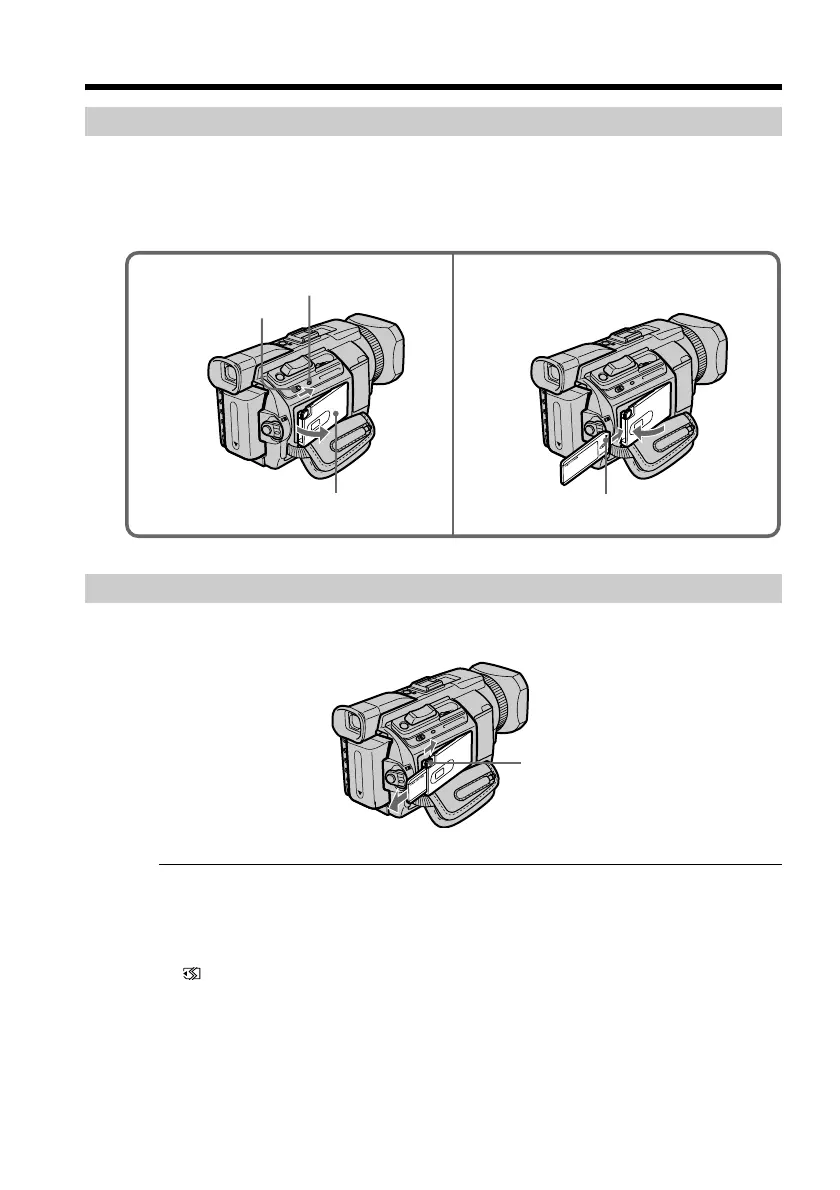
Inserting a “Memory Stick”
(1) Slide the MEMORY OPEN in the direction of the arrow to open the “Memory
Stick” slot.
(2) Insert a “Memory Stick” in the “Memory Stick” slot as far as it can go with the
B mark facing up as illustrated. Close the “Memory Stick” slot.
Ejecting a “Memory Stick”
Press MEMORY EJECT once lightly to eject it.
While the access lamp is lit or flashing
Do not shake or knock your camcorder because your camcorder is reading the data
from the “Memory Stick” or recording the data on the “Memory Stick.” Do not turn the
power off, eject the “Memory Stick.” Otherwise, image data may become damaged.
If “ MEMORYSTICK ERROR” is displayed
Reinsert the “Memory Stick” a few times. The “Memory Stick” may be damaged if the
indicator is still displayed. If this occurs, use another “Memory Stick.”
Using a “Memory Stick” – Introduction
1 2
“Memory Stick” slot
B mark
Access lamp
MEMORY OPEN
MEMORY EJECT














 To Next Page