206
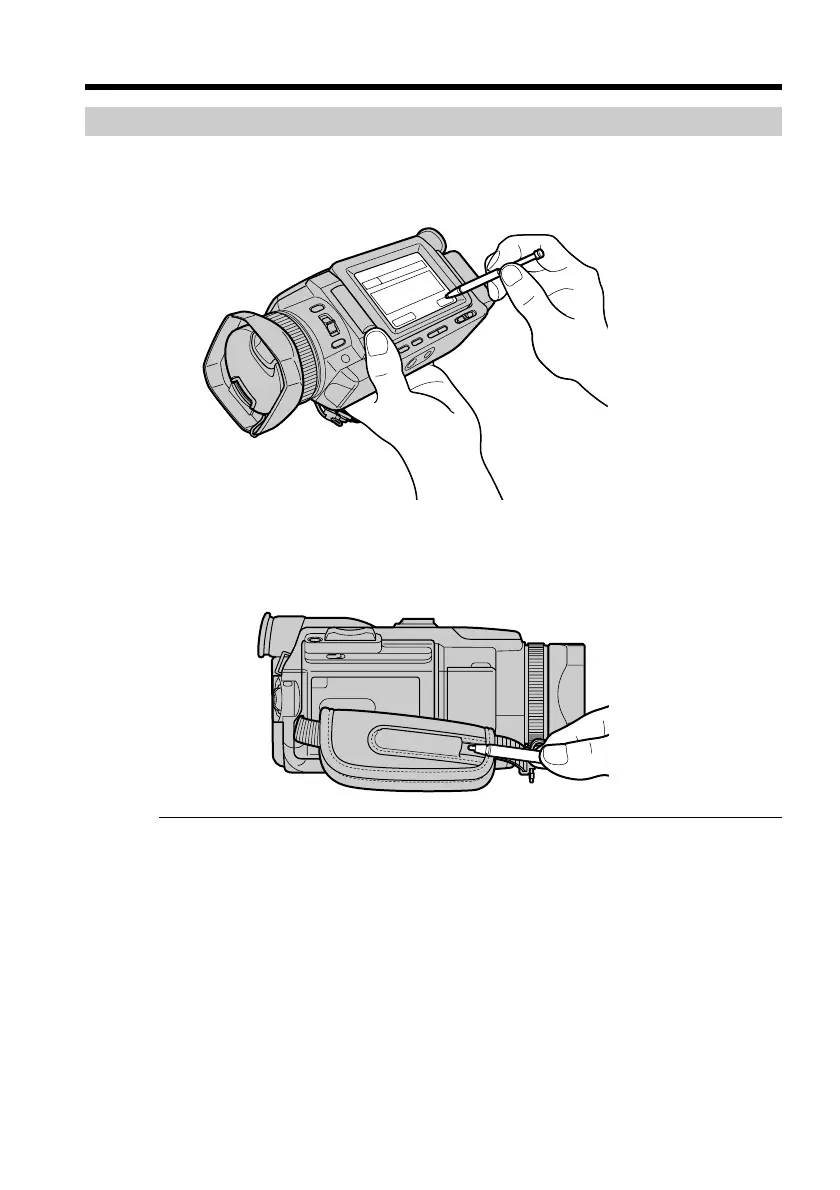
How to hold your camcorder when operating in NETWORK mode
Hold your camcorder with your hand through the grip belt to keep from dropping it.
The operation buttons needed in NETWORK mode are displayed on the LCD screen.
Press the buttons with the supplied stylus.
After using the stylus
Put it back in the holder. Hold the stylus correctly as shown in the illustration and
insert it until it clicks.
On trademarks
•The BLUETOOTH trademarks are owned by their proprietor and used by Sony
Corporation under license.
•All other product names mentioned herein may be the trademarks or registered
trademarks of their respective companies. Furthermore, “TM” and “®” are not
mentioned in each case in this manual.
Note
Make sure that your camcorder is in the standby with the POWER switch set to
MEMORY/NETWORK.
During using the network function
You cannot use the optional printer.
Accessing the network














 To Next Page