13
Step 3: Presetting
radio stations
2 Press BAND repeatedly until the
band you want appears in the
display.
Each time you press the button, the band
changes as follows:
DHC-EX880MD:
FM n MW n LW
DHC-MD717:
FM n AM
3 For DHC-EX880MD:
Press TUNING MODE repeatedly
until “AUTO TUNING” appears.
For DHC-MD717:
Press AUTO.
4 Turn MULTI CONTROLLER.
Turn MULTI CONTROLLER slightly,
then release it. The frequency indication
changes and scanning stops when the
system tunes in a station. “TUNED” and
“STEREO” (for a stereo program)
appear.
To stop scanning, press TUNING MODE
(for DHC-EX880MD) or AUTO (for
DHC-MD717).
continued
n
N
6,8
5
2
3
1
4,5,7
n
N
6,8
5
23
1
4,5,7
MANUAL
The bands you can receive vary depending
on the model you purchased.
The DHC-EX880MD lets you preset up to 40
stations, 20 for FM, 10 for MW and 10 for LW.
The DHC-MD717 lets you preset up to 30
stations, 20 for FM and 10 for AM.
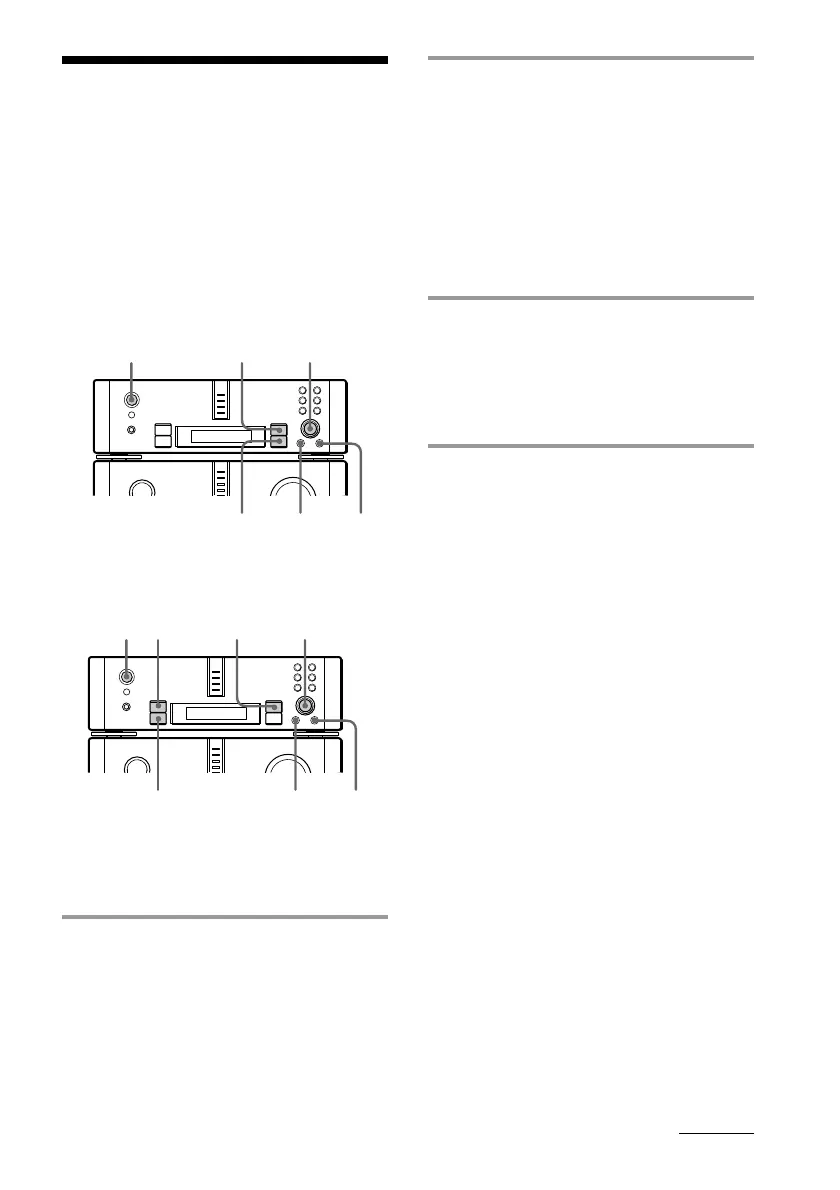
For DHC-EX880MD
For DHC-MD717
Tuning in a radio station
you wish to preset
1 Press 1/u (power) to turn on the
system.









 To Next Page