27
4 If you selected “ALL DISCS”, press
·∏ (or CD · on the remote).
If you selected “1DISC”, press the
CD 1 – 3 button for the tray
containing the desired CD.
J appears, then all the tracks play in
random order.
To cancel Shuffle Play
Press CONTINUE.
Tips
• You can start Shuffle Play during normal play by
pressing SHUFFLE. All tracks including those
already played on one disc (1DISC) or on all discs
(ALL DISCS) are played in random order.
• To skip a track, turn SELECTOR clockwise (or
press CD + on the remote). You cannot return
to the previous track.
Note
You cannot use Repeat Play during Shuffle Play for
“ALL DISCS”.
Programming the CD
tracks
— Program Play
You can make up to three programs of up to
25 tracks each from all the CDs in the order
you want them to be played. You can also
record the programs you made (see pages 43
to 45).
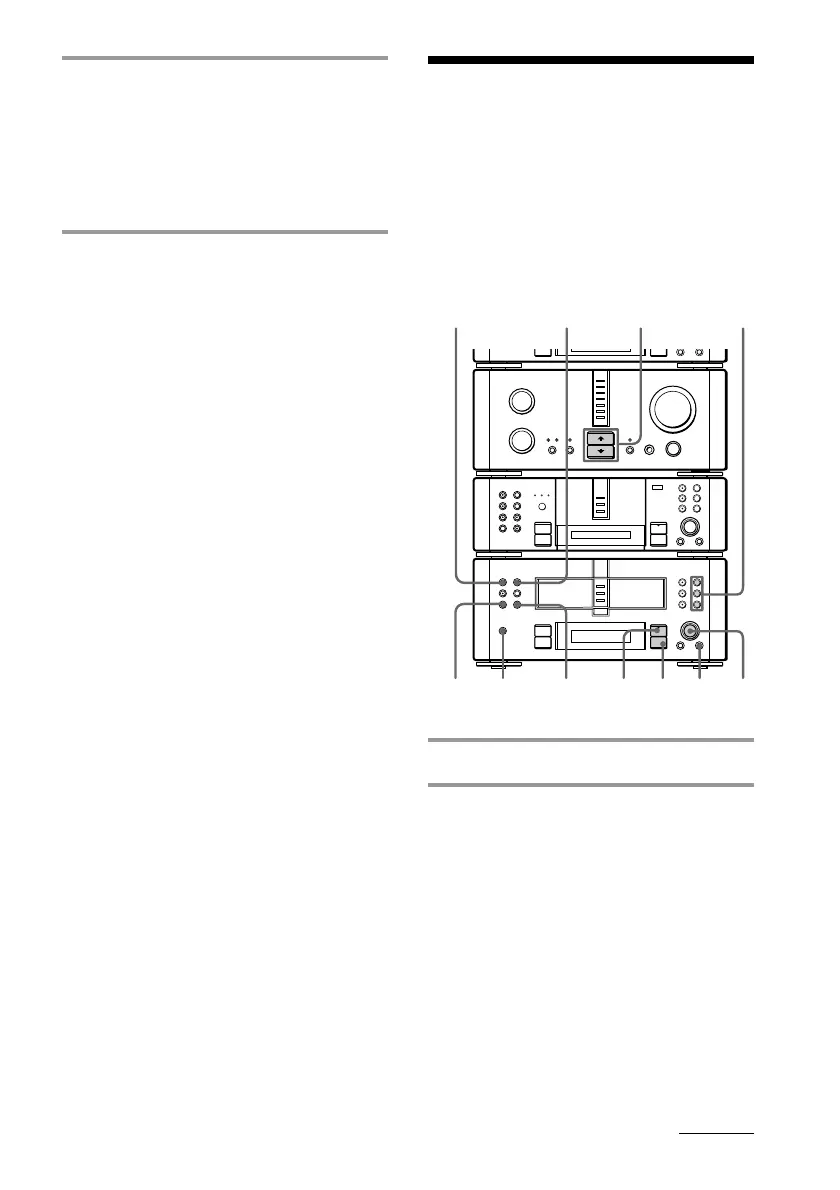
1 Place a CD (CDs) on each disc tray.
2 Press FUNCTION >/. repeatedly
to switch the function to CD.
Notes
• You can only program CD tracks while the
CD player is in stop mode.
• Wait for the total number of tracks on the CD
and the playing time to appear, then proceed
to the next step.
continued
•
•
•
•
•
•
•
•
•
0
10
N
)
n
0
N
·∏
p
+=
+=
)
n
0
N
·∏
p
§
§
§
1
863
2
5
4
p
CONTINUE
DISPLAY
CLEAR









 To Next Page