28
Programming the CD tracks
(continued)
7 To program additional tracks,
repeat steps 4 to 6.
8 Press ·∏ (or CD · on the
remote).
All the tracks play in the order you
selected.
To cancel Program Play
Press CONTINUE.
To cancel the programming
operation
Press p during steps 4 to 6.
To play an already prepared
program
Press PROGRAM repeatedly until the desired
program number (PROGRAM-1 to 3)
appears, then press ·∏ (or CD · on the
remote).
To clear the entire program
Press PROGRAM repeatedly in stop mode
until the desired program number
(PROGRAM-1 to 3) appears, then press p.
To check the total number of the
programmed tracks
Press PROGRAM repeatedly in stop mode
until the desired program number
(PROGRAM-1 to 3) appears, then press
DISPLAY.
The total number of the programmed tracks
and the total playing time appear.
To check the program order
Turn SELECTOR clockwise (or press CD +
on the remote) during Program Play.
The tracks appear in the order programmed,
and Program Play starts from the point where
you release SELECTOR.
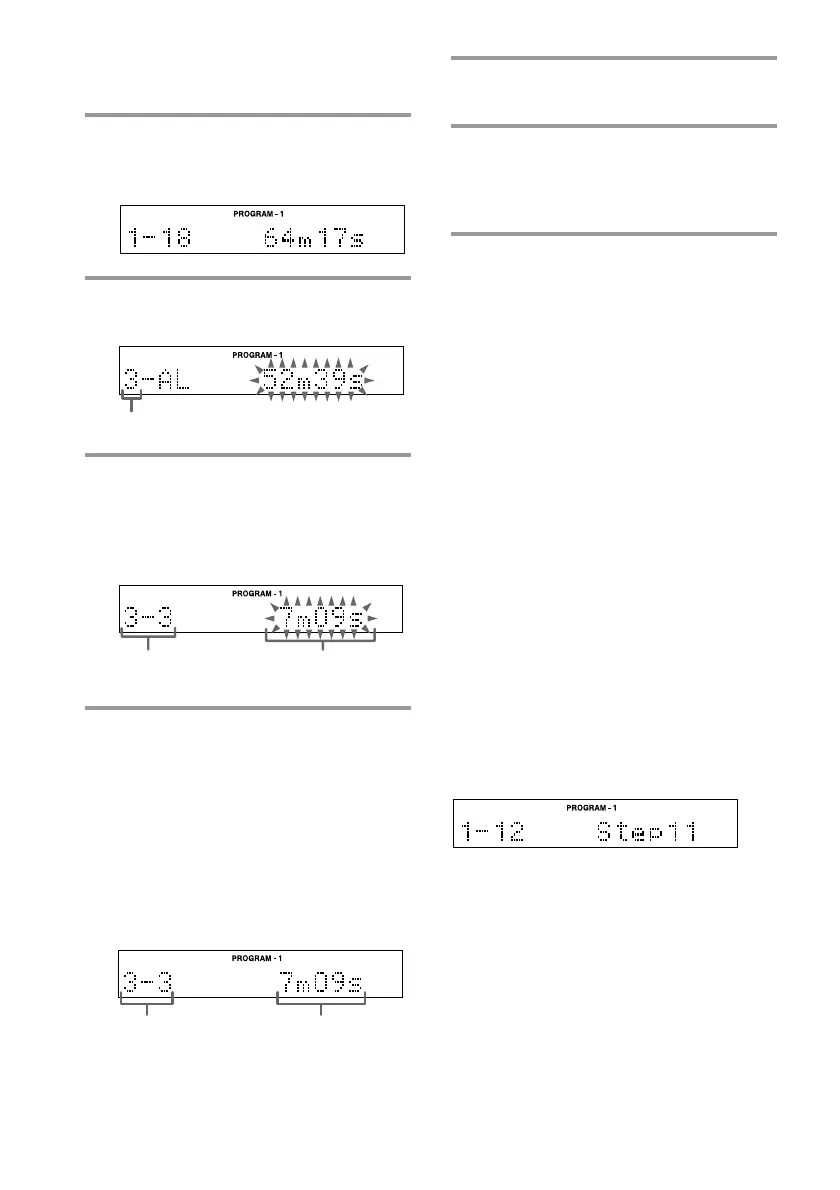
3 Press PROGRAM repeatedly so that
one of “PROGRAM-1” to
“PROGRAM-3” appears.
4 Press DISC SKIP (or CD D.SKIP on
the remote) to select the desired CD.
CD tray number
5 Turn SELECTOR (or press CD =
or + on the remote) until the
desired track number appears.
The selected CD and track numbers
flash.
6 Press ENTER/YES (or PROGRAM
on the remote).
The track is programmed. The total
number of the programmed tracks
(steps) appears, followed by the last
programmed track number and the total
playing time of all the programmed
tracks.
If you have made a mistake, press
CLEAR to erase the last programmed
track.
Total playing
time
Selected CD and
track numbers
Last track Total playing time









 To Next Page