63
2 Press FUNCTION >/ . on the
amplifier repeatedly to switch the
function to MD.
3 Turn SELECTOR until the track
number you want to move appears.
4 Press MENU/NO, then turn
SELECTOR until “Move ?” appears.
5 Press ENTER/YES.
6 Turn SELECTOR until the new track
position appears.
7 Press ENTER/YES.
“Complete” appears for a few seconds
and the tracks are moved.
To cancel the Move Function
Press p on the MD deck.
Returning to the track
order before MOVE
You can return to the original track order
immediately after moving recorded tracks
(see page 66).
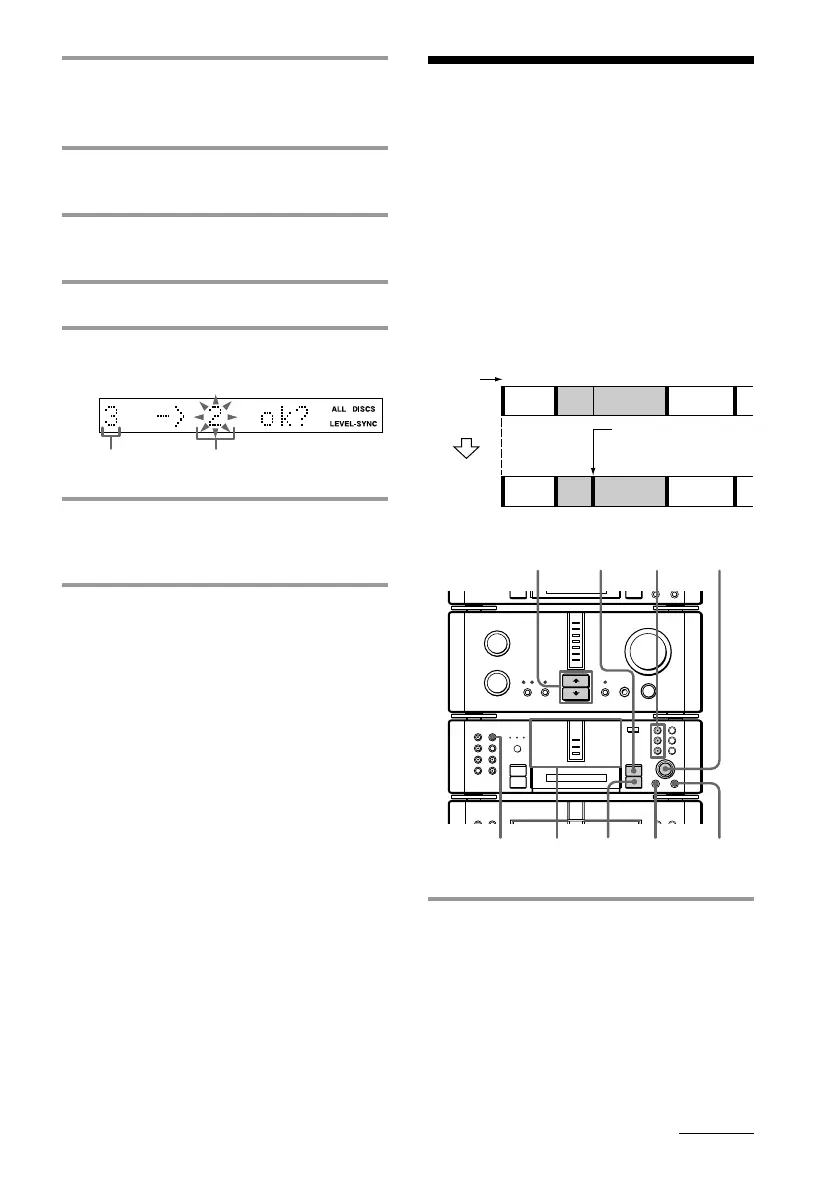
Dividing recorded
tracks
— Divide Function
The Divide Function lets you mark track
numbers after the recording ends. The total
number of tracks increases by one and all the
tracks following the divided ones are
renumbered.
Example: Dividing track 2 into two tracks.
1 Insert the MD you want to edit, then
press DISC SKIP on the MD deck (or
MD D.SKIP on the remote) so the
MD 1 to 3 button of the slot
containing the MD lights green.
continued
The original
track number
The new track
position
MD 1 – 3
buttons
•
•
•
•
•
•
•
•
•
0
10
N
)
n
0
N
·∏
p
+=
§
1 4 5,6
2
p
4
1
3
Track
number
Original
tracks
After
DIVIDE
12
3
123 4
AB C
D
AB C
D
Divide track 2 into
tracks B and C.









 To Next Page