26
The CD player
Playing the CD tracks
repeatedly
— Repeat Play
Playing the CD tracks
in random order
— Shuffle Play
This function lets you repeat a single CD or
all CDs in normal play, “1DISC” Shuffle Play
and Program Play.
Playing all tracks or a
program repeatedly
/ Press REPEAT during play until
“REPEAT” appears.
You cannot perform Repeat Play for
“ALL DISCS” during Shuffle Play.
Repeating a single track
/ Press REPEAT repeatedly while
playing the track you want to repeat
until “REPEAT 1” appears.
You can change the repeated track by
pressing CD = or + on the remote
(or turning SELECTOR on the CD
player) during play.
You cannot repeat a single track during
Shuffle Play and Program Play.
To cancel Repeat Play
Press REPEAT repeatedly until “REPEAT” or
“REPEAT 1” disappears.
You can play all the tracks on one CD or all
CDs in random order.
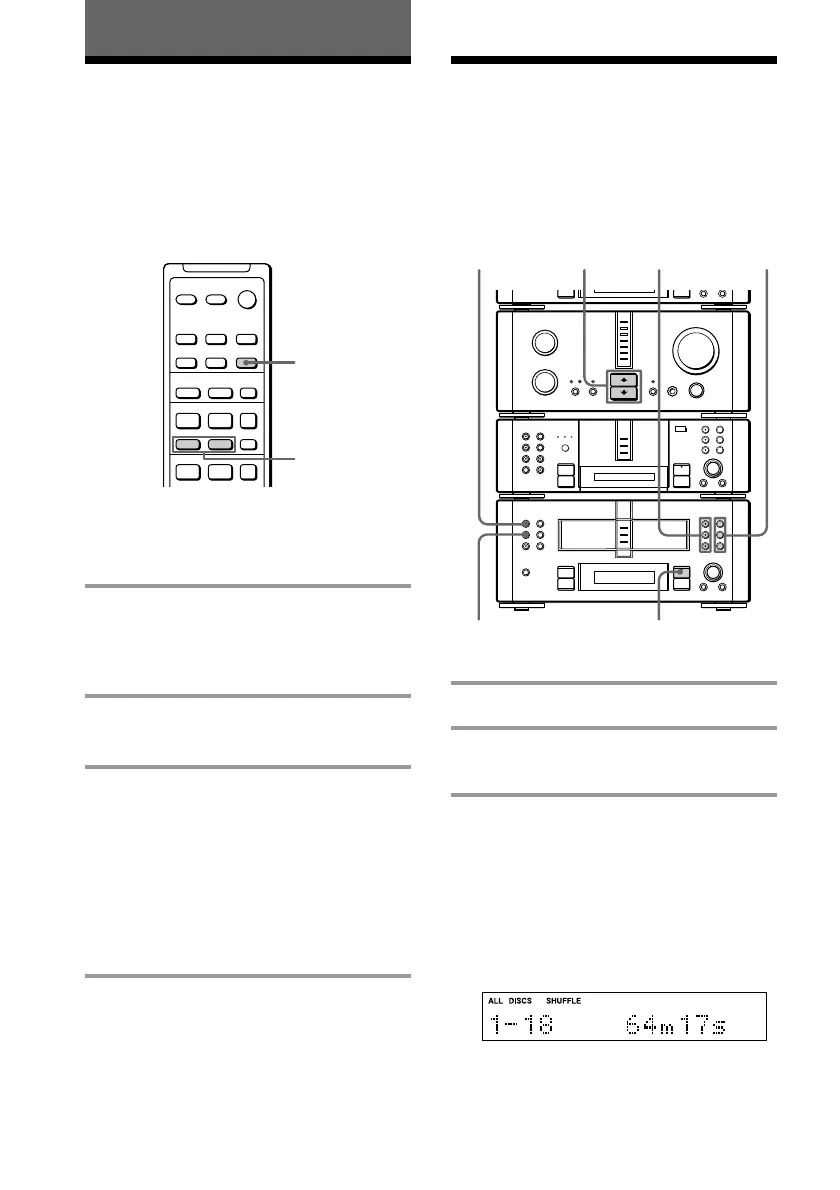
1 Place a CD (CDs) on each disc tray.
2 Press FUNCTION >/. repeatedly
to switch the function to CD.
3 Press SHUFFLE.
Each time you press the button, the
display changes as follows:
“ALL DISCS” ˜ “1DISC”
(A single CD whose
CD 1 – 3 button lights
green plays in
random order.)
(All the CDs play
in random order.)
•
•
•
•
•
•
•
•
•
0
10
N
)
n
0
N
·∏
p
+=
+=
)
n
0
N
·∏
p
§
§
§
1
34
24
CONTINUE
·
P
+=
p
·
Pp
–
+
=/+
REPEAT









 To Next Page