68
Boosting the bass
/ Press DBFB*.
Each time you press the button, the
indicator lights up as follows:
“LOW” n “HIGH” n off
Press the button repeatedly until the
indicator turns off to cancel.
* DBFB: Dynamic Bass Feedback
Muting the sound
/ Press MUTING.
The indicator lights up. Press the button
again to return to the original volume.
Listening to music
without any sound effects
/ Press SOURCE DIRECT.
The indicator lights up.
The system outputs the music signals
directly without passing them through
any circuit.
Press the button again to cancel.
Listening through the
headphones
/ Connect the headphones to
PHONES.
Other Features
Adjusting the sound
You can adjust the bass and treble, mute the
sound or listen to the source directly.
Adjusting the volume
/ Turn VOLUME.
Or press VOL / on the remote.
Adjusting the bass
/ Turn BASS.
Adjusting the treble
/ Turn TREBLE.
Adjusting the balance
/ Turn BALANCE.
Note
When the SOURCE DIRECT indicator is lit, you
cannot adjust BASS, TREBLE or BALANCE.
Press SOURCE DIRECT to turn off the indicator.
N
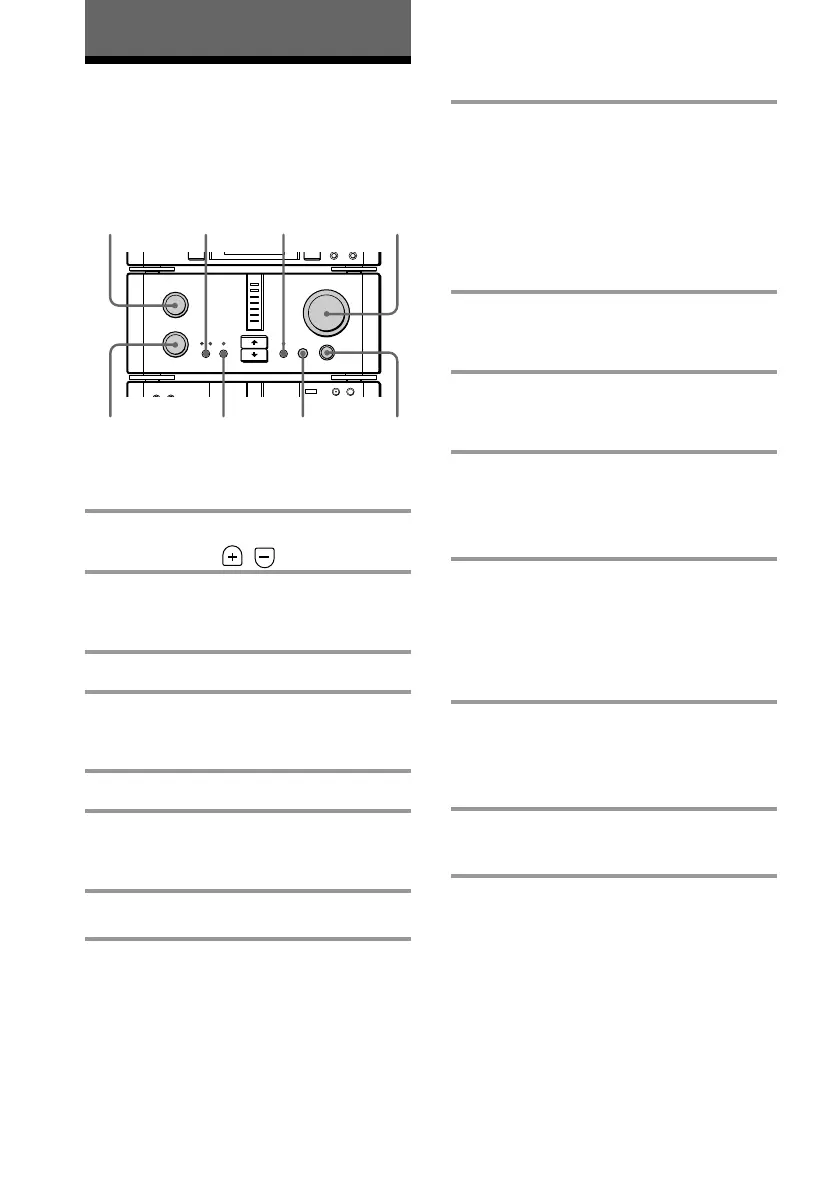
TREBLE
DBFB MUTING VOLUME
BASS
SOURCE DIRECT
PHONES
BALANCE









 To Next Page