54
Making the space
between tracks
3 seconds long
— Smart Space, Auto Cut
When you turn on Smart Space, the Smart
Space and Auto Cut functions are both
activated to make the blank space between
tracks three seconds long automatically while
making a digital recording.
Smart Space
There has been an extended silence of about
3 to 30 seconds during digital recording.
The MD deck replaces the silence with a
blank of about 3 seconds and continues
recording.
Auto Cut
There has been no sound input for 30 seconds
during digital recording.
The MD deck replaces the silence of
30 seconds with a blank of about 3 seconds
and changes to recording pause.
Press ·∏ to restart the recording.
Tip
The Smart Space and Auto Cut functions are factory
set to on. If you turn off the system or disconnect the
AC power cord, the MD deck will retain the last
setting (ON or OFF).
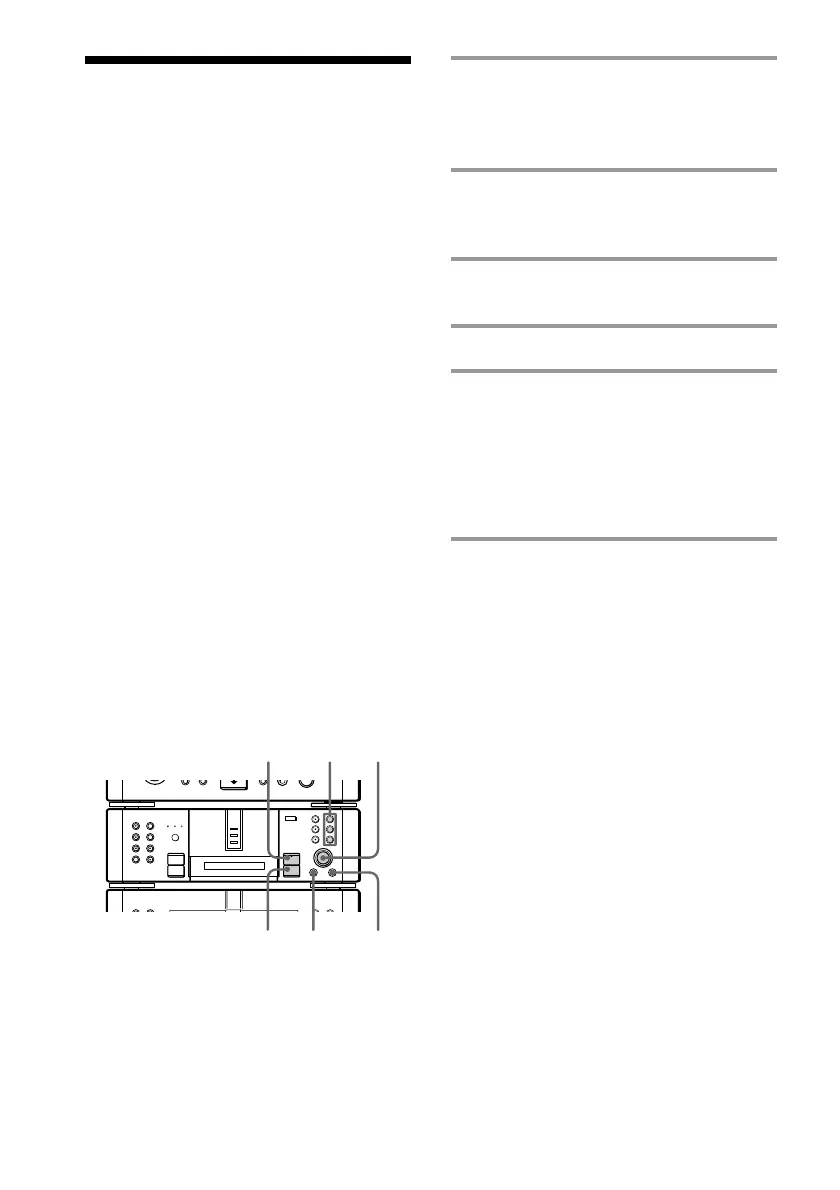
1 Press REC 1 – 3 for the slot number
containing the recordable MD, and
set the MD deck to recording
standby.
2 Press MENU/NO, then turn
SELECTOR until “S.Space ?”
appears.
3 Press ENTER/YES.
“S.Space ON?” appears.
4 Press ENTER/YES again.
5 Press ·∏ on the MD deck (or
MDP on the remote).
Recording starts.
When “Smart Space” appears during
recording, the Smart Space function is
activated. When “Auto Cut” appears, the
Auto Cut function is activated.
To stop recording
Press p on the MD deck.
To turn off the Smart Space and
Auto Cut functions
1 Press MENU/NO during recording pause,
then turn SELECTOR until “S.Space ?”
appears.
2 Press ENTER/YES.
“S.Space OFF?” appears.
3 Press ENTER/YES again.
•
•
•
•
•
•
•
•
•
0
10
)
n
0
N
·∏
p
+=
§
5
1
3,4
p
2
2



 To Next Page