64
Dividing recorded tracks
(continued)
Notes
• When you divide a labeled track (see page 57),
only the first of the two tracks retains the track
title.
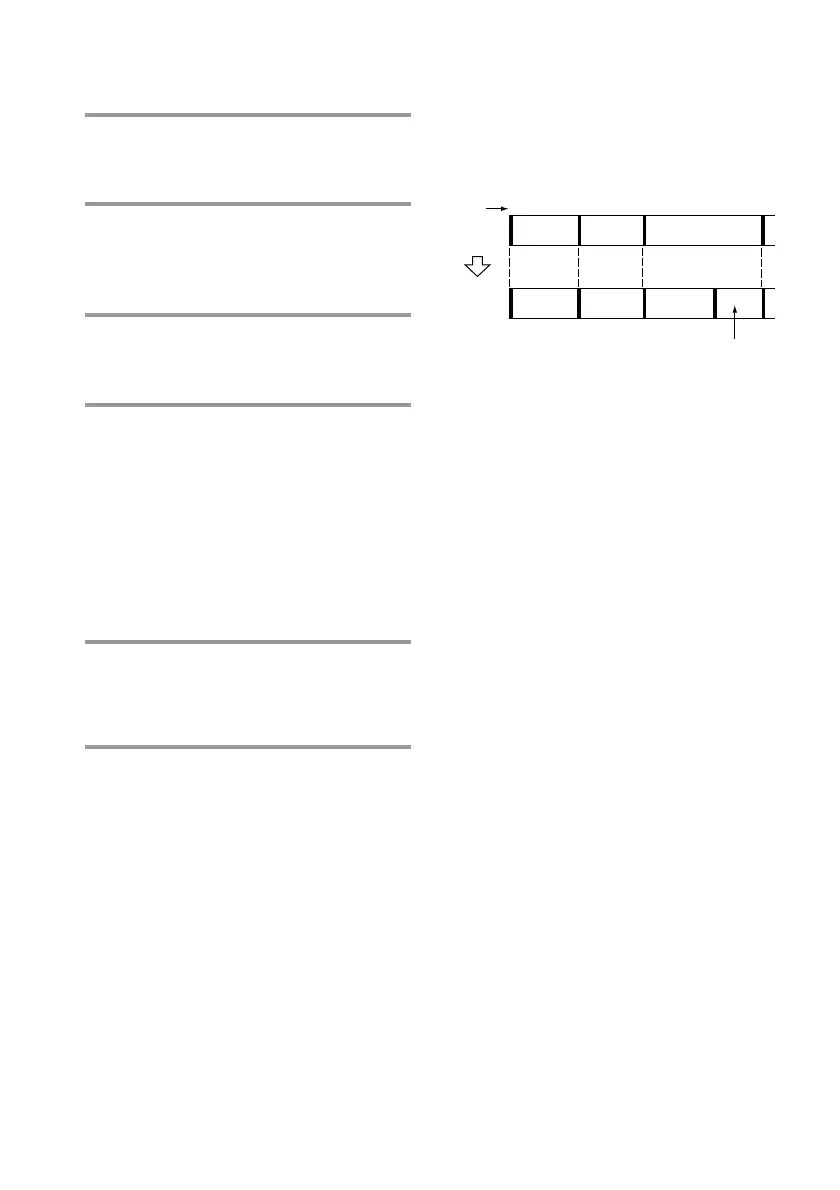
Example:
• You cannot divide the start or end of a track. If
you specify the start or end of a track as the
position to be divided, “Impossible” appears.
Turn SELECTOR to shift the position.
Returning to the
condition before DIVIDE
You can return to the original condition
immediately after dividing the tracks (see
page 66).
2 Press FUNCTION >/ . on the
amplifier repeatedly to switch the
function to MD.
3 While playing the MD, press ·∏
(or MD P on the remote) at the
point to be divided.
The MD deck pauses.
4 Press MENU/NO, then turn
SELECTOR until “Divide ?”
appears.
5 Press ENTER/YES.
“Rehearsal” and “Position ok?” appear
alternately and the portion to be divided
is played repeatedly.
To shift the position to be divided:
While monitoring the sound, turn
SELECTOR to the starting point to be
divided.
You can shift the point by 1/86 seconds
(1 frame) intervals.
6 Press ENTER/YES again.
“Complete” appears for a few seconds
and the newly created track begins
playing.
To cancel the Divide Function
Press p on the MD deck.
The new track is
untitled.
Track
number
Original
tracks
After
DIVIDE
Andante Adagio Allegro
Andante Adagio Allegro
1
2
1
2
34
3
54









 To Next Page