44
Recording your favorite CD tracks
on an MD (continued)
Step 2: Recording
— When recording a single
program
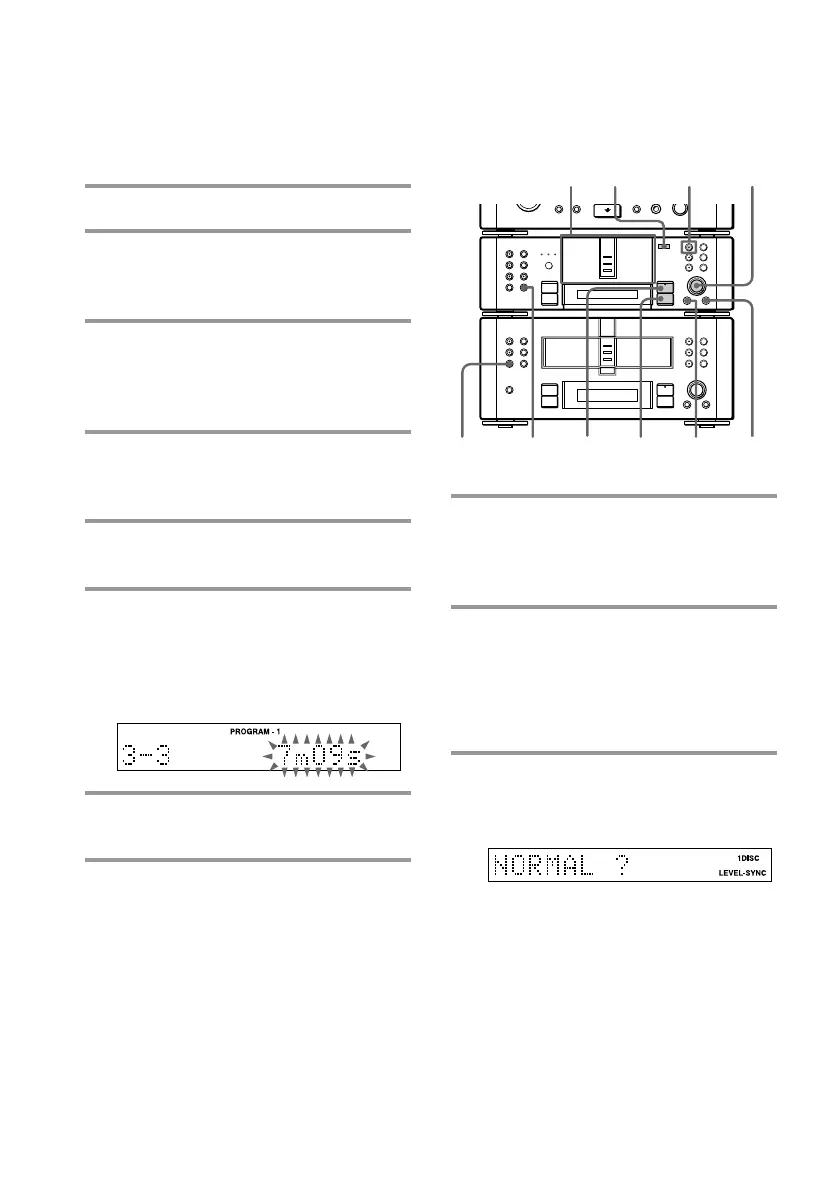
9 Press PROGRAM on the CD player
repeatedly until the desired
program “PROGRAM-1” to
“PROGRAM-3” appears.
10 Insert a recordable MD to the MD 1
slot.
You can only record on the MD in MD 1.
When the MD 1 button is lit green, press
§ and eject the MD, then insert a
recordable MD.
11 Press CD SYNC on the MD deck,
then turn SELECTOR until
“NORMAL ?” appears.
Step 1: Programming the
tracks
1 Place a CD (CDs) on each disc tray.
2 Press FUNCTION >/. on the
amplifier repeatedly to switch the
function to CD.
3 Press PROGRAM on the CD player
repeatedly so that one of
“PROGRAM-1” to “PROGRAM-3”
appears.
4 Press DISC SKIP on the CD player
(or CD D.SKIP on the remote) to
select the desired CD.
5 Turn SELECTOR on the CD player
to select the desired track.
6 Press ENTER/YES on the CD
player.
The track is programmed.
The total number of programmed steps
and the total playing time appear.
7 To program additional tracks,
repeat steps 4 to 6.
8 To create multiple programs, repeat
steps 3 to 7.
MD 1
button
•
•
•
•
•
•
•
•
•
0
10
)
n
0
N
·∏
p
+=
+=
)
n
0
N
·∏
p
§
§
§
11
10
11
12
13
9
p
§
MENU/NO









 To Next Page