EasyManua.ls Logo

Sony Digital8 M2000 - Page 37

Sony Digital8 M2000
46 pages
Print Icon
To Next Page IconTo Next Page
To Previous Page IconTo Previous Page
Loading...
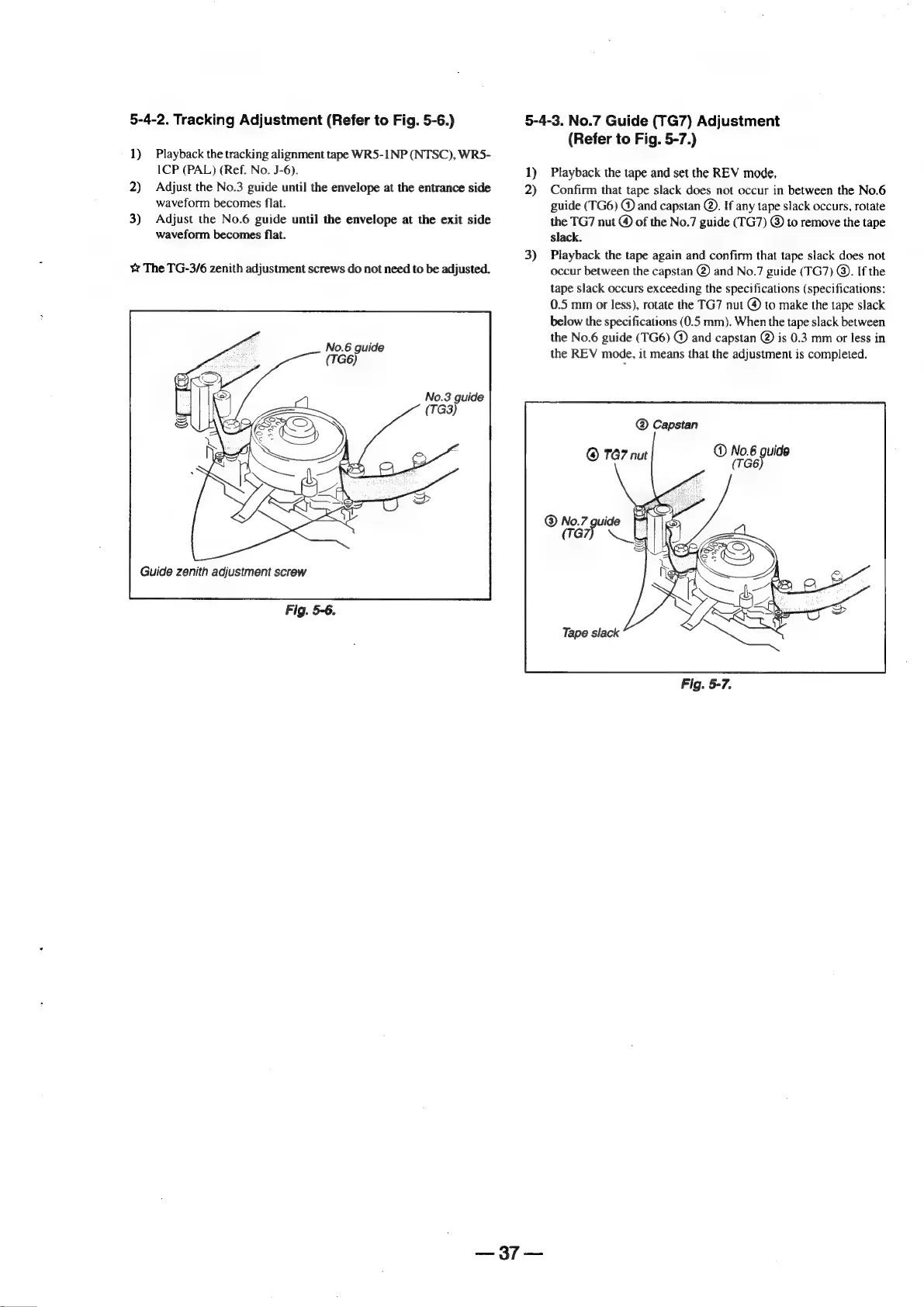
5-4-2.
Tracking
Adjustment
(Refer
to
Fig.
5-6.)
5-4-3.
No.7
Guide
(TG7)
Adjustment
(Refer
to
Fig.
5-7.)
1)
Playback
the
tracking
alignment
tape
WR5-1NP
(NTSC),
WR5-
1CP
(PAL)
(Ref.
No.
J-6).
1)
Playback
the
tape
and
set
the
REV
mode,
2)
Adjust
the
No.3
guide
until
the
envelope
at
the
entrance
side
2)
Confirm
that
tape
slack
does
not
occur
in
between
the
No.6
waveform
becomes
flat.
guide
(TG6)
@
and
capstan
@.
If
any
tape
slack
occurs,
rotate
3)
Adjust
the
No.6
guide
until
the
envelope
at
the
exit
side
the
TG7
nut
@
of
the
No.7
guide
(TG7)
©
to
remove
the
tape
waveform
becomes
flat.
slack.
3)
Playback
the
tape
again
and
confirm
that
tape
slack
does
not
¥
The
TG-3/6
zenith
adjustment
screws
do
not
need
to
be
adjusted.
occur
between
the
capstan
@)
and
No.7
guide
(TG7)
®.
If
the
tape
slack
occurs
exceeding
the
specifications
(specifications:
0.5
mm
or
less),
rotate
the
TG7
nut
@
to
make
the
tape
slack
below
the
specifications
(0.5
mm).
When
the
tape
slack
between
the
No.6
guide
(TG6)
@
and
capstan
@)
is
0.3
mm
or
less
in
the
REV
mode,
it
means
that
the
adjustment
is
completed.
No.6
guide
(TG6)
No.3
guide
Capstan
@
No.6
guide
@
TG7
nut
(TG
of
Guide
zenith
adjustment
screw
Fig.
5-6.
2:37
=<

Table of Contents

Related product manuals